SETUP GUIDEHow to set it up8 sections. Choose a role to highlight what matters to you.
Everyone
1What it is and why
What it is
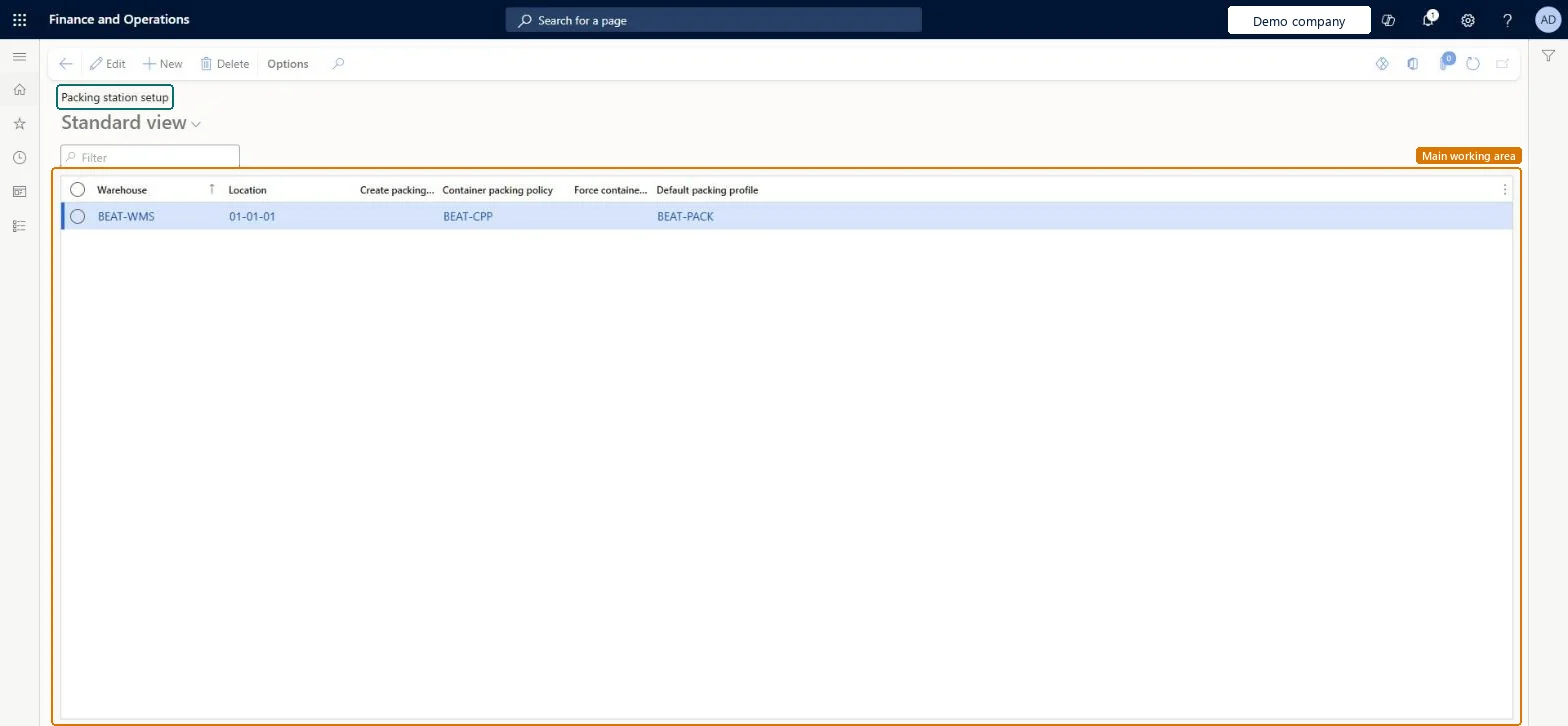
A list page where you set up each packing location, including whether packing work is created and which container packing policy and default packing profile apply there.
What you do here
Use this page to define the packing stations in a warehouse and choose whether the system creates packing work when items are delivered to them.
Example
For example, you can create packing work so that partial loads can be packed and shipped.
The page in Dynamics 365. page title tab to open what to set or check
About the examples: Examples and screenshots in this guide use BEAT, a demo company in a Dynamics 365 test environment. Use your own company's codes and values instead of copying them.
Setup steps on this page
Set up Packing station setup
Use this page to define the packing stations in a warehouse and choose whether the system creates packing work when items are delivered to them.
Steps from Microsoft
Go to Warehouse management > Setup > Packing > Packing station setup.
On the Action Pane, select New to add a packing station setup record.
Select or enter the Warehouse and the packing Location.
Select Create packing work if you want packing work created each time items are delivered to the location.
Optionally select a Container packing policy, Force container closing profile and a Default packing profile.
The warehouse where the packing location is located.Microsoft Learn
InventLocationId
Location
The packing location, which must use a location profile with the packing location type.Microsoft Learn
wMSLocationId
Create packing work
Creates packing work each time that items are delivered to the packing location.Microsoft Learn
isEnabled
Container packing policy
The container closing profile that is stamped on work containers converted into packing station containers at this location.Microsoft Learn
CloseContainerProfileId
Force container closing profile
Requires the system to always apply the container packing policy set for this packing station.Microsoft Learn
ForceCloseContainerProfile
Default packing profile
The packing profile used by default for containers packed at this packing station.Microsoft Learn
DefaultPackProfileId
Common errors and fixes
Message
What to do
A container closing profile must be specified on the packing station setup to convert work containers to packing station containers.
Set Container packing policy on the packing station setup record for every station where work containers can arrive while Convert work containers to packing station containers is Aligned with work headers. Microsoft Learn
Test checklist
Add the packing location with Create packing work selected.
Release a sales order and complete picking work that puts to the packing location.
Check in All work that Packing work with a Pick and a Put line is created.
Pack part of the shipment, use a load template that allows split, and confirm the outbound shipment with Split quantity to new load.
Create packing work selected for each packing location where partial loads are packed and shipped; set Container packing policy on every station where work containers can be convertedPacking work links to load lines so partial loads can be packed and shipped. If work container conversion is used, the station must have a container packing policy because the system can't infer which profile to stamp.
Turning on Create packing work while items are still at the packing station. Learn says to make sure the station is empty first.
Solution architect
5Design impact
Can it be undone
Hard to reverse: Create packing work should only be switched on when the station is empty, so changing it needs the station cleared first. Other fields can be changed at any time.
If you change it later
Before you turn on Create packing work for a location, make sure that the packing station is empty. Microsoft Learn
Technical architect
6Technical
Menu item
WHSPackingWorkLocationSetupChecked in Dynamics 365
Form
WHSPackingWorkLocationSetupChecked in Dynamics 365
Table
WHSPackingWorkLocationSetupShown as “PACKING STATION SETUP” in Record infoKey field: wMSLocationId, InventLocationIdChecked in Dynamics 365
Who can open it
PrivilegesMaintain acking station setup WHSPackingWorkLocationSetupMaintainView packing station setup WHSPackingWorkLocationSetupViewDutiesMaintain acking station setup WHSPackingWorkLocationSetupMaintainView packing station setup WHSPackingWorkLocationSetupView2 security rolesWarehouse planner WHSWarehousePlannerWarehouse manager WMSWarehouseManagerChecked in Dynamics 365
Roles to set it up and use it
To set it up or change itWarehouse manager WMSWarehouseManagerTo use itWarehouse planner WHSWarehousePlannerGive people one of these roles. On this system, 2 roles can open this page.Checked in Dynamics 365