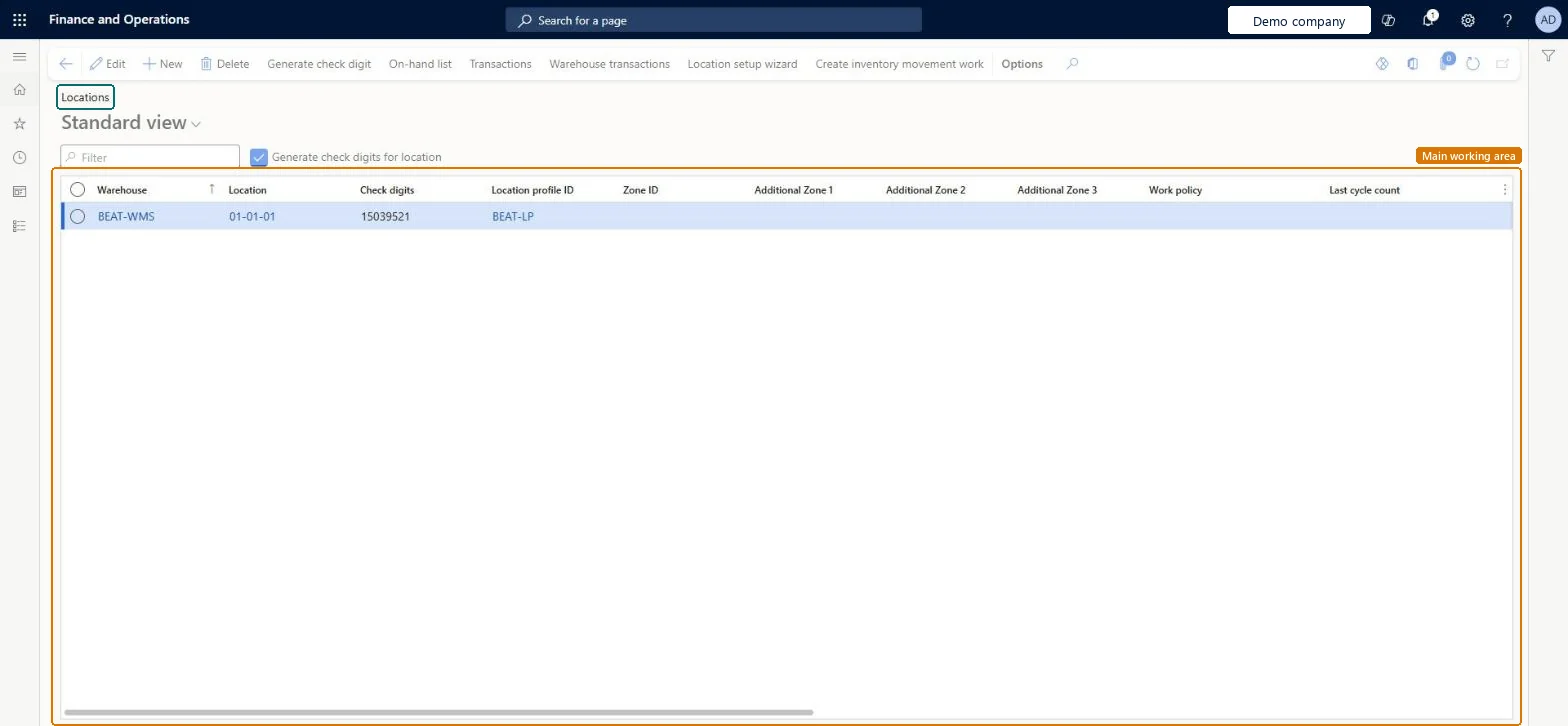
About the examples: Examples and screenshots in this guide use BEAT, a demo company in a Dynamics 365 test environment. Use your own company's codes and values instead of copying them.
Setup steps on this page
Set up Locations
Use this page to create and maintain the locations where on-hand inventory is stored and picked.
Steps from Microsoft
Go to Warehouse management > Setup > Warehouse > Locations.
Select New on the Action Pane.
In the Warehouse field, enter the warehouse.
In the Location field, enter a new unique name for the location.
In the Location profile ID field, enter the location profile.
Create storage locations with the Location setup wizard and special-purpose locations (receiving docks, packing, quality) manuallyThe wizard creates many locations from a format; manual creation suits single special-purpose locations.
Entering a location name that doesn't follow the location format of its location profile.
Reversible: A location's profile can be changed (Learn's stocking limit example does this), and blocking causes can stop input or output without deleting it. Microsoft Learn
Technical architect
6Technical
Menu item
WHSLocationChecked in Dynamics 365
Form
WHSLocationChecked in Dynamics 365
Table
WMSLocationShown as “LOCATIONS” in Record infoKey field: inventLocationId, wMSLocationIdChecked in Dynamics 365
PrivilegesMaintain locations WHSLocationMaintainView locations WHSLocationViewDutiesInquire into warehouse operation master WMSWarehouseOperationMasterInquireMaintain warehouse operation master WMSWarehouseOperationMasterMaintain6 security rolesField Service Integration User FieldServiceIntegrationUserProduction supervisor ProdProductionSupervisorProcess engineer RouteProcessEngineerProcess engineering manager RouteProcessEngineeringManagerWarehouse planner WHSWarehousePlannerWarehouse manager WMSWarehouseManagerChecked in Dynamics 365
Roles to set it up and use it
To set it up or change itWarehouse manager WMSWarehouseManagerProcess engineer RouteProcessEngineerTo use itWarehouse planner WHSWarehousePlannerProduction supervisor ProdProductionSupervisorProcess engineering manager RouteProcessEngineeringManagerField Service Integration User FieldServiceIntegrationUserGive people one of these roles. On this system, 6 roles can open this page.Checked in Dynamics 365
Actions on the page
(Action Pane without tabs): Generate check digit, On-hand list, Transactions, Warehouse transactions, Location setup wizard, Create inventory movement workChecked in Dynamics 365
WMSWarehouseLocationEntity (Warehouse locations): loaded for each company, in Microsoft's default template 300 - Inventory.Load order: Microsoft's default template 300 - Inventory loads Warehouse locations at execution unit 1, level 300, sequence 70. Lower levels load first, and entities at the same level load in sequence order.Load first: Cause of blocking, Warehouse zones, Warehouses, Inventory aisle, Warehouse location profiles, the default templates at lower levels (System setup to Budgeting)Microsoft Learn