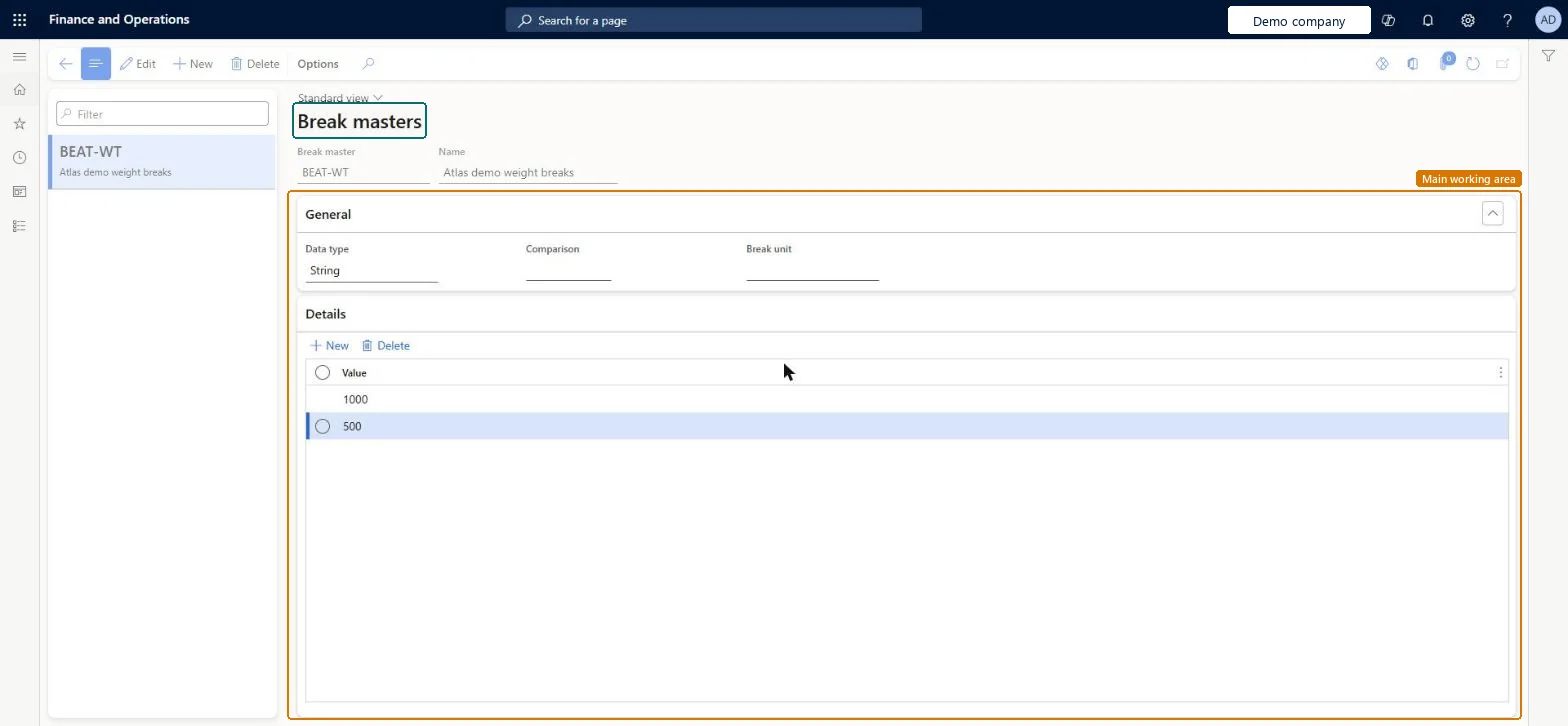
About the examples: Examples and screenshots in this guide use BEAT, a demo company in a Dynamics 365 test environment. Use your own company's codes and values instead of copying them.
Setup steps on this page
Set up Break master
Use this page to set the breakpoints, such as distance or weight bands, at which a carrier's rate changes, so that rate bases can price each band.
Steps from Microsoft
Go to Transportation management > Setup > Rating > Break master.
On the Action Pane, select New.
In the header, enter a unique Break master identifier and a descriptive Name.
On the General FastTab, enter the Data type, Comparison and Break unit.
On the Details FastTab, create as many breaks as your pricing structure needs, entering a Value for each row.
One break master per pricing structure in the carrier contract, with Data type real or integer for weight or distance bands and a Break unit that matches the engine unitThe break master defines the tiered breakpoints each rate base prices; Learn says the break unit should ideally match the engine's unit.
Relying on Comparison or Break unit to change the calculation: both are informational only and don't affect the standard engine.
Hard to reverse: Rate bases are built on the break master's breakpoints, so changing the breaks means re-entering the rate base prices.
Technical architect
6Technical
Menu item
TMSBreakMasterChecked in Dynamics 365
Form
TMSBreakMasterChecked in Dynamics 365
Table
TMSBreakMasterShown as “BREAK MASTER” in Record infoKey field: BreakMasterCodeChecked in Dynamics 365
Data entities
TMSTransportationRateBreakMasterEntityTransportation rate break masters Microsoft data model
Who can open it
PrivilegesMaintain break master TMSBreakMasterMaintainView break master record TMSBreakMasterViewDutiesInquire into carrier master and network planning information TMSCarrierMasterInquireMaintain carrier and network planning master TMSCarrierMasterMaintain2 security rolesLogistics manager TMSLogisticsManagerTransportation coordinator TMSTransportationCoordinatorChecked in Dynamics 365
Roles to set it up and use it
To set it up or change itLogistics manager TMSLogisticsManagerTo use itTransportation coordinator TMSTransportationCoordinatorGive people one of these roles. On this system, 2 roles can open this page.Checked in Dynamics 365
TMSTransportationRateBreakMasterEntity (Transportation rate break masters): loaded for each company, in Microsoft's default template 405 - Transportation management.Load order: Microsoft's default template 405 - Transportation management loads Transportation rate break masters at execution unit 1, level 30, sequence 10. Lower levels load first, and entities at the same level load in sequence order.Load first: the default templates at lower levels (System setup to General ledger)Microsoft Learn