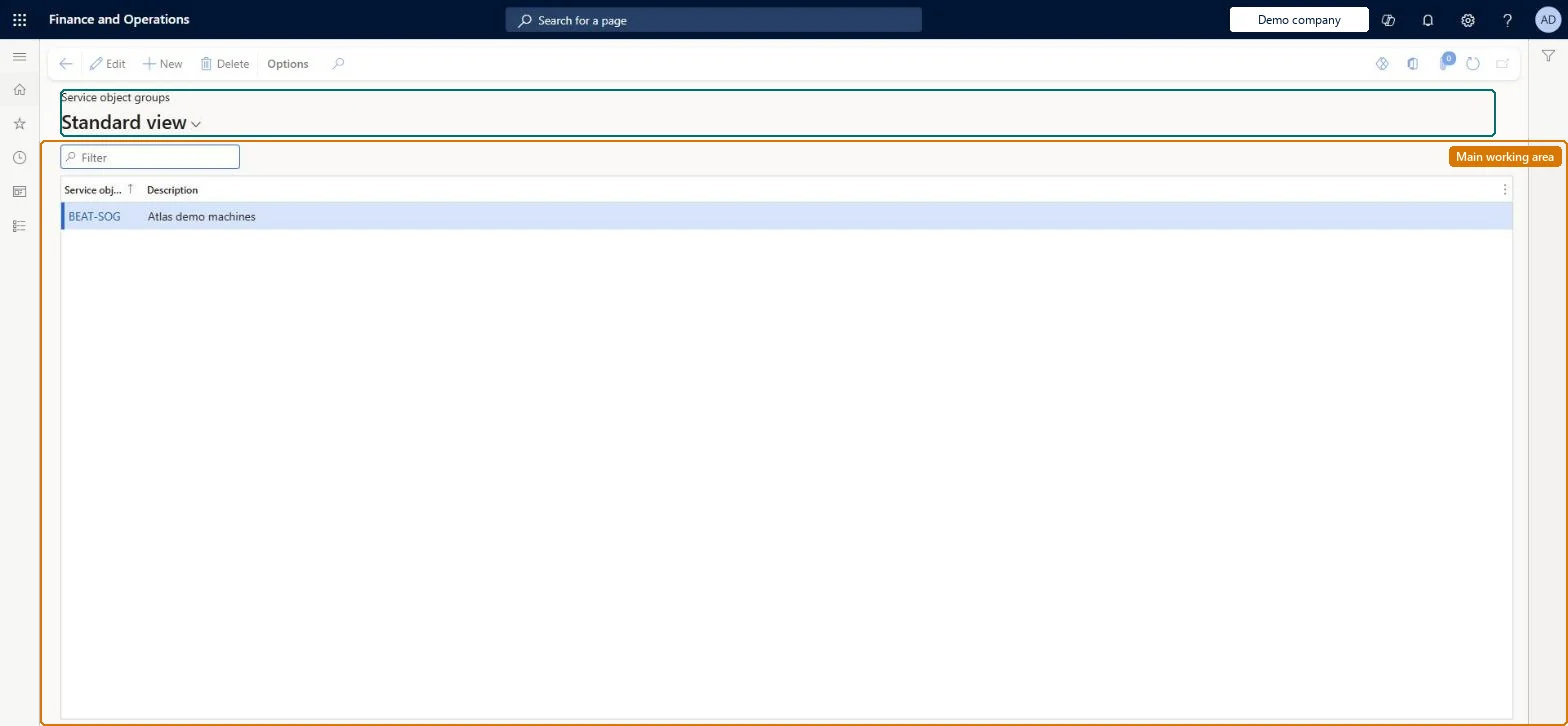
Setup step on the Service object groups page · Service management
Set up Service object groups
Use this page to define groups such as geographical location or object type so you can filter service objects and produce reports and statistics for similar objects.
Process engineer, Process engineering manager, Service delivery manager
Business process
Receive service requests
Menu item
SMAServiceObjectGroups
Main table
SMAServiceObjectGroup
Data entity
SMAServiceObjectGroupEntity
Setup steps
1 on this page
Show what matters for
SETUP GUIDEHow to set it up8 sections. Choose a role to highlight what matters to you.
Everyone
1What it is and why
What it is
A setup page where you create named groups, with an optional description, that service objects are assigned to for sorting, filtering and reporting.
What you do here
Use this page to define groups such as geographical location or object type so you can filter service objects and produce reports and statistics for similar objects.
Example
For example, a customer from Belgium calls about object ABC, and filtering on the Belgium object group shows quickly whether a record for ABC already exists.
The page in Dynamics 365. page title tab to open what to set or check
About the examples: Examples and screenshots in this guide use BEAT, a demo company in a Dynamics 365 test environment. Use your own company's codes and values instead of copying them.
Setup steps on this page
Set up Service object groups
Use this page to define groups such as geographical location or object type so you can filter service objects and produce reports and statistics for similar objects.
Steps from Microsoft
Go to Service management > Setup > Service objects > Service object groups.
Select New to create a new service object group.
Enter a unique name for the group.
Optionally, enter a description.
Assign service objects to the group on the Service objects page.
Group service objects by geographical location or by type (for example Air Conditioners)Microsoft describes object groups for sorting, filtering and reporting, and names location and type as the two common groupings.
Creating groups that don't match how the service desk searches, so dispatchers can't quickly find existing objects or copy template information from similar objects.
Solution architect
5Design impact
Can it be undone
Reversible: Groups are used for sorting, filtering and reporting and can be changed or reassigned at any time.
Technical architect
6Technical
Menu item
SMAServiceObjectGroupsChecked in Dynamics 365
Form
SMAServiceObjectGroupsChecked in Dynamics 365
Table
SMAServiceObjectGroupShown as “SERVICE OBJECT GROUPS” in Record infoKey field: ServiceObjectGroupChecked in Dynamics 365
PrivilegesMaintain service object groups SMAServiceObjectGroupsMaintainView service object groups SMAServiceObjectGroupsViewDutiesInquire into service object master SMAServiceObjectMasterInquireMaintain service object master SMAServiceObjectMasterMaintain3 security rolesProcess engineer RouteProcessEngineerProcess engineering manager RouteProcessEngineeringManagerService delivery manager SMAServiceDeliveryManagerChecked in Dynamics 365
Roles to set it up and use it
To set it up or change itService delivery manager SMAServiceDeliveryManagerProcess engineer RouteProcessEngineerTo use itProcess engineering manager RouteProcessEngineeringManagerGive people one of these roles. On this system, 3 roles can open this page.Checked in Dynamics 365