Manage customer deductions on payments in Dynamics 365 Finance
Menu item
TAMDeductionType
Main table
TAMDeductionTypeTable
Data entity
TAMPaymentDeductionTypeEntity
Setup steps
1 on this page
Show what matters for
SETUP GUIDEHow to set it up8 sections. Choose a role to highlight what matters to you.
Everyone
1What it is and why
What it is
A setup page where you create deduction types that describe the different kinds of rebates customers might deduct from their payments.
What you do here
Use this page to set the offset account that is used when a deduction of each type is posted, matched or written off.
Example
For example, BEAT sets up deduction type PROMO with Deduction offset 131500, so the offsetting transactions of every promotion deduction land on 131500 until they are matched or written off.
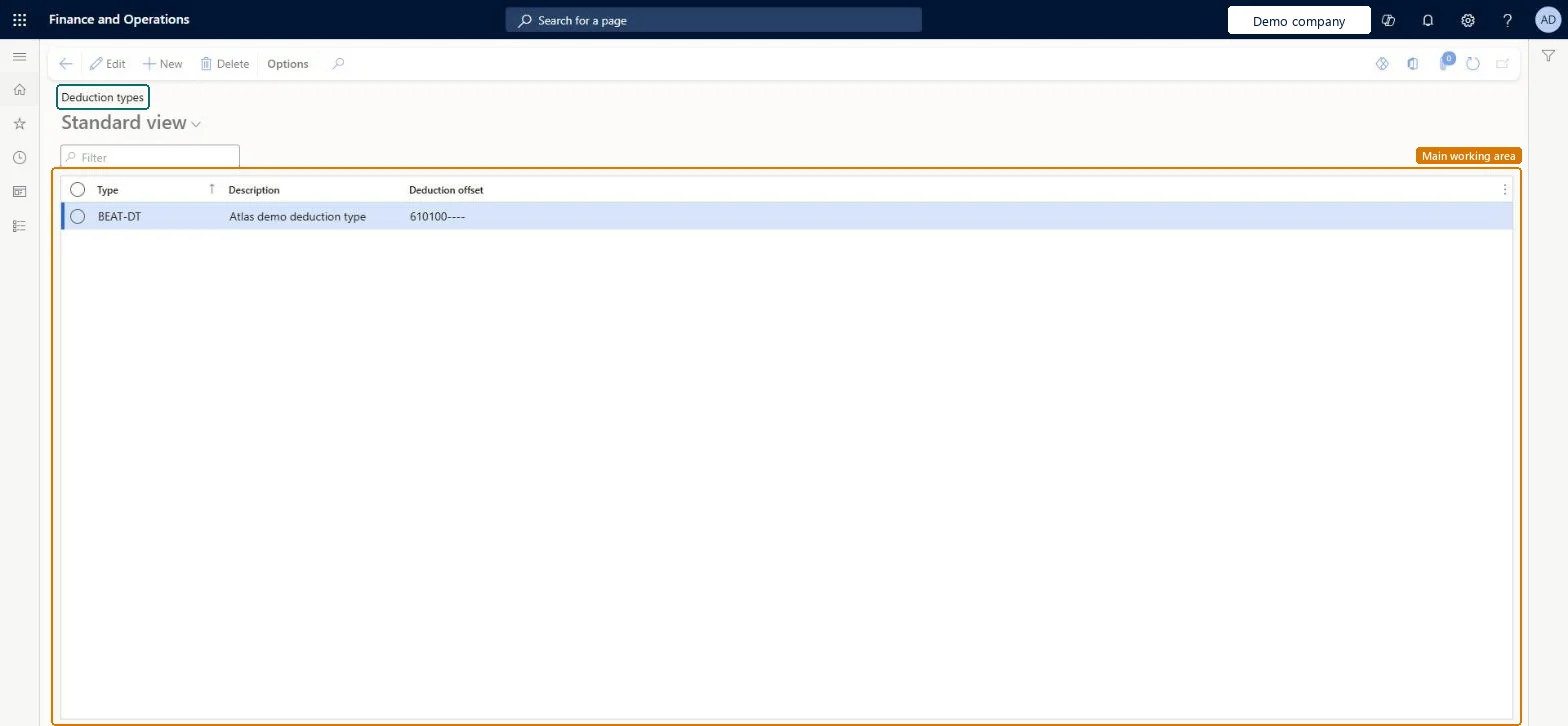
The page in Dynamics 365. page title tab to open what to set or check
About the examples: Examples and screenshots in this guide use BEAT, a demo company in a Dynamics 365 test environment. Use your own company's codes and values instead of copying them.
Step by step, with screenshots
Set up Deduction types1 screen
Use this page to set the offset account that is used when a deduction of each type is posted, matched or written off.
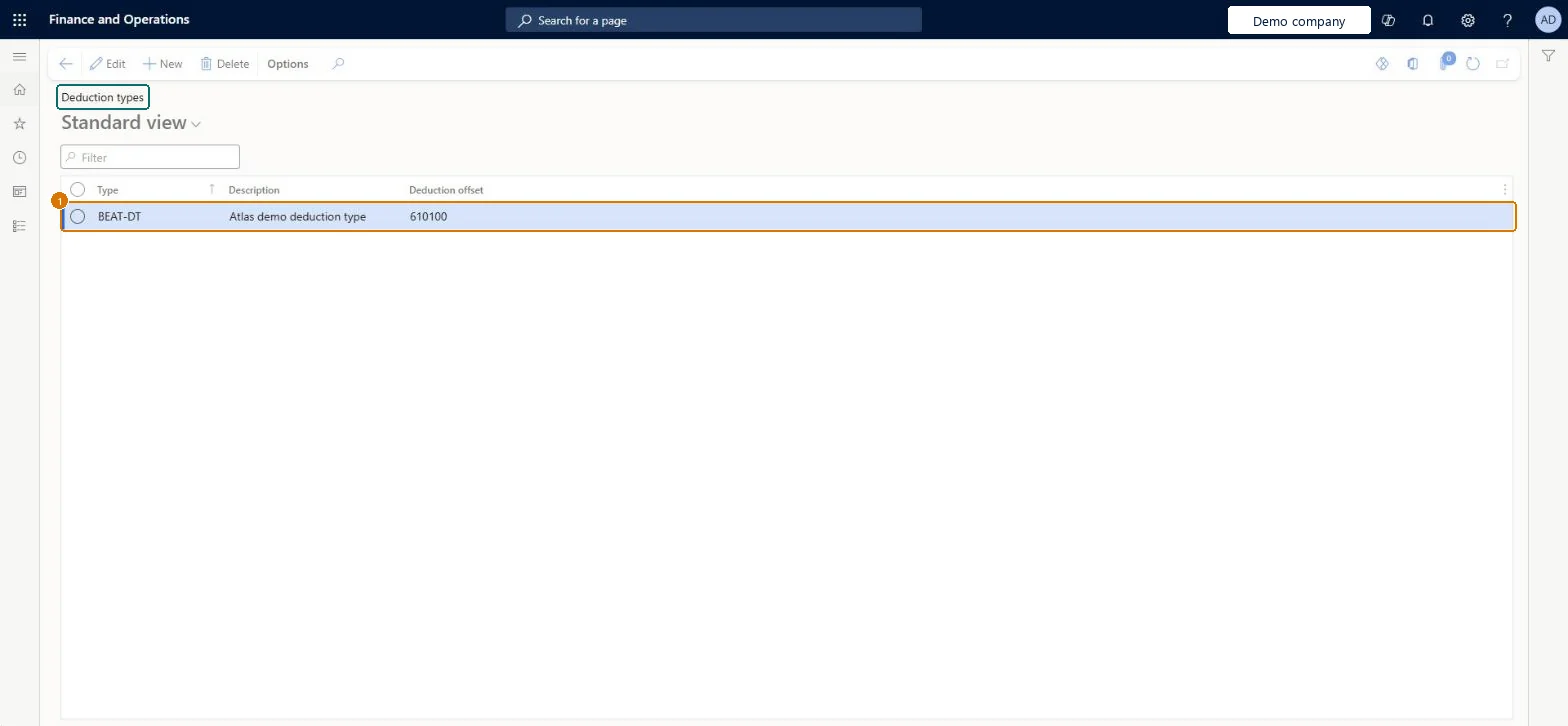
Screen 1
Create a deduction type
Go to Sales and marketing > Trade allowances > Deductions > Deduction types
Select New
Enter the deduction type and description
Select the deduction offset account used when a deduction of this type is posted, matched or written off
Select Save
1Type
BEAT-DT
Description
Deduction type
Deduction offset
610100
Show the full screen page title tab to open what to set or check
Steps from Microsoft
Go to Sales and marketing > Trade allowances > Deductions > Deduction types.
Select New.
Enter a name and description for the deduction type.
In the Deduction offset field, select the offset account.
The ledger offset account used when a deduction of this type is posted, matched or written off; it is copied to the deduction when it is created.Microsoft Learn
131500
DeductOffLedgerDimension
Type
The identifier of the deduction type, selected on deduction reasons and on deductions in the customer payment journal.Microsoft Learn
PROMO
TAMDeductionType
Description
A short description of the deduction type.Checked in Dynamics 365
Deduction type
Description
Common errors and fixes
Message
What to do
Offsetting deduction transactions post to the wrong ledger account.
Correct the Deduction offset on the type before new deductions are created; existing deductions keep the account they got when created. Microsoft Learn
Test checklist
Create a deduction type with a Deduction offset account and link it in Type on a deduction reason.
On the Deduction workbench, create a new deduction with that reason and Create claim journal set to Yes.
Open the claim journal voucher from the References tab and check that the offsetting transactions are posted to the type's Deduction offset account.
Set a Deduction offset ledger account on every deduction type before any deduction is created.The type's Deduction offset is copied to the deduction when it is created, and the two offsetting transactions of a new deduction are posted to that ledger account.
Fixing the offset account on the type after deductions exist doesn't change those deductions, because the value is set when each deduction or claim is created; they still post to the old account.Test: A new deduction posts to the type's offset account
Feature management and licence
Licence or add-in
On the live system, Collections manager use this page.
Reversible: The Deduction offset is copied to each deduction at creation. A change affects new deductions only.
If you change it later
The type's Deduction offset is copied to the deduction when it is created, and the two offsetting transactions of a new deduction are posted to that account. A change affects new deductions only. Microsoft Learn
Technical architect
6Technical
Menu item
TAMDeductionTypeChecked in Dynamics 365
Form
TAMDeductionTypeChecked in Dynamics 365
Table
TAMDeductionTypeTableShown as “Deduction types” in Record infoKey field: TAMDeductionTypeChecked in Dynamics 365
PrivilegesMaintain deduction types TAMDeductionTypeMaintainDutiesMaintain customer deductions information TAMCustDeductionMaintain1 security roleCollections manager CollectionLetterCollectionsManagerChecked in Dynamics 365
Roles to set it up and use it
To set it up or change itCollections manager CollectionLetterCollectionsManagerGive people one of these roles. On this system, 1 role can open this page.Checked in Dynamics 365
Actions on the page
Options: Personalize, Page options, ShareChecked in Dynamics 365
TAMPaymentDeductionTypeEntity (Payment deduction types): loaded for each company.Load order: No default configuration template places this entity. Load the deduction types after the main accounts, and before the deduction reasons that refer to them.Load first: Main accountsMicrosoft Learn
Checked in a working Dynamics 365 system, version 10.0.49: the menu item, form, table and security, the page, the demo records and the values in the screenshots.
To cite this step: SM-TAM-010, Set up Deduction types. Beyond ERP Atlas Hub, 2026-11-11. https://www.beyonderp.cloud/atlas/step/SM-TAM-010