Marketing manager, Information technology manager, Sales manager
Business process
Pursue opportunities
Menu item
smmProcessSalesDefinition
Main table
Hierarchy
Setup steps
1 on this page
Show what matters for
SETUP GUIDEHow to set it up8 sections. Choose a role to highlight what matters to you.
Everyone
1What it is and why
What it is
A setup page where you create the sales processes for opportunities, each with a name, a description, an Active check box and the responsibilities that take part.
What you do here
Use this page to set the steps of your sales process, so workers complete each step before moving to the next.
Example
BEAT creates the sales process PROJECT-SALE with the responsibilities SALESREP and PRESALES. Opportunity OPP-000090 for 48,000.00 USD follows it: a site visit and a technical review are required activities before the quotation is sent.
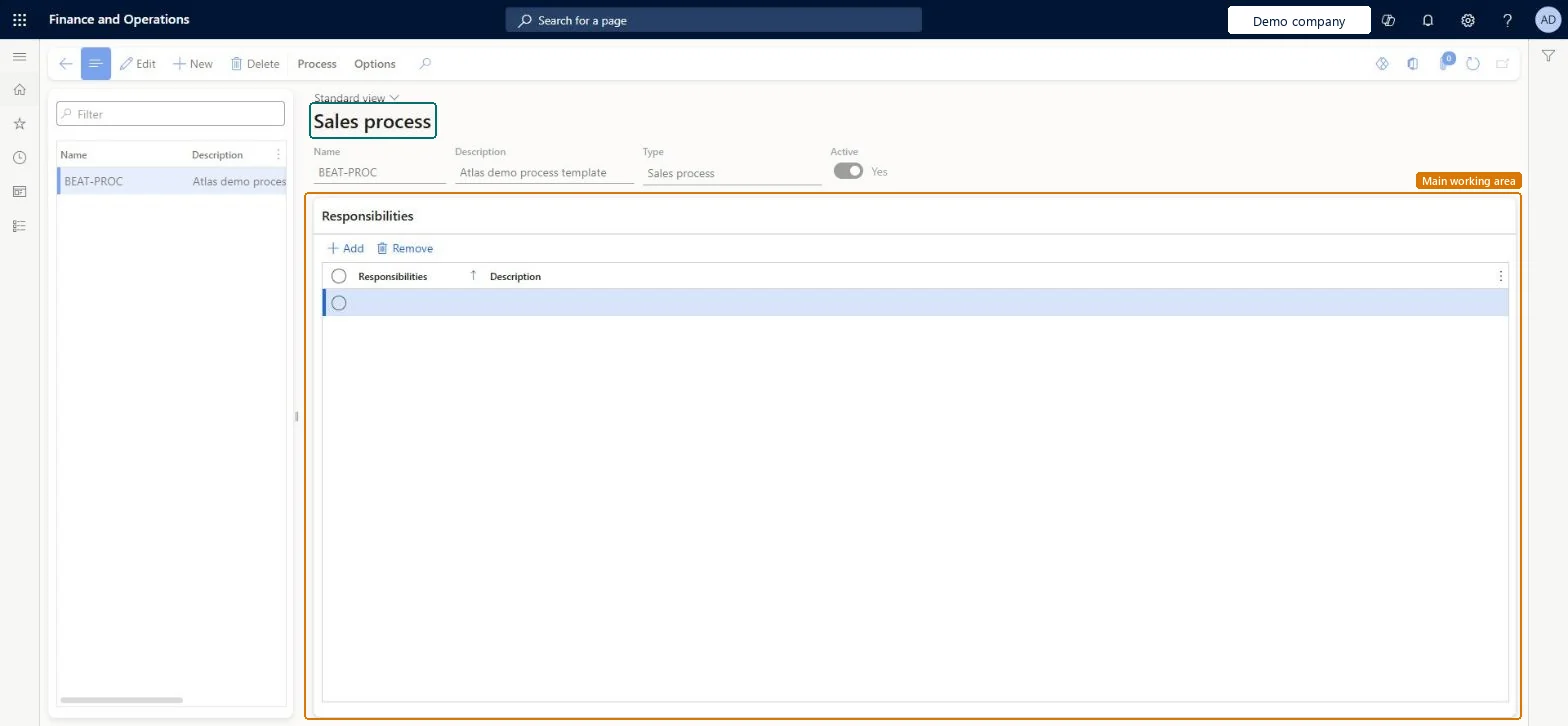
The page in Dynamics 365. page title tab to open what to set or check
About the examples: Examples and screenshots in this guide use BEAT, a demo company in a Dynamics 365 test environment. Use your own company's codes and values instead of copying them.
Step by step, with screenshots
Set up Sales process1 screen
Use this page to set the steps of your sales process, so workers complete each step before moving to the next.
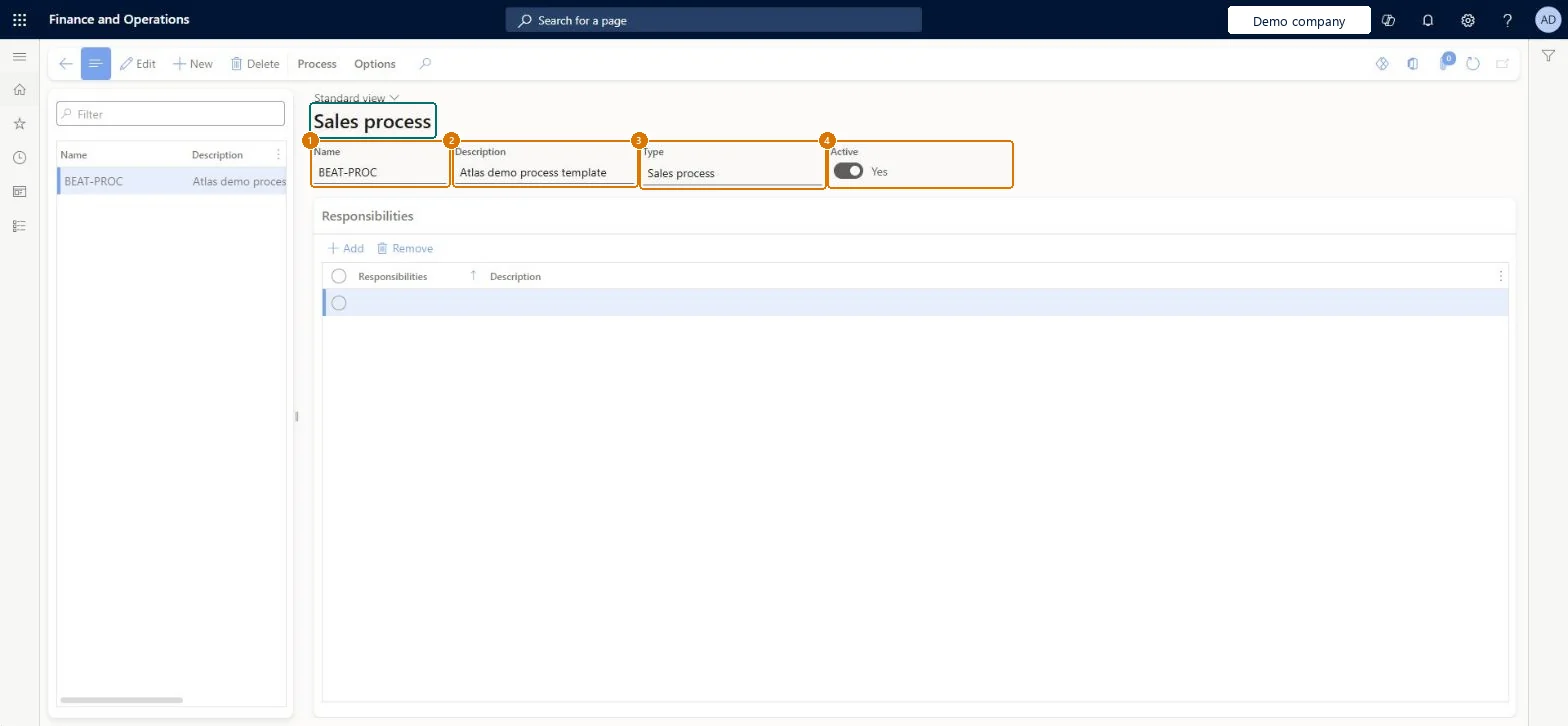
Screen 1
Create a sales process
Go to Sales and marketing > Setup > Opportunities > Sales process
Select New
Enter the name and description
Under Responsibilities, add the responsibilities that work on the process
Select Save
Use Process to add the stages and activities
Turn on Active when the process steps are ready
1Name
BEAT-PROC
2Description
Process template
3Type
Sales process
4Active
Yes
Show the full screen page title tab to open what to set or check
Steps from Microsoft
Go to Sales and marketing > Setup > Opportunities > Sales process.
Select New and enter the name of the process and a short description.
Leave the Active check box selected, or clear it if the process should be inactive.
On the Responsibilities tab, enter the responsibilities for the process and their descriptions.
Open an opportunity on All opportunities and select the new sales process.
The kind of process. On this page it is always Sales process.Checked in Dynamics 365
Sales process
HierarchyType
Common errors and fixes
Message
What to do
The owner of a responsibility isn't on a sales process that was created before the responsibility was set up.
Responsibility owners are added automatically when a new process is created. Add the responsibility to the existing process on its Responsibilities tab. Microsoft Learn
Test checklist
Create the sales process PROJECT-SALE with the responsibility SALESREP and leave it active.
Create an opportunity and select PROJECT-SALE.
Clear Active on PROJECT-SALE and create a second opportunity.
Check that PROJECT-SALE can't be selected on the second opportunity.
One active sales process per kind of sale (for example standard and project sales), with the responsibilities and the required activities for each step.Required activities make workers complete each step before they go to the next, and responsibility owners are added to new processes automatically.
On the live system, Sales manager and Information technology manager can maintain this page.
Checked in Dynamics 365
Solution architect
5Design impact
Shared or per company
Per company: each legal entity has its own processes. Microsoft Learn
Can it be undone
Reversible: Processes can be deactivated with the Active check box.
If you change it later
Opportunities refer to their sales process. Required activities in the process must be completed before workers can go to the next step, so adding a required activity changes what sales people must do on open opportunities. Microsoft Learn
Technical architect
6Technical
Menu item
smmProcessSalesDefinitionChecked in Dynamics 365
Form
HierarchyChecked in Dynamics 365
Table
HierarchyShown as “Hierarchies” in Record infoKey field: HierarchyId, NameChecked in Dynamics 365
Who can open it
PrivilegesMaintain sales processes smmProcessSalesDefinitionMaintainView sales processes smmProcessSalesDefinitionViewDutiesInquire into Sales and marketing policies smmCRMPolicyInquireEnable the Sales and marketing process smmCRMProcessEnable3 security rolesMarketing manager CRMMarketingManagerInformation technology manager SysServerITManagerSales manager TradeSalesManagerChecked in Dynamics 365
Roles to set it up and use it
To set it up or change itSales manager TradeSalesManagerInformation technology manager SysServerITManagerTo use itMarketing manager CRMMarketingManagerGive people one of these roles. On this system, 3 roles can open this page.Checked in Dynamics 365
Actions on the page
Process: View, InquiryOptions: Personalize, Page options, ShareChecked in Dynamics 365
Checked in a working Dynamics 365 system, version 10.0.49: the menu item, form, table and security, the page, the demo records and the values in the screenshots.
To cite this step: SM-SETUP-250, Set up Sales process. Beyond ERP Atlas Hub, 2026-11-11. https://www.beyonderp.cloud/atlas/step/SM-SETUP-250