Materials manager, Accounting manager, Accounting supervisor and 2 more roles
Business process
Process outbound goods
Menu item
InventPackagingMaterialTrans
Main table
InventPackagingMaterialTrans
Setup steps
1 on this page
Show what matters for
SETUP GUIDEHow to set it up8 sections. Choose a role to highlight what matters to you.
Everyone
1What it is and why
What it is
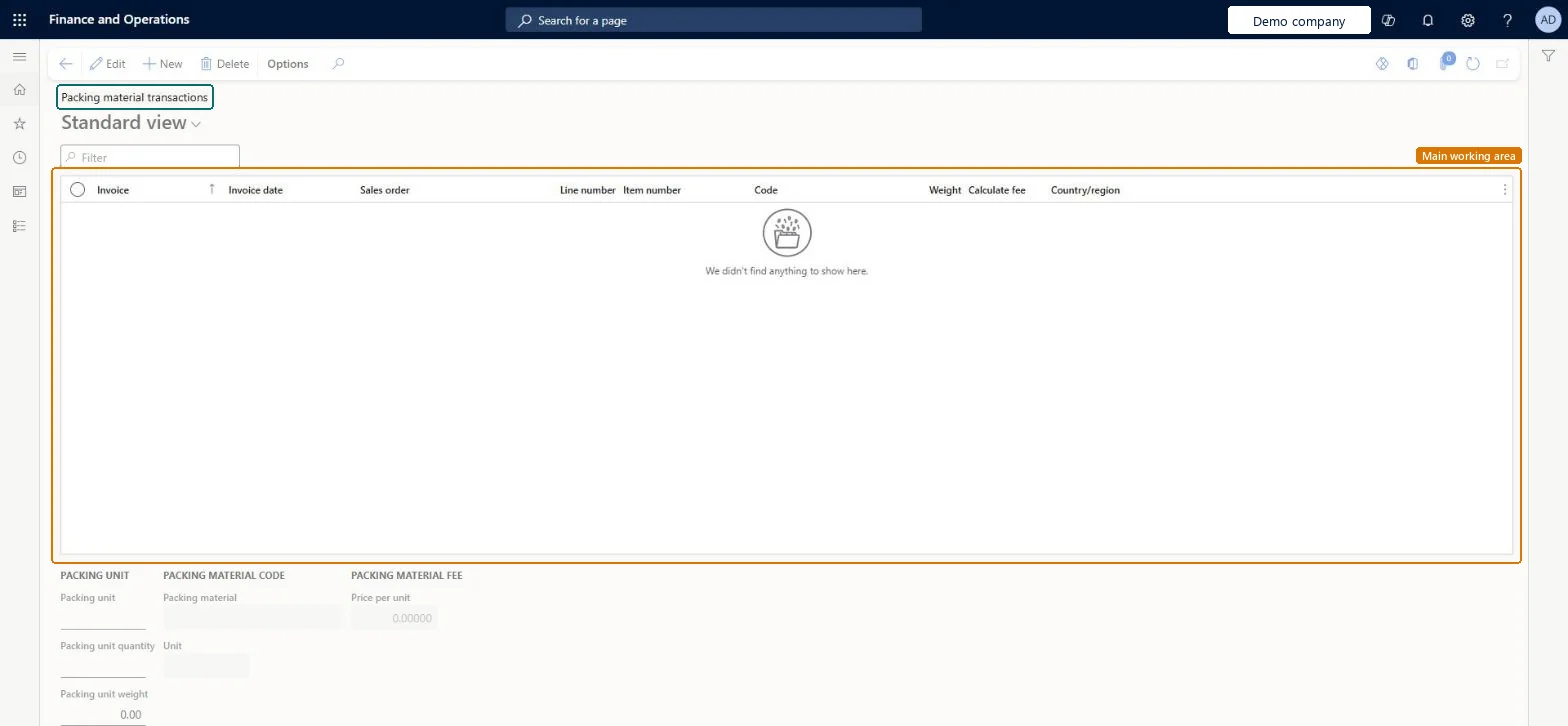
An inquiry page that shows the packing material weights recorded for invoiced sales order lines.
What you do here
Use this page to review, change or add packing material transactions after invoicing.
Example
For example, BEAT reports packing material weights for invoice INV-000771 (SO-001234): a transaction with packing material code CARTON and 2.40 kg is added and Calculate fee is selected for the report.
The page in Dynamics 365. page title tab to open what to set or check
About the examples: Examples and screenshots in this guide use BEAT, a demo company in a Dynamics 365 test environment. Use your own company's codes and values instead of copying them.
Setup steps on this page
Maintain packing material transactions
Correct or add packing material weights after invoicing.
Steps from Microsoft
Go to Sales and marketing > Sales orders > Order shipping > Packing material transactions.
Select New to open the Create packing material transaction page.
Select the customer invoice, the invoice date and the sales order.
Select the Packing material code and select OK.
Select Calculate fee to include the fee for reporting, and adjust packing unit, quantity and weight on the General tab.
Changes here only change the packing material transactions that packing material fee calculation and reporting read; the invoice itself isn't changed. Microsoft Learn
Technical architect
6Technical
Menu item
InventPackagingMaterialTransChecked in Dynamics 365
Form
InventPackagingMaterialTransChecked in Dynamics 365
Table
InventPackagingMaterialTransShown as “Packing material transactions” in Record infoKey field: InvoiceId, InvoiceDate, SalesId, LineNum, ItemId, PackMaterialCodeChecked in Dynamics 365
Who can open it
PrivilegesMaintain packing material for sales orders InventPackagingMaterialTransMaintainView packing material for sales orders InventPackagingMaterialTransViewDutiesMaintain packing materials InventPackMaterialsMaintainInquire into packing materials progress InventPackMaterialsProgressInquire5 security rolesMaterials manager InventMaterialsManagerAccounting manager LedgerAccountingManagerAccounting supervisor LedgerAccountingSupervisorWarehouse manager WMSWarehouseManagerWarehouse worker WMSWarehouseWorkerChecked in Dynamics 365
Roles to set it up and use it
To set it up or change itAccounting supervisor LedgerAccountingSupervisorWarehouse worker WMSWarehouseWorkerTo use itAccounting manager LedgerAccountingManagerWarehouse manager WMSWarehouseManagerMaterials manager InventMaterialsManagerGive people one of these roles. On this system, 5 roles can open this page.Checked in Dynamics 365
Actions on the page
Options: Personalize, Page options, ShareChecked in Dynamics 365
Load order: Packing material transactions has no data entity in Data management. No entity in the Common Data Model is built on its table (InventPackagingMaterialTrans); transactions come from invoicing.Checked in Dynamics 365
Checked in a working Dynamics 365 system, version 10.0.49: the menu item, form, table and security, the page.
To cite this step: SM-ORD-270, Maintain packing material transactions. Beyond ERP Atlas Hub, 2026-11-11. https://www.beyonderp.cloud/atlas/step/SM-ORD-270