Rental coordinator agent, Rental manager, Customer service representative and 1 more role
Business process
Process customer returns and exchanges
Menu item
action:SalesDelete_Return
Main table
SalesParmTable
Setup steps
1 on this page
Show what matters for
SETUP GUIDEHow to set it up8 sections. Choose a role to highlight what matters to you.
Everyone
1What it is and why
What it is
A cleanup routine that deletes several return orders at once, chosen by criteria.
What you do here
Use it to find return orders by criteria and delete the ones you select, only after the business has confirmed they aren't needed.
Example
For example, BEAT finds 12 return orders created by mistake for customer BEAT-000123 (RMA-000501 to RMA-000512), selects them and confirms the deletion with Yes.
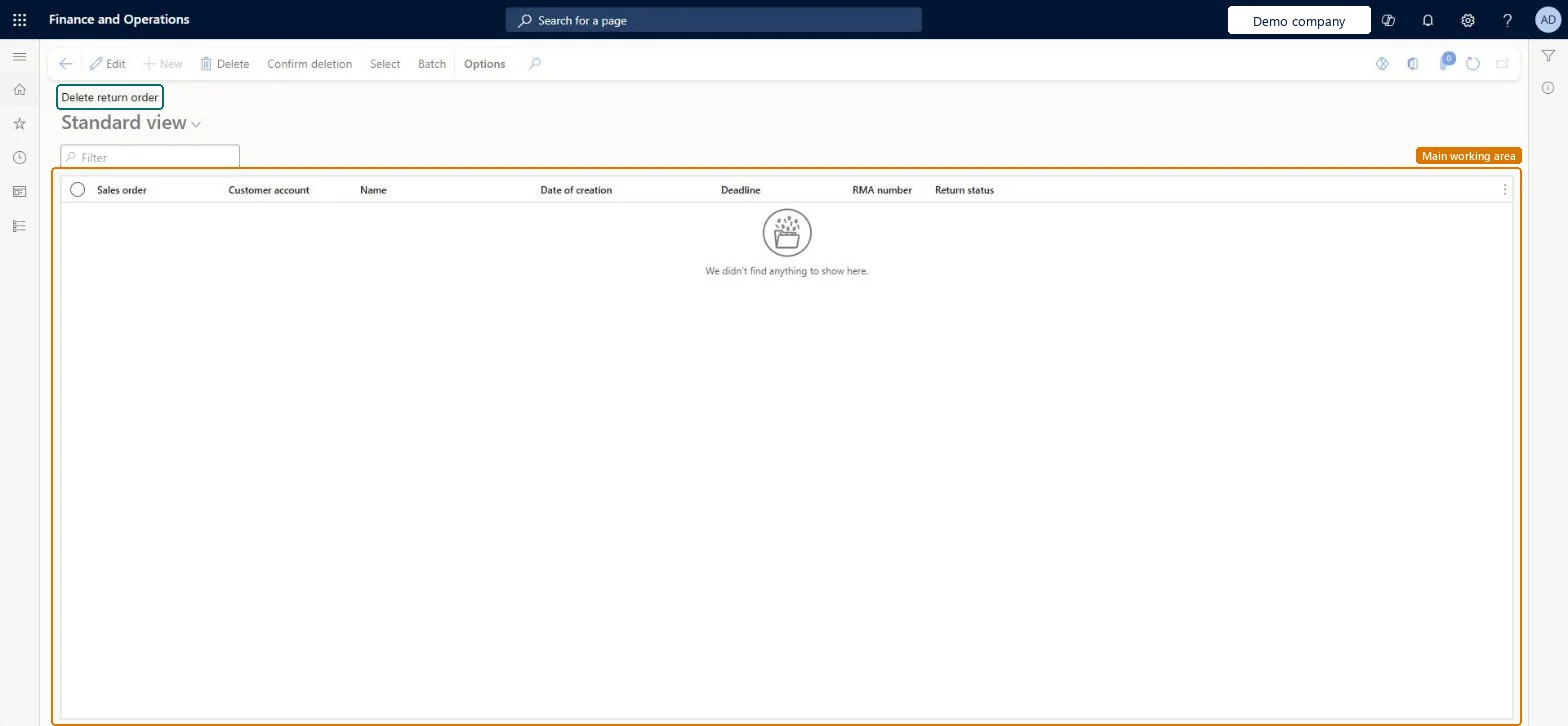
The page in Dynamics 365. page title tab to open what to set or check
About the examples: Examples and screenshots in this guide use BEAT, a demo company in a Dynamics 365 test environment. Use your own company's codes and values instead of copying them.
When to run it
When to run it
When return orders were created by mistake or are no longer needed and the business has confirmed they can be removed.
The order number of the return order.Checked in Dynamics 365
Customer account
The customer of the return order.Checked in Dynamics 365
BEAT-000123
Name
The customer name.Checked in Dynamics 365
Date of creation
When the return order was created.Checked in Dynamics 365
Deadline
The return deadline.Checked in Dynamics 365
RMA number
The return merchandise authorization number.Checked in Dynamics 365
RMA-000501
Return status
The status of the return order.Checked in Dynamics 365
Common errors and fixes
Message
What to do
A return order you expected isn't in the Delete return order list.
Only return orders created in the current legal entity that match the criteria on the Sales update page are shown; change the criteria with Select. Microsoft Learn
Test checklist
In a copy, select 3 return orders by customer.
Confirm the deletion with Yes.
Check that the 3 RMA numbers are gone from All return orders and other return orders are unchanged.
Use tight criteria on the Sales update page (customer and RMA number range), and cancel rather than delete a return order that is still in Created state when you need a trace.Every selected return order is deleted after Yes; Microsoft notes that sales orders and return orders in Created state can be canceled.
On the live system, Customer service representative, Sales representative, Rental manager and Rental coordinator agent can run this routine. No feature in Feature management is needed.
Checked in Dynamics 365
Solution architect
5Design impact
Shared or per company
Return orders created in the current legal entity that match your criteria. Microsoft Learn
Can it be undone
Irreversible: Deleted return orders can't be restored.
If you change it later
Deletes the selected return orders. Microsoft advises running cleanup routines only after detailed analysis confirms the data is no longer required, and testing them first. On the live system Customer service representative, Sales representative, Rental manager and Rental coordinator agent can run it. Microsoft Learn
Technical architect
6Technical
Menu item
action:SalesDelete_ReturnChecked in Dynamics 365
Form
SalesDeleteOrderChecked in Dynamics 365
Table
SalesParmTableShown as “Sales order - update table” in Record infoKey field: SalesIdChecked in Dynamics 365
Who can open it
PrivilegesProcess batch deletion of return orders SalesDelete_ReturnProcessDutiesMaintain sales return order ReturnSalesReturnOrderMaintain4 security rolesRental coordinator agent RentalCoordinatorAgentRental manager RentalManagerCustomer service representative TradeCustomerServiceRepresentativeSales representative TradeSalesRepresentativeChecked in Dynamics 365
Roles to set it up and use it
To use itRental manager RentalManagerRental coordinator agent RentalCoordinatorAgentSales representative TradeSalesRepresentativeCustomer service representative TradeCustomerServiceRepresentativeGive people one of these roles. On this system, 4 roles can run this page.Checked in Dynamics 365
Actions on the page
Options: Personalize, Page options, ShareChecked in Dynamics 365