Rental coordinator agent, Rental manager, Retail service and 6 more roles
Business process
Process customer returns and exchanges
Menu item
ReturnTableListPage
Main table
SalesTable
Data entity
ReturnOrderHeaderEntity
Setup steps
1 on this page
Show what matters for
PAGE GUIDEWhat the page does and how to use it8 sections. Choose a role to highlight what matters to you.
Everyone
1What it is and why
What it is
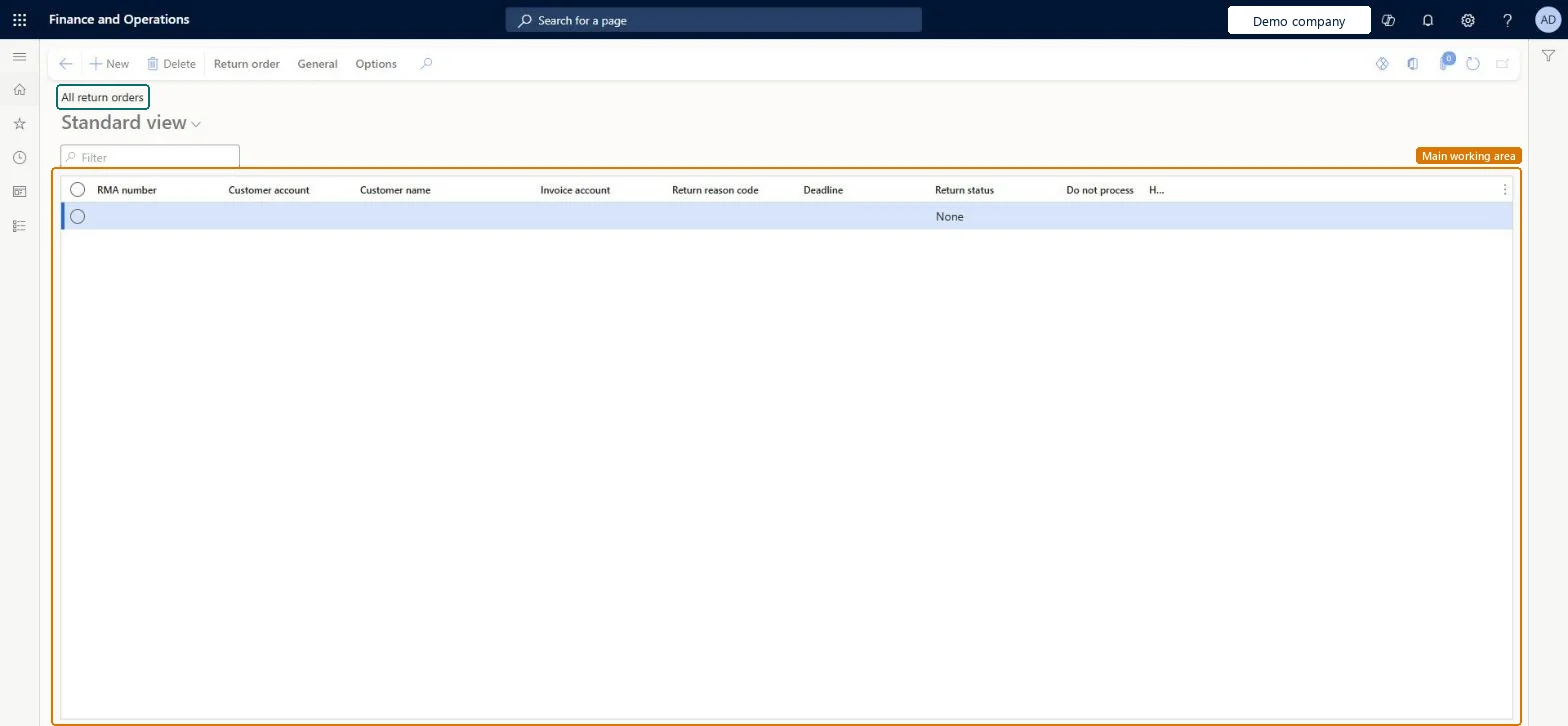
A list page that shows all return orders, which document a customer's authorized return (RMA).
What you do here
Use this page to create and follow return orders, which drive the receipt, inspection and credit of returned products.
Example
For example, BEAT-000123 returns 2.00 pcs of SPK-100 invoiced on INV-000771; the clerk creates RMA-000045 with Find sales order, so the line is valued at the original cost and can't exceed the invoiced quantity.
The page in Dynamics 365. page title tab to open what to set or check
About the examples: Examples and screenshots in this guide use BEAT, a demo company in a Dynamics 365 test environment. Use your own company's codes and values instead of copying them.
Setup steps on this page
Create and process return orders
Authorize, receive and credit customer returns.
Steps from Microsoft
Go to Sales and marketing > Sales returns > All return orders.
Select New, select the Customer account and the Site/warehouse that receives the return.
Check the Deadline and select a Return reason code.
Add lines with Find sales order so they reference the invoiced sales line.
Register the arrival on Arrival overview, assign a disposition code, then post the packing slip and invoice the return.
The packing slip can't be generated for the return line.
A return packing slip can be generated only for lines with Return status Registered and only for the full line quantity. Register the arrival (and disposition code) first, or split the line. Microsoft Learn
Test checklist
Create a return with Find sales order for 2.00 pcs.
Register arrival with disposition Credit.
Post the packing slip.
Invoice and check a credit note of the original price.
Create lines with Find sales order and assign disposition codes at arrival.The reference values the return at the original cost and limits the quantity to what was invoiced.
Hard to reverse: Only Created returns can be canceled; posted packing slips and invoices stay. Microsoft Learn
If you change it later
A return order can only be canceled while its return status is Created. Microsoft Learn
Technical architect
6Technical
Menu item
ReturnTableListPageChecked in Dynamics 365
Form
ReturnTableListPageChecked in Dynamics 365
Table
SalesTableShown as “Sales orders” in Record infoKey field: SalesIdChecked in Dynamics 365
Data entities
ReturnOrderHeaderEntityReturn order headers Microsoft data model SalesOrderHeaderV2EntitySales order headers V2 Microsoft data model SalesOrderHeaderV2ExistAddrReadOnlyEntitySales order headers V2 readonly with the delivery address Microsoft data model CustCollectionsBISalesOnHoldSales orders on hold for customers Microsoft data model
Who can open it
PrivilegesView all returned items (Enterprise Portal) EPSalesReturnItemListViewMaintain return order details ReturnTableDetailsMaintainView return order details ReturnTableDetailsViewDutiesApprove return acknowledgement ReturnAcknowledgementApproveMaintain sales return order ReturnSalesReturnOrderMaintainInquire into sales return order progress ReturnSalesReturnOrderProgressInquire10 security rolesMCRTestUserRoleRental coordinator agent RentalCoordinatorAgentRental manager RentalManagerRetail service RetailServiceRetail store manager RetailStoreManagerCustomer service manager TradeCustomerServiceManagerCustomer service representative TradeCustomerServiceRepresentativeSales clerk TradeSalesClerkSales manager TradeSalesManagerSales representative TradeSalesRepresentativeChecked in Dynamics 365
Roles to set it up and use it
To set it up or change itRental manager RentalManagerRental coordinator agent RentalCoordinatorAgentSales representative TradeSalesRepresentativeCustomer service representative TradeCustomerServiceRepresentativeTo use itSales manager TradeSalesManagerSales clerk TradeSalesClerkRetail service RetailServiceRetail store manager RetailStoreManagerCustomer service manager TradeCustomerServiceManagerGive people one of these roles. On this system, 9 roles can open this page.Checked in Dynamics 365
ReturnOrderHeaderEntity Return order headers: loaded for each company.Load order: Load return reason codes and disposition codes, customers and released products first, then Return order headers, then Return order lines (ReturnOrderLineEntity).Load first: Return reason codes, Customers V3Microsoft Learn