Chief executive officer, Customer service manager, Customer service representative and 2 more roles
Business process
Maintain contacts and accounts
Menu item
smmConvertedBusRel
Main table
smmConvertedBusRel
Setup steps
1 on this page
Show what matters for
SETUP GUIDEHow to set it up8 sections. Choose a role to highlight what matters to you.
Everyone
1What it is and why
What it is
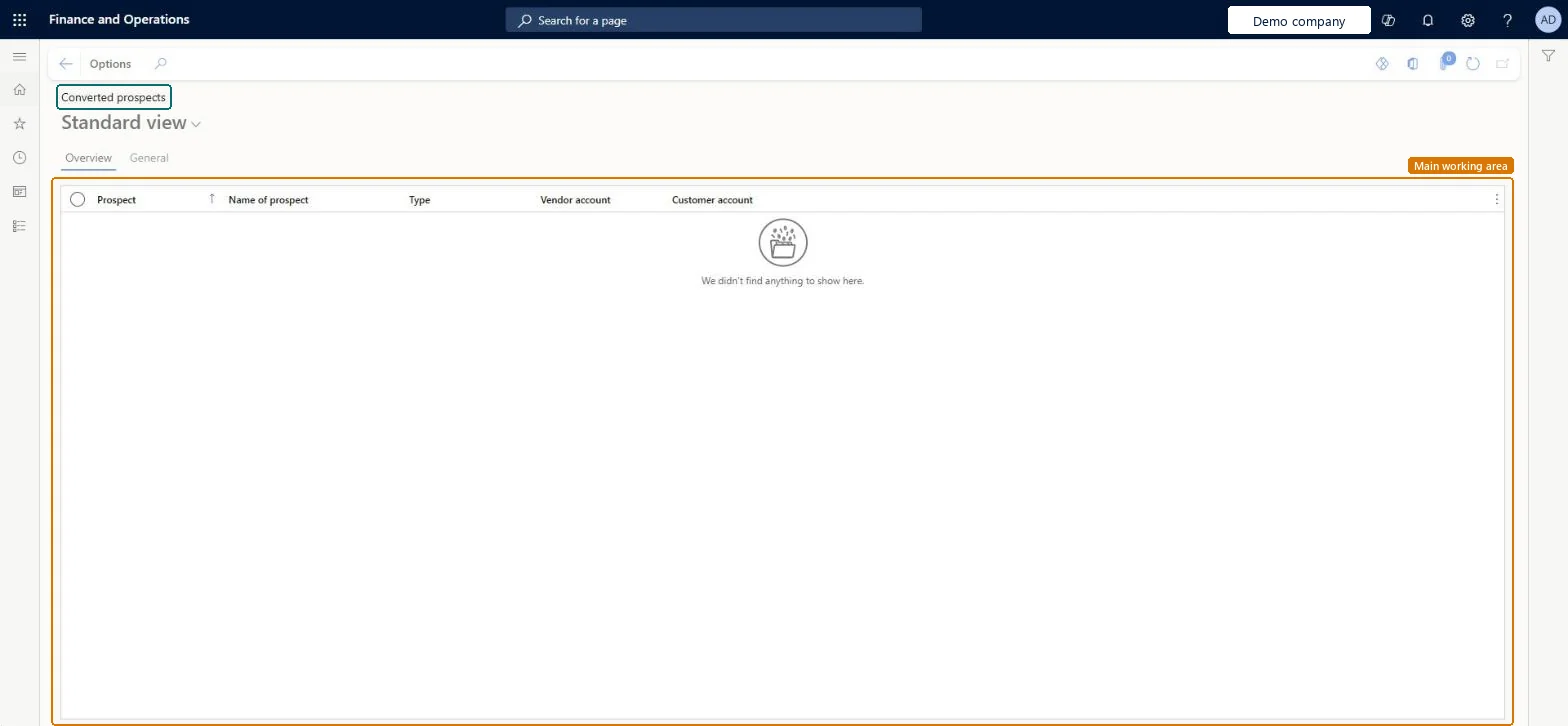
A list page that shows prospects that have been converted, with their prospect number, name, type, vendor account and customer account.
What you do here
Use this page to look up which prospects have been converted and which customer or vendor account each one became.
Example
For example, BEAT's sales manager checks Converted prospects at month end and sees that BEAT-P-000318 became customer BEAT-P-000318, so the 12,480.00 USD quotation can be traced to the new account.
The page in Dynamics 365. page title tab to open what to set or check
About the examples: Examples and screenshots in this guide use BEAT, a demo company in a Dynamics 365 test environment. Use your own company's codes and values instead of copying them.
Setup steps on this page
Use Converted prospects to trace won prospects
Use this page to look up which customer or vendor account each prospect became.
Steps from Microsoft
Go to Sales and marketing > Relationships > Prospects > Converted prospects.
On the Overview tab, read Prospect, Name of prospect, Type, Customer account and Vendor account for each conversion.
Check that Customer account equals the prospect number; conversion keeps the prospect's account number.
Open the General tab for more details on the selected conversion.
Sort on Customer account and compare it with the prospect number before you report won prospects.Conversion keeps the prospect's number as the customer number, so the same number appears in both columns; a mismatch points to a manual workaround.
On the live system, the roles that use this page include Sales manager, Sales representative, Customer service representative, Customer service manager and Chief executive officer.
Read-only history of conversions; it changes nothing. The conversion itself retired the prospect and created the customer. Microsoft Learn
Technical architect
6Technical
Menu item
smmConvertedBusRelChecked in Dynamics 365
Form
smmConvertedBusRelChecked in Dynamics 365
Table
smmConvertedBusRelShown as “Converted prospects” in Record infoKey field: PartyType, BusRelAccount, relTypeId, NameChecked in Dynamics 365
Who can open it
PrivilegesView converted prospects smmConvertedBusRelViewDutiesReview prospects smmBusinessRelationMasterReview5 security rolesChief executive officer CompanyChiefExecutiveOfficerCustomer service manager TradeCustomerServiceManagerCustomer service representative TradeCustomerServiceRepresentativeSales manager TradeSalesManagerSales representative TradeSalesRepresentativeChecked in Dynamics 365
Roles to set it up and use it
To use itSales manager TradeSalesManagerSales representative TradeSalesRepresentativeCustomer service representative TradeCustomerServiceRepresentativeCustomer service manager TradeCustomerServiceManagerChief executive officer CompanyChiefExecutiveOfficerGive people one of these roles. On this system, 5 roles can open this page.Checked in Dynamics 365
Actions on the page
Options: Personalize, Page options, ShareChecked in Dynamics 365
Developer
7Developer
Open it by URL
https://<your-environment>/?mi=smmConvertedBusRel
Data migration
Load order: Converted prospects has no data entity in Data management: Microsoft's list of standard Sales and marketing entities has an entity for prospects but none for converted prospects. The list is filled when prospects are converted in this system; convert migrated prospects here rather than loading the history.Microsoft data model
Checked in a working Dynamics 365 system, version 10.0.49: the menu item, form, table and security, the page.
To cite this step: SM-CRM-050, Use Converted prospects to trace won prospects. Beyond ERP Atlas Hub, 2026-11-11. https://www.beyonderp.cloud/atlas/step/SM-CRM-050