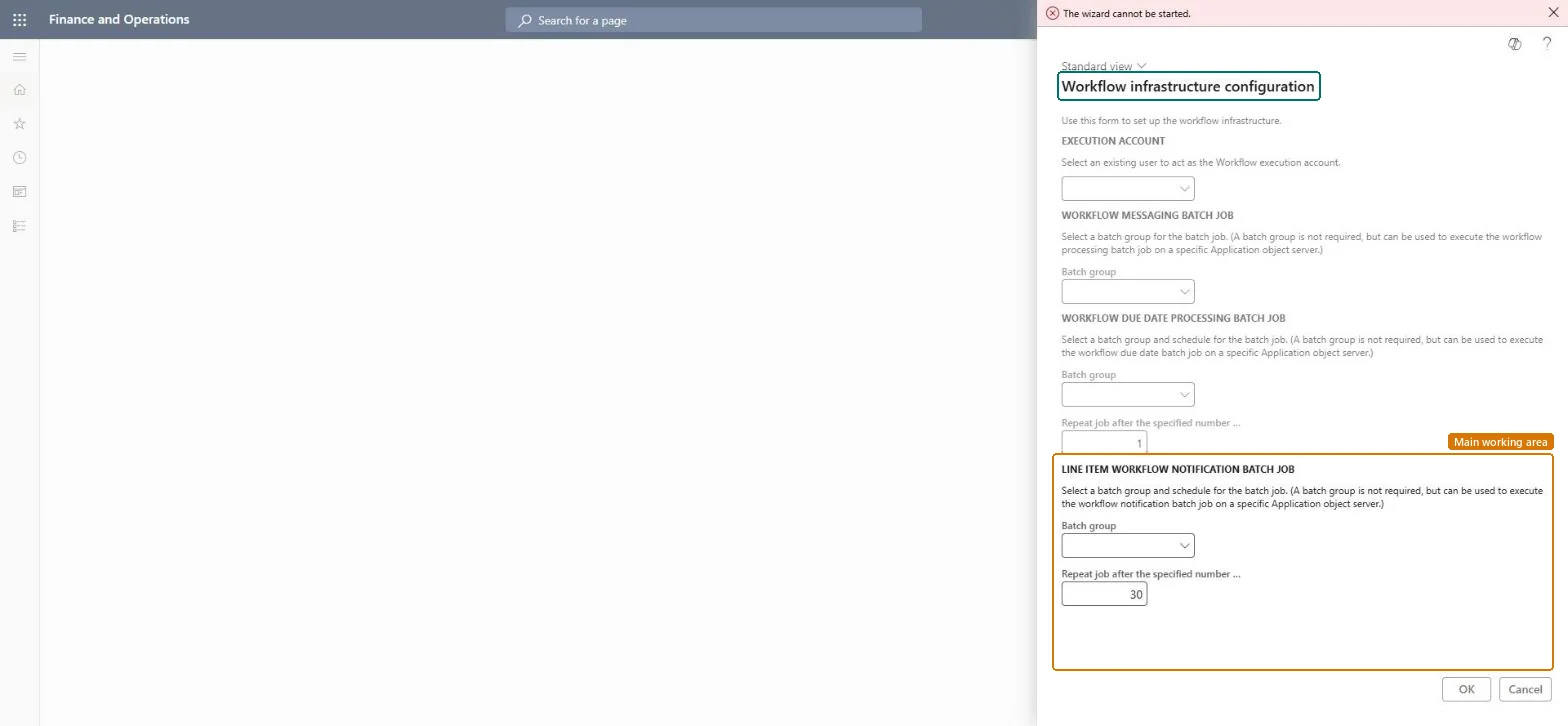
Setup step on the Workflow infrastructure configuration page · System administration
Set up Workflow infrastructure configuration
Use this page to choose the batch group and run interval for the workflow message processing, due date processing and line-item notification batch jobs.
SETUP GUIDEHow to set it up8 sections. Choose a role to highlight what matters to you.
Everyone
1What it is and why
What it is
A wizard that sets up how often the workflow batch jobs run.
What you do here
Use this page to choose the batch group and run interval for the workflow message processing, due date processing and line-item notification batch jobs.
Example
For example, BEAT runs the wizard once, places the three workflow batch jobs in a dedicated batch group, and then marks Workflow message processing as a critical job on the Batch jobs page.
The page in Dynamics 365. page title tab to open what to set or check
About the examples: Examples and screenshots in this guide use BEAT, a demo company in a Dynamics 365 test environment. Use your own company's codes and values instead of copying them.
Setup steps on this page
Set up Workflow infrastructure configuration
Use this page to choose the batch group and run interval for the workflow message processing, due date processing and line-item notification batch jobs.
Steps from Microsoft
Go to System administration > Workflow > Workflow infrastructure configuration.
On the welcome page, select Next.
For the workflow message processing batch job, select a batch group, and then select Next.
For the workflow due date processing batch job, select a batch group and enter how many hours apart it runs.
For the line-item workflow notifications batch job, select a batch group and enter how many minutes apart it runs.
Keep the Workflow message processing batch job running and mark it as a Critical jobSubmitted workflows are queued and run by the Workflow message processing batch job, which processes the queue at one-minute intervals. If workflow is key to your business, Learn advises marking this job critical so failures are tracked.
Shared: the workflow batch jobs serve every legal entity. Microsoft Learn
Can it be undone
Reversible: The workflow batch jobs can be edited later on the Batch jobs page.
If you change it later
If Workflow message processing stops, no workflow moves. Marked as critical, its failures are tracked so support can act. Microsoft Learn
Technical architect
6Technical
Menu item
WorkflowSetupFormChecked in Dynamics 365
Form
WorkflowSetupFormChecked in Dynamics 365
Roles to set it up and use it
To set it up or change itInformation technology manager SysServerITManagerGive people one of these roles. On this system, 1 role can open this page.Checked in Dynamics 365
Developer
7Developer
Open it by URL
https://<your-environment>/?mi=WorkflowSetupForm
Data migration
Load order: Workflow infrastructure configuration has no data entity in Data management, so it can't be loaded from a file or a configuration template. The wizard creates batch jobs; run it in each environment.Checked in Dynamics 365
Checked in a working Dynamics 365 system, version 10.0.49: the menu item, form, table and security, the page.
To cite this step: SA-SETUP-480, Set up Workflow infrastructure configuration. Beyond ERP Atlas Hub, 2026-11-11. https://www.beyonderp.cloud/atlas/step/SA-SETUP-480