About the examples: Examples and screenshots in this guide use BEAT, a demo company in a Dynamics 365 test environment. Use your own company's codes and values instead of copying them.
Step by step, with screenshots
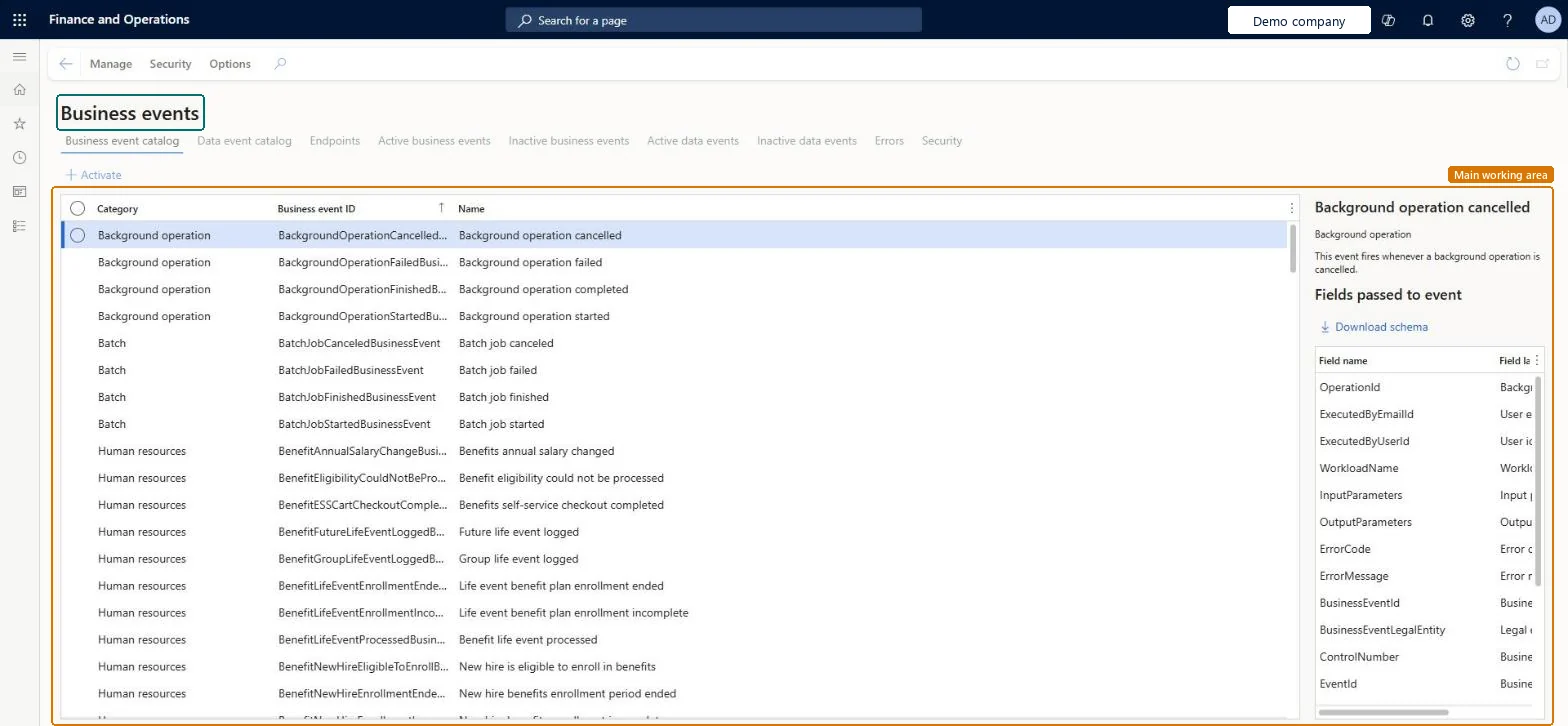
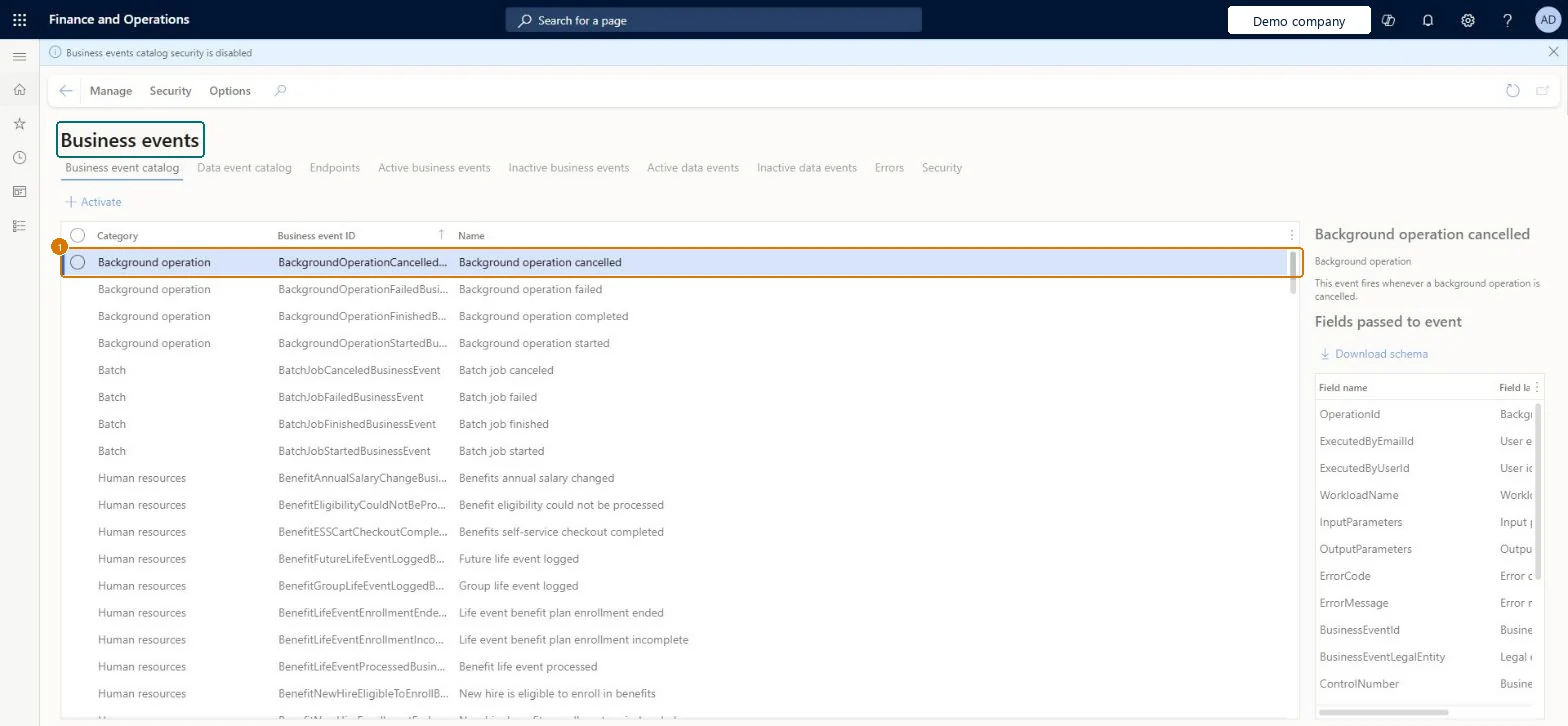
Set up Business events catalog1 screen
Use this page to find the business events an integration needs, download their payload schema, and activate them for endpoints.
Screen 1
Find a business event
Go to System administration > Setup > Business events > Business events catalog
On the Business event catalog tab, find the event you need by its category or name
Select the event to see the fields it passes, and select Download schema to get the payload schema
Select Activate, then choose the legal entity (leaving Legal entity blank activates the event in every legal entity)
Assign the endpoint to the event
Check the Active events tab for the activated event
Show the full screen page title tab to open what to set or check
Steps from Microsoft
Go to System administration > Setup > Business events > Business events catalog.
Filter by category, business event ID or name to find the events.
Select one or more business events, and then select Activate.
Select a legal entity, or leave Legal entity blank to activate in all legal entities.
Assign an endpoint to the events.
Check the Active events tab for the activated events.
Check the endpoint's application secret: when it expires, events through that endpoint fail until the secret is updated. Then use Resend on the Errors tab. Microsoft Learn
Test checklist
Create an endpoint on the Endpoints tab.
Select a business event, select Activate, choose the legal entity and the endpoint.
Run the business process that raises the event and check that the endpoint receives the payload.
Break the endpoint, raise the event again, then fix it and use Resend on the Errors tab.
Activate only the events an integration needs, in the specific legal entities that need them, each linked to an endpoint; deactivate rather than delete when you pause themOutbound processing runs only for activated events. Leaving Legal entity blank activates an event in all legal entities, and deactivating instead of deleting keeps the error history.
On this system the page opens for Business events viewer. The optional Business events catalog security feature limits which roles see which events in the catalog.
BusinessEventsEndpointEntityV2 (Business events endpoint): shared; loads the endpoints only.Load order: Business events endpoint isn't in Microsoft's default configuration templates. Load the endpoints first, then activate the events and link them to the endpoints in each environment.Load first: Endpoint targets and their secrets set up outside the systemChecked in Dynamics 365
Checked in a working Dynamics 365 system, version 10.0.49: the menu item, form, table and security, the page, the demo records and the values in the screenshots.
To cite this step: SA-SETUP-240, Set up Business events catalog. Beyond ERP Atlas Hub, 2026-11-11. https://www.beyonderp.cloud/atlas/step/SA-SETUP-240