System administrationSecuritySegregation of duties
SysSecSegregationOfDutiesConflictsNew
Used by
Security administrator
Business process
Administer system features
Menu item
SysSecSegregationOfDutiesConflictsNew
Main table
SecuritySegregationOfDutiesConflict
Data entity
SystemSegregationOfDutiesConflictEntity
Setup steps
1 on this page
Show what matters for
SETUP GUIDEHow to set it up8 sections. Choose a role to highlight what matters to you.
Everyone
1What it is and why
What it is
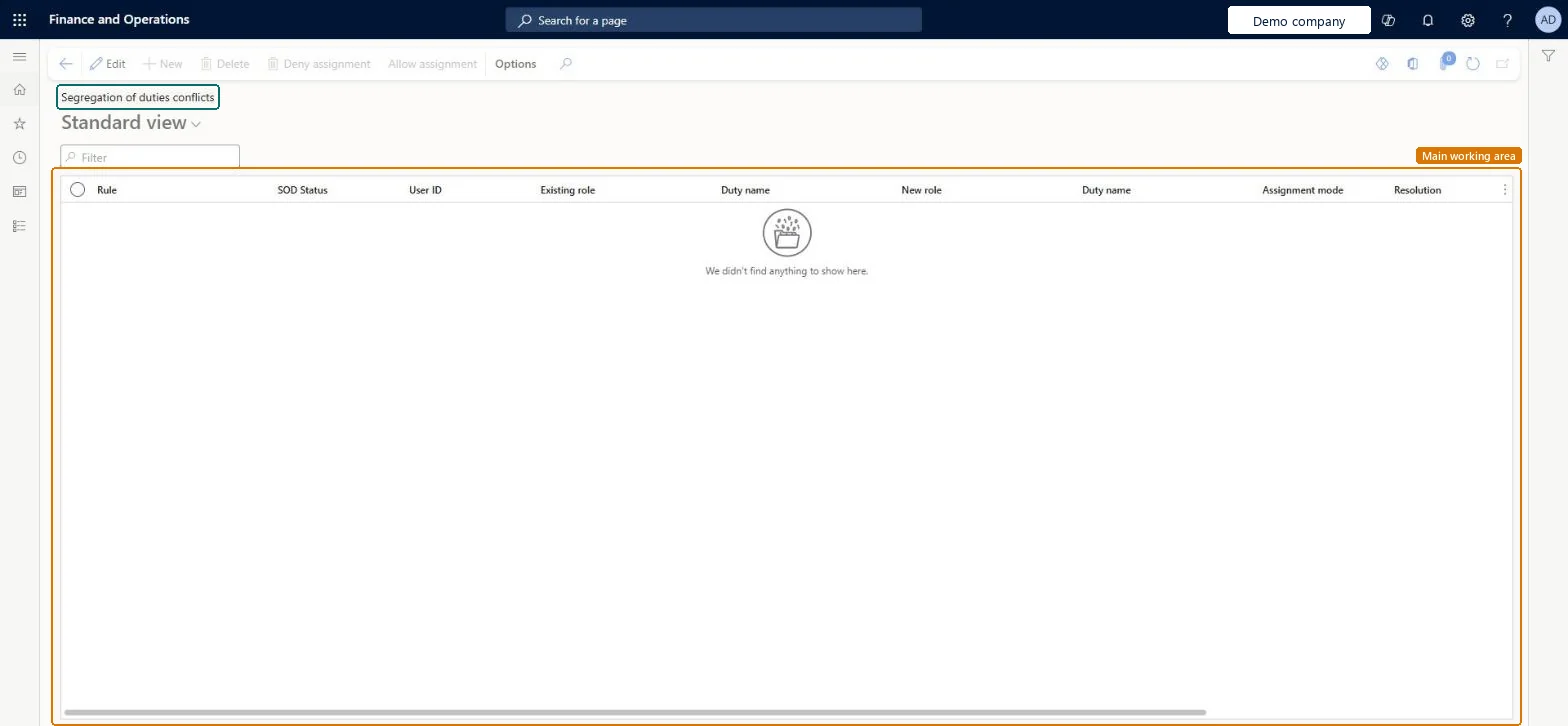
A list page that logs user role assignments that break a segregation of duties rule and still need a decision.
What you do here
Use this page to deny or allow each conflicting role assignment, so that every conflict is resolved.
Example
For example, after a new rule BEAT runs the compliance check and 3 users appear; the administrator denies 2 assignments and allows 1 with a reason approved by the finance manager.
The page in Dynamics 365. page title tab to open what to set or check
About the examples: Examples and screenshots in this guide use BEAT, a demo company in a Dynamics 365 test environment. Use your own company's codes and values instead of copying them.
Setup steps on this page
Resolve each segregation of duties conflict
Decide for every logged conflict whether to deny or allow the extra role.
Steps from Microsoft
Go to System administration > Security > Segregation of duties > Segregation of duties unresolved conflicts.
Select a conflict.
Select Deny assignment to refuse the extra role, or Allow assignment to override the conflict.
If you allow the assignment, enter a reason in the Reason for override field.
Deny by default; allow only with a written reason and an end date agreed by the process ownerAllow overrides a control, and the reason is the only evidence of why.
Shared: conflicts are logged for the whole environment. Microsoft Learn
Can it be undone
Hard to reverse: A denied automatic assignment leaves an exclusion that an administrator must remove.
If you change it later
Denying an automatic role assignment marks the user as excluded from that role until an administrator removes the exclusion. Microsoft Learn
Technical architect
6Technical
Menu item
SysSecSegregationOfDutiesConflictsNewChecked in Dynamics 365
Form
SysSecSegregationOfDutiesConflictChecked in Dynamics 365
Table
SecuritySegregationOfDutiesConflictShown as “Segregation of duties conflict” in Record infoChecked in Dynamics 365
Data entities
SystemSegregationOfDutiesConflictEntitySecurity segregation of duties conflict Checked in Dynamics 365RetailTrialSystemSecurityUserRoleAssociationEntityRetail trial user role association (the retail trial variant of the user role associations; Open in Excel offers it on this page) Checked in Dynamics 365SystemSecurityUserRoleAssociationEntitySecurity user role association (only the user role assignments behind each conflict; Open in Excel offers it on this page) Checked in Dynamics 365SystemSecurityUserRoleEntitySystem security user role organization (only the organization limits of the user roles behind each conflict; Open in Excel offers it on this page) Checked in Dynamics 365
Who can open it
PrivilegesMaintain the segregation of duties rules SysSecSegregationOfDutiesMaintainDutiesMaintain security settings SysSecSecurityMaintain1 security roleSecurity administrator SysSecSecurityAdministratorChecked in Dynamics 365
Roles to set it up and use it
To set it up or change itSecurity administrator SysSecSecurityAdministratorGive people one of these roles. On this system, 1 role can open this page.Checked in Dynamics 365
Actions on the page
Options: Personalize, Page options, ShareChecked in Dynamics 365
SystemSegregationOfDutiesConflictEntity data entity Checked in Dynamics 365
Data migration
SystemSegregationOfDutiesConflictEntity (Security segregation of duties conflict): shared by all companies; not in Microsoft's default templates.Load order: Resolve conflicts in each environment rather than moving them; the entity is for audit copies.Load first: User informationChecked in Dynamics 365
Checked in a working Dynamics 365 system, version 10.0.49: the menu item, form, table and security, the page.
To cite this step: SA-SEC-540, Resolve each segregation of duties conflict. Beyond ERP Atlas Hub, 2026-11-11. https://www.beyonderp.cloud/atlas/step/SA-SEC-540