SETUP GUIDEHow to set it up8 sections. Choose a role to highlight what matters to you.
Everyone
1What it is and why
What it is
A periodic job that checks the data of a selected module for inconsistencies, first in Check mode and then, if errors are found, in Fix error mode.
What you do here
Use this task to check the data of a selected module for inconsistencies and, if errors are found, to correct them. For inventory on-hand data, run it only when you have confirmed corruption, ideally limited to the affected items.
Example
For example, run the On-hand check for one item, or as few items as possible, when its on-hand quantity looks wrong.
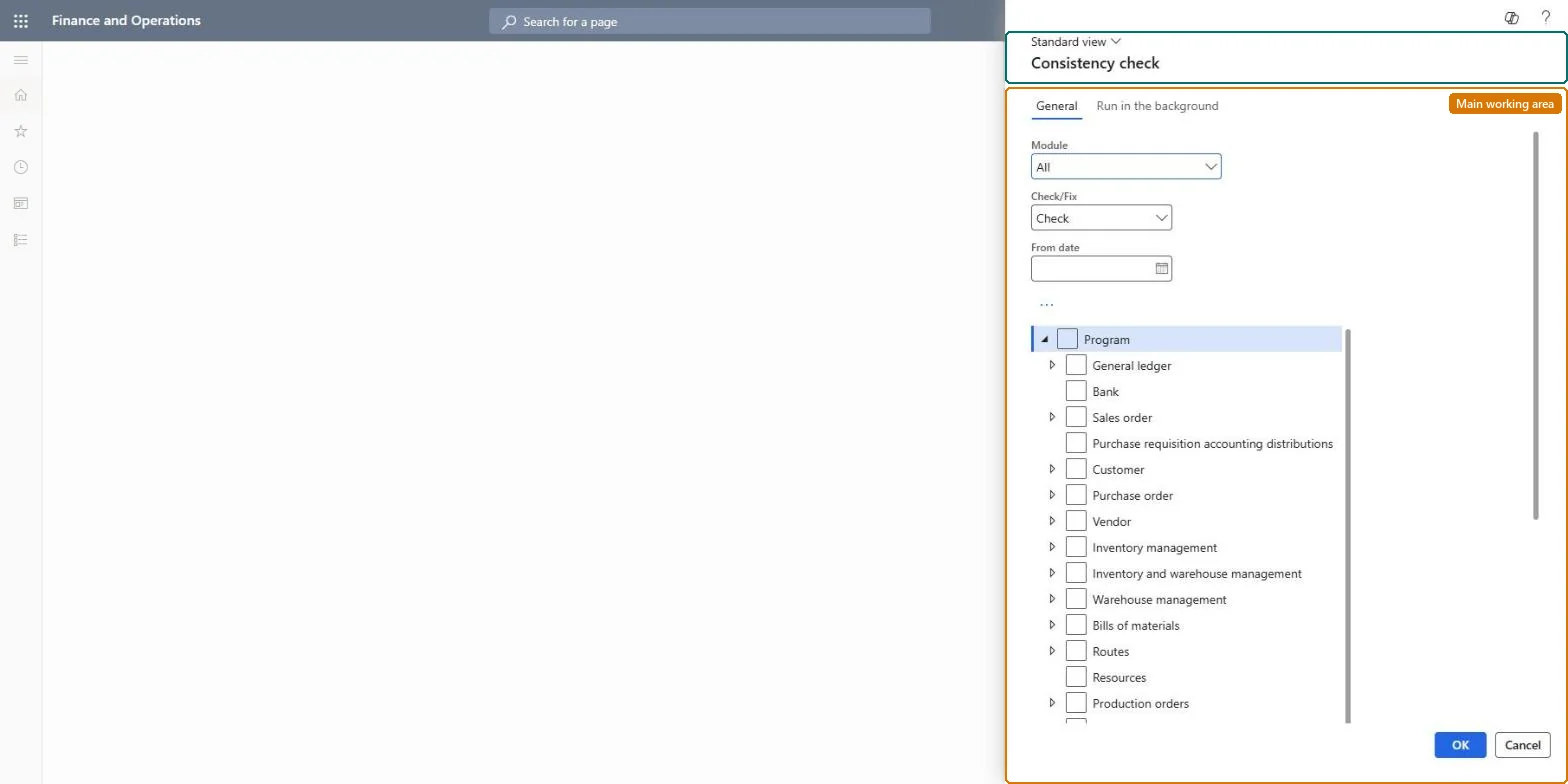
The page in Dynamics 365. page title tab to open what to set or check
About the examples: Examples and screenshots in this guide use BEAT, a demo company in a Dynamics 365 test environment. Use your own company's codes and values instead of copying them.
When to run it
When to run it
When you have confirmed data corruption, for example on-hand that doesn't match the inventory transactions or an inventory close that fails on negative on-hand. Don't run it as routine maintenance.
How often
On demand only. Don't schedule it as a recurring batch job.
Batch settings
Run the Fix error pass in batch outside business hours, because it locks on-hand records for every item in scope.
What the output shows
Messages in the Action center that list the inconsistencies found by each selected check; in Fix error mode the on-hand tables are rebuilt from the inventory transactions. Run time grows with the transaction history of the items in scope, not with their current quantity.
Check, and only then fix, inconsistent data for as few items as possible.
Steps from Microsoft
Go to System administration > Periodic tasks > Database > Consistency check.
Set Module to the area to check, for example Inventory management, expand the tree and select only the checks you need, such as On-hand.
Select the text of the row, open the More menu and select Dialog, and filter the run to the affected items; running on all items is rarely the right choice.
Set Check/Fix to Check, run it, and review the messages in the Action center.
Only if errors are confirmed, run again with Check/Fix set to Fix error, as a batch job outside business hours.
Open the On-hand list for the items again and confirm that the original error is gone.
Check only reports problems; Fix error corrects them.Microsoft Learn
Check first, Fix error only after errors are confirmed
Common errors and fixes
Message
What to do
On-hand clean up is failed for item <Item> in consistency check
This is a warning. The recalculation for the item still finished; only the cleanup step was skipped. Run the on-hand cleanup jobs separately if you need those rows removed. Microsoft Learn
Test checklist
The Check run reports no remaining errors for the items.
On-hand quantities match the sum of the inventory transactions.
Inventory close or recalculation no longer fails for the items.
Check mode first, filtered to the affected items; Fix error only after errors are confirmed, in batch outside business hoursLearn: the on-hand fix rebuilds on-hand from inventory transactions for the items in scope and, by default, deletes zero-quantity on-hand rows some reports use.
On this system the page opens for Information technology manager and Rental manager. No Feature management feature needs to be turned on for this page.
Runs on the module and checks you select in the tree, limited to the items you filter in the dialog; nothing outside that selection is checked or fixed. Microsoft Learn
Can it be undone
No: The fix is set-based and not easily reversed.
If you change it later
In Fix error mode it rebuilds on-hand data from inventory transactions for the items in scope and, by default, also deletes zero-quantity on-hand rows that some historical reports use. Microsoft Learn
Technical architect
6Technical
Menu item
action:SysConsistencyCheckBaseChecked in Dynamics 365
Roles to set it up and use it
To use itInformation technology manager SysServerITManagerRental manager RentalManagerGive people one of these roles. On this system, 2 roles can run this page.Checked in Dynamics 365
Load order: Consistency check has no data entity in Data management, so it can't be loaded from a file or a configuration template. It is an on-demand check with no data of its own.Checked in Dynamics 365
Checked in a working Dynamics 365 system, version 10.0.49: the menu item, form, table and security, the page.
To cite this step: SA-JOB-860, Run a consistency check on confirmed corruption. Beyond ERP Atlas Hub, 2026-11-11. https://www.beyonderp.cloud/atlas/step/SA-JOB-860