System administrationPeriodic tasksEmail processing
SysEmailRetrySchedule
Business process
Administer system features
Menu item
SysEmailRetrySchedule
Main table
SysEmailRetrySchedule
Setup steps
1 on this page
Show what matters for
SETUP GUIDEHow to set it up8 sections. Choose a role to highlight what matters to you.
Everyone
1What it is and why
What it is
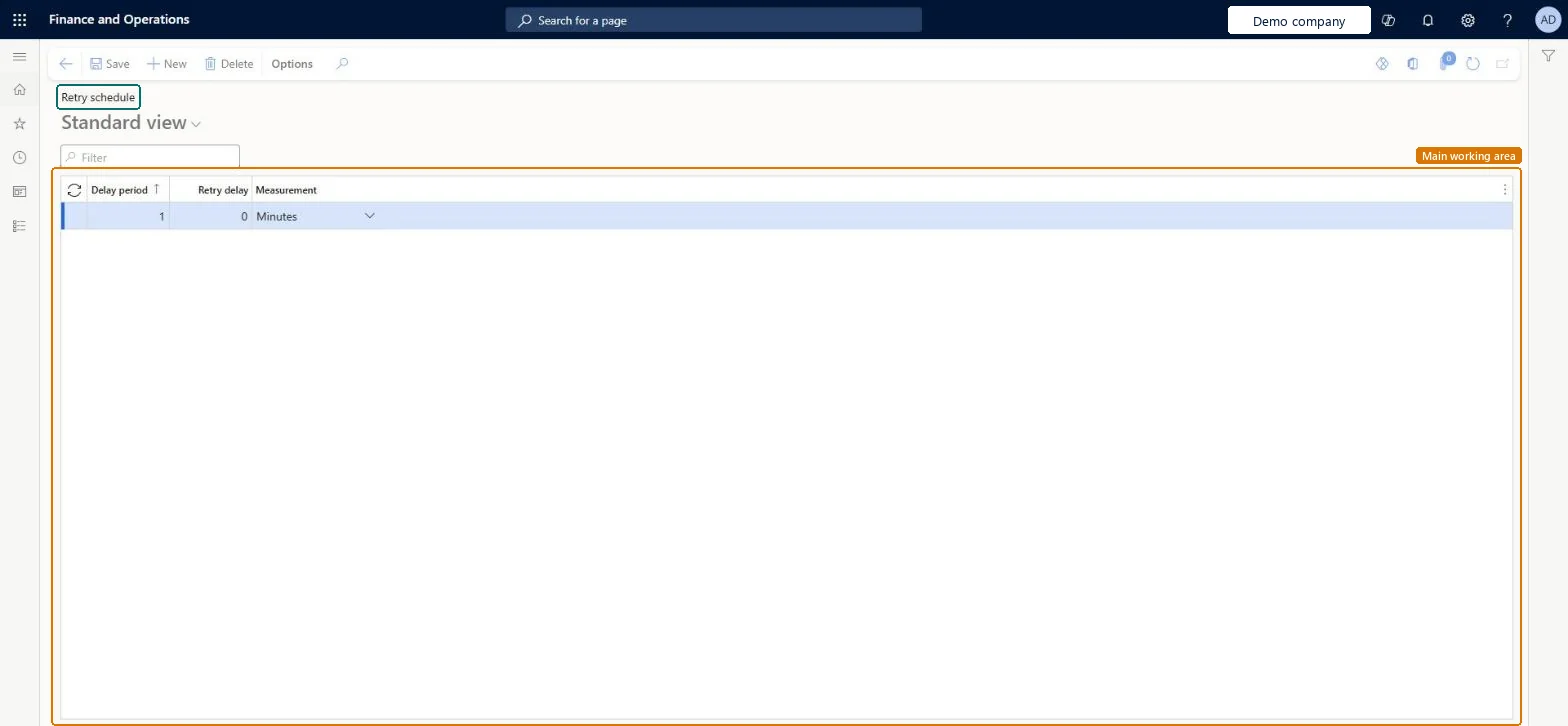
A setup page that lists the retry schedule for sending email messages, with a delay period, a retry delay and a measurement such as Minutes on each line.
What you do here
Use this page to set the delays between attempts to send an email message, and to add or delete schedule lines.
Example
For example, BEAT's provider throttles bursts of email, so the administrator sets three retry lines with delays of 5, 15 and 60 minutes; unsent messages expire after the 30 days set on Email parameters.
The page in Dynamics 365. page title tab to open what to set or check
About the examples: Examples and screenshots in this guide use BEAT, a demo company in a Dynamics 365 test environment. Use your own company's codes and values instead of copying them.
When to run it
When to run it
During email setup, or when temporary send failures, such as provider limits, need more or fewer retries.
How often
On demand, when retry behavior must change.
What the output shows
Schedule lines with a delay period, retry delay and measurement. Retries that come too fast and keep failing on provider limits usually mean the delays are too short.
Decide how long the email process waits between attempts to send a failed message.
Steps from Microsoft
Go to System administration > Periodic tasks > Email processing > Retry schedule.
Select New and enter the Delay period and Retry delay, with a Measurement such as Minutes, for the next attempt to send a failed message.
Add one line for each step of delay you want, and select Delete to remove a line you no longer need, then save.
Keep in mind that a message still unsent after Email expiration in days on Email parameters (30 days by default) is set to Expired, whatever the retry schedule says.
Watch failed messages in Batch email sending status to see whether the retries happen at the intervals you set.
A few increasing delays, combined with the email throttling limit on Email parameters for providers with a per-minute limitLearn: email throttling defers sends when a per-minute limit is reached, and unsent messages expire after the expiration days.
On this system the page opens for Maintain retry schedule for sending email messages and View retry schedule for sending email messages. No Feature management feature needs to be turned on for this page.
Reversible: Change or delete the lines to restore the earlier schedule.
If you change it later
Changes how long the email process waits before it tries to send a failed message again. Microsoft Learn
Technical architect
6Technical
Menu item
SysEmailRetryScheduleChecked in Dynamics 365
Form
SysEmailRetryScheduleChecked in Dynamics 365
Table
SysEmailRetryScheduleShown as “Retry schedule for sending email messages” in Record infoKey field: RetrySequenceNum, RetryPeriod, MeasurementChecked in Dynamics 365
Who can open it
PrivilegesMaintain retry schedule for sending email messages SysEmailRetryScheduleMaintainView retry schedule for sending email messages SysEmailRetryScheduleViewChecked in Dynamics 365
Roles to set it up and use it
To set it up or change itMaintain retry schedule for sending email messages SysEmailRetryScheduleMaintainTo use itView retry schedule for sending email messages SysEmailRetryScheduleViewGive people a role that holds these privileges. On this system, 0 roles give access to this page.Checked in Dynamics 365
Actions on the page
Options: Personalize, Page options, Edit, ShareChecked in Dynamics 365
Load order: Retry schedule has no data entity in Data management, so it can't be loaded from a file or a configuration template. Enter the few retry lines by hand in each environment.Checked in Dynamics 365