PAGE GUIDEWhat the page does and how to use it8 sections. Choose a role to highlight what matters to you.
Everyone
1What it is and why
What it is
An inquiry page where administrators review all sent emails and any errors that stopped an email from being sent.
What you do here
Use this page to troubleshoot failed emails by reading the error on each failed email.
Example
For example, when Exchange returns an Unauthorized error, filter the page for Failed emails and note the Email sender to find the user whose mailbox has the problem.
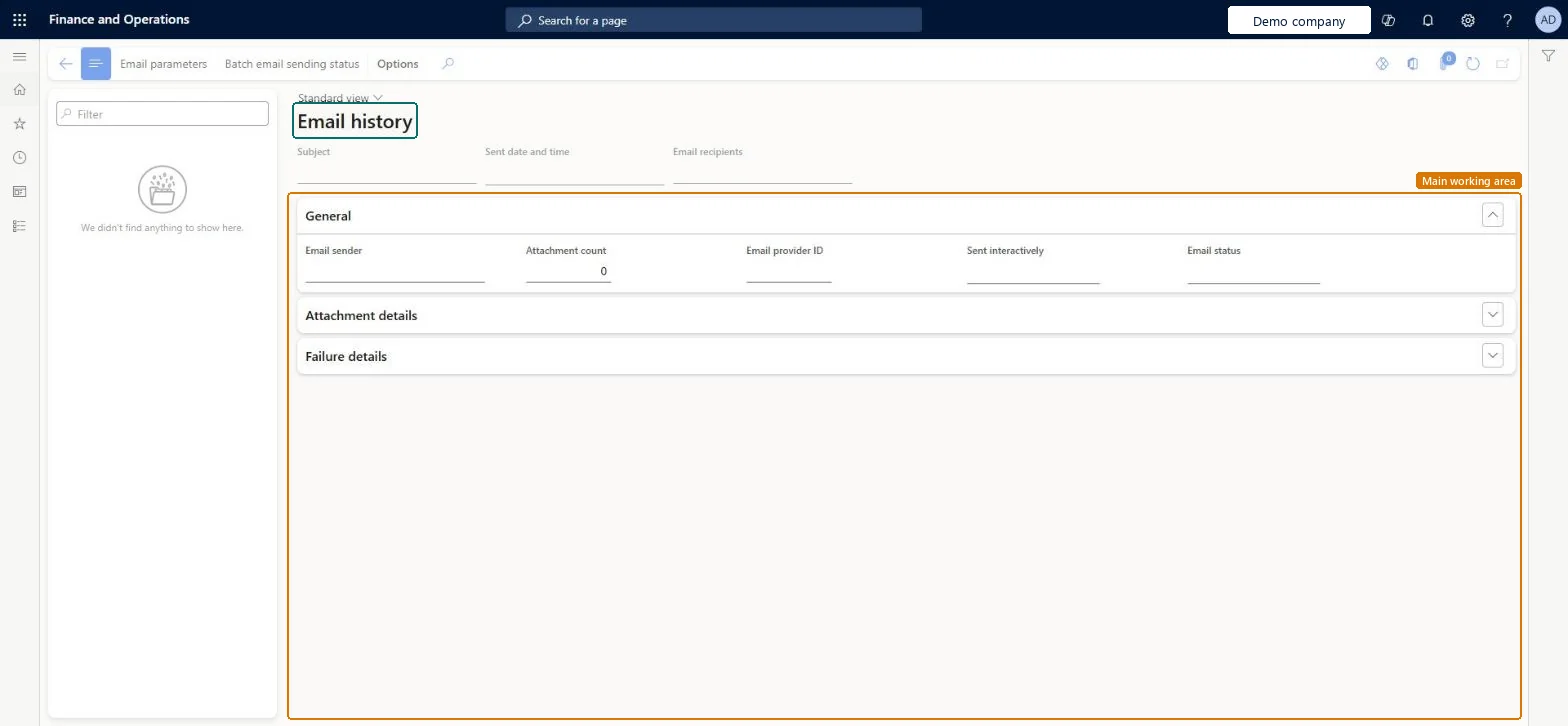
The page in Dynamics 365. page title tab to open what to set or check
About the examples: Examples and screenshots in this guide use BEAT, a demo company in a Dynamics 365 test environment. Use your own company's codes and values instead of copying them.
Setup steps on this page
Review Email history
Use this inquiry to find failed emails and the reason they failed.
Steps from Microsoft
Go to System administration > Setup > Email > Email history.
Add a filter for Failed emails to the Email status field.
Select a failed email and read the error on the Failure details tab.
Note the Email sender value to find the affected user.
Filter Email status on Failed first, then read Failure details and the Email senderThe failure details hold the error that stopped the email, and the sender points to the user whose mailbox has the problem.
Reversible: Reading the history changes no data; entries older than the retention period are removed automatically. Microsoft Learn
If you change it later
Email history is kept for 30 days by default; change Number of days to retain email history on the Email parameters page. Microsoft Learn
Technical architect
6Technical
Menu item
SysEmailHistoryChecked in Dynamics 365
Form
SysEmailHistoryChecked in Dynamics 365
Table
SysEmailHistoryShown as “Email history” in Record infoChecked in Dynamics 365
Who can open it
PrivilegesGrants access to view email history SysEmailHistoryChecked in Dynamics 365
Actions on the page
Options: Personalize, Page options, ShareChecked in Dynamics 365
Developer
7Developer
Open it by URL
https://<your-environment>/?mi=SysEmailHistory
Data migration
Load order: Email history has no data entity in Data management, so it can't be loaded from a file or a configuration template. The history is written by the system as email is sent and isn't moved between environments.Checked in Dynamics 365