System administrationPeriodic tasksEmail processing
action:SysEmailBroadcast
Business process
Administer system features
Menu item
action:SysEmailBroadcast
Setup steps
1 on this page
Show what matters for
SETUP GUIDEHow to set it up8 sections. Choose a role to highlight what matters to you.
Everyone
1What it is and why
What it is
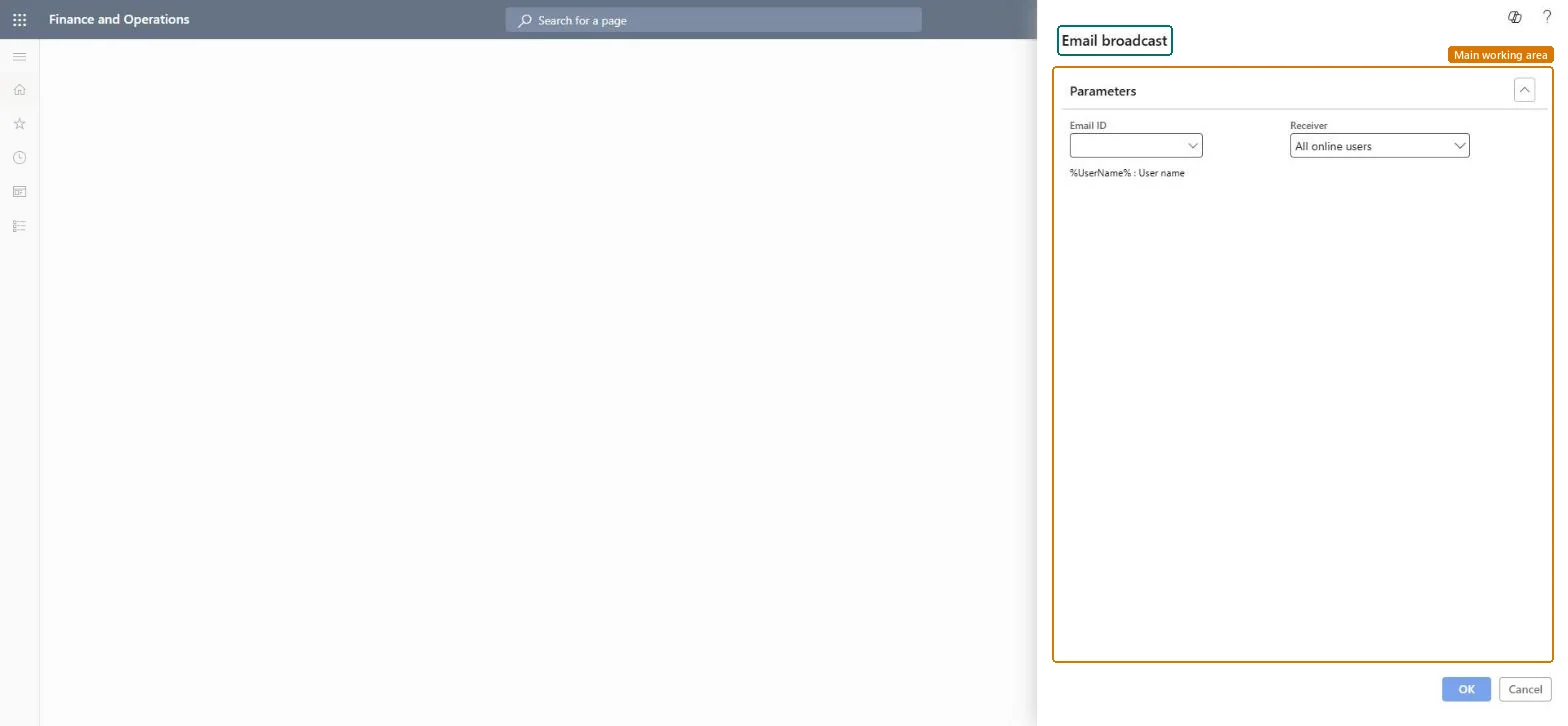
A periodic job that sends the email chosen in Email ID to the receivers chosen in Receiver, such as All online users; the dialog lists %UserName% (User name) as a placeholder.
What you do here
Use it to send one message to many users at once, for example before planned downtime.
Example
For example, before a Saturday update the BEAT administrator broadcasts a downtime message to All online users, with %UserName% in the greeting, and follows delivery on Batch email sending status.
The page in Dynamics 365. page title tab to open what to set or check
About the examples: Examples and screenshots in this guide use BEAT, a demo company in a Dynamics 365 test environment. Use your own company's codes and values instead of copying them.
When to run it
When to run it
When one message must reach many users at once, for example before planned downtime.
How often
On demand.
What the output shows
One email per receiver, queued and then sent by the email batch process. Messages that stay queued mean the Email distributor batch isn't running.
Check Email ID and Receiver before you select OK, and confirm the Email distributor batch runsThe broadcast is sent through the email queue, which only the Email distributor batch processes.
Environment-wide: the receivers are users of the environment, for example all online users. Checked in Dynamics 365
Can it be undone
No: A broadcast can't be recalled once sent.
If you change it later
Email sent without user interaction goes through the queue that the Email distributor batch processes, so the broadcast depends on that job. Microsoft Learn
Load order: Email broadcast has no data entity in Data management, so it can't be loaded from a file or a configuration template. It is an on-demand job; the messages it sends are stored email templates.Checked in Dynamics 365