BeyondERP.Newsletter
Menu

Setup step on the Planning types page · Questionnaire

Set up Planning types

Use this page to create the categories, such as evaluation, survey or testing, that you assign to questionnaire schedules when you plan answer sessions for multiple respondents.

Used by
Purchasing agent, Purchasing Agent - Public Sector, Product design manager and 13 more roles
Business process
Configure and manage surveys
Menu item
KMKnowledgeCollectorPlanningType
Main table
KMKnowledgeCollectorPlanningTable
Setup steps
1 on this page
Show what matters for
SETUP GUIDEHow to set it up8 sections. Choose a role to highlight what matters to you.
Everyone

1What it is and why

What it isA setup page where you define planning types, which classify questionnaire schedules.
What you do hereUse this page to create the categories, such as evaluation, survey or testing, that you assign to questionnaire schedules when you plan answer sessions for multiple respondents.
ExampleFor example, BEAT creates the planning types EVAL, SURVEY and TEST and selects SURVEY on the schedule for its 2026 workforce health survey of 180 workers.
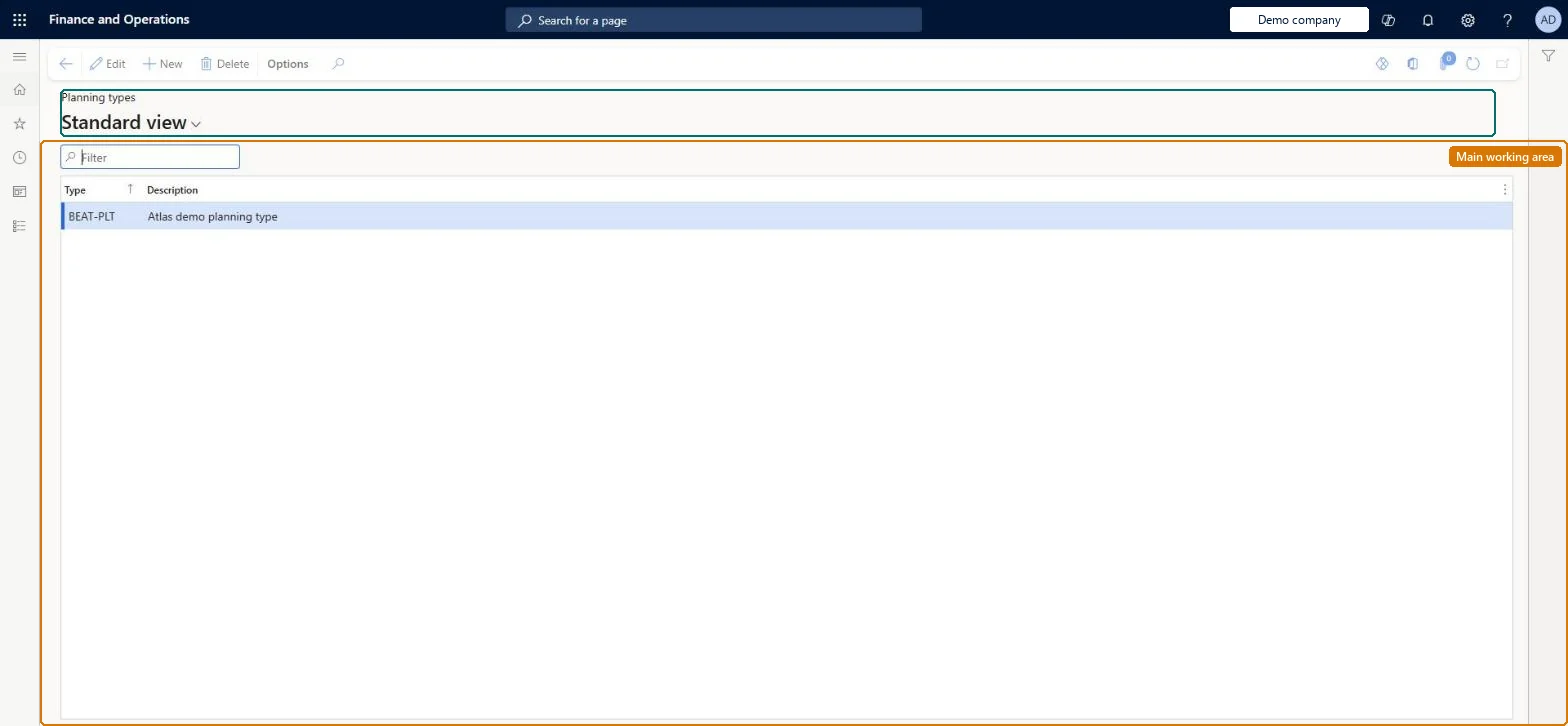
Planning types page in Dynamics 365
The page in Dynamics 365. page title tab to open what to set or check
Functional consultant · Solution architect

2Where it fits

End user · Functional consultant

3How to do it

About the examples: Examples and screenshots in this guide use BEAT, a demo company in a Dynamics 365 test environment. Use your own company's codes and values instead of copying them.

Setup steps on this page

Set up Planning types

Use this page to create the categories, such as evaluation, survey or testing, that you assign to questionnaire schedules when you plan answer sessions for multiple respondents.

Steps from Microsoft

  1. Go to Questionnaire > Distribute > Planning types.
  2. Select New and enter a Type, such as SURVEY.
  3. Enter a Description that says what the schedules of this type are for.
  4. Select the planning type in the Type field when you create a questionnaire schedule.

Source: Microsoft Learn

Fields on the page

FieldWhat it meansExample
TypeA unique identifier for the planning type.Microsoft Learn SURVEY
DescriptionWhat the schedules of this type are for.Microsoft Learn Satisfaction survey

Common errors and fixes

MessageWhat to do
No planning type can be selected on a scheduleCreate the planning types here before you create questionnaire schedules. Microsoft Learn

Test checklist

  1. Create a planning type, for example Satisfaction.
  2. On Questionnaire schedules, create a schedule and select it in the Type field.
  3. Filter the schedules list by Type and check the new schedule appears.

Source: Microsoft Learn

Functional consultant

4Setup decisions

Setup stepRecommended value and whyDecision, common mistake and test
Set up Planning typesA short list of planning types by purpose, such as Evaluation, Survey and TestingPlanning types classify questionnaire schedules, and Learn gives evaluation, survey and testing as the typical purposes.Which planning types are needed?Creating a planning type for each survey instead of each purpose, so the Type field no longer groups schedules.Test: Planning type classifies a schedule

Feature management and licence

Licence or add-inNo Feature management feature is needed for questionnaires; Microsoft Learn describes them without one. Questionnaires belong to the Human resources area, and in this system the same pages are also granted through procurement (vendor and RFQ questionnaires), sales and marketing (campaigns, telemarketing) and case management duties, as the Security section shows. The HR administrator who schedules questionnaires maintains planning types.

Microsoft Learn

Solution architect

5Design impact

Shared or per companyClassifies questionnaire schedules only; it has no effect on questionnaires that are Active or planned one by one. Microsoft Learn
Can it be undoneReversible: A planning type only classifies schedules; Learn describes no posting or calculation that depends on it.
If you change it laterPlanning types only classify schedules; adding or renaming one changes how schedules are grouped, not who receives them. Microsoft Learn
Technical architect

6Technical

Menu itemKMKnowledgeCollectorPlanningType Checked in Dynamics 365
FormKMKnowledgeCollectorPlanningType Checked in Dynamics 365
TableKMKnowledgeCollectorPlanningTableShown as “QUESTIONNAIRE PLANNING - TYPE” in Record infoChecked in Dynamics 365
Who can open itPrivilegesView questionnaire planning types KMKnowledgeCollectorPlanningTypeViewMaintain questionnaire planning types KMKnowledgeCollectorPlanningTypMaintainDutiesEnable case management CaseCaseManagementEnableEnable questionnaire process HcmQuestionnaireProcessEnableInquire into questionnaire process HcmQuestionnaireProcessInquireMaintain questionnaire transactions HcmQuestionnaireTransactionMaintainMaintain campaigns smmCampaignsMaintainMaintain telemarketing smmTelemarketingMaintainMaintain vendor questionnaires VendVendorQuestionnaireMaintain
16 security rolesProduct design manager BOMProductDesignManagerCollections manager CollectionLetterCollectionsManagerMarketing coordinator CRMMarketingCoordinatorMarketing manager CRMMarketingManagerHuman resource assistant HcmHumanResourceAssistantHuman resource manager HcmHumanResourceManagerTraining manager HcmTrainingManagerProject manager ProjProjectManagerProcess engineering manager RouteProcessEngineeringManagerService delivery manager SMAServiceDeliveryManagerCustomer service manager TradeCustomerServiceManagerPurchasing manager TradePurchasingManagerSales manager TradeSalesManagerPurchasing agent VendPurchasingAgentPurchasing Agent - Public Sector VendPurchasingAgent_PSNand 1 more
Checked in Dynamics 365
Roles to set it up and use itTo set it up or change itHuman resource assistant HcmHumanResourceAssistantPurchasing manager TradePurchasingManagerMarketing coordinator CRMMarketingCoordinatorMarketing manager CRMMarketingManagerCustomer service manager TradeCustomerServiceManagerGive people one of these roles. On this system, 15 roles can open this page.Checked in Dynamics 365
Developer

7Developer

Open it by URLhttps://<your-environment>/?mi=KMKnowledgeCollectorPlanningType
Data migrationLoad order: Planning types has no data entity in Data management, so it can't be loaded from a file or a configuration template. Create them by hand in each environment before schedules.Checked in Dynamics 365
Everyone

8Sources

To cite this step: QN-DIST-010, Set up Planning types. Beyond ERP Atlas Hub, 2026-11-11. https://www.beyonderp.cloud/atlas/step/QN-DIST-010