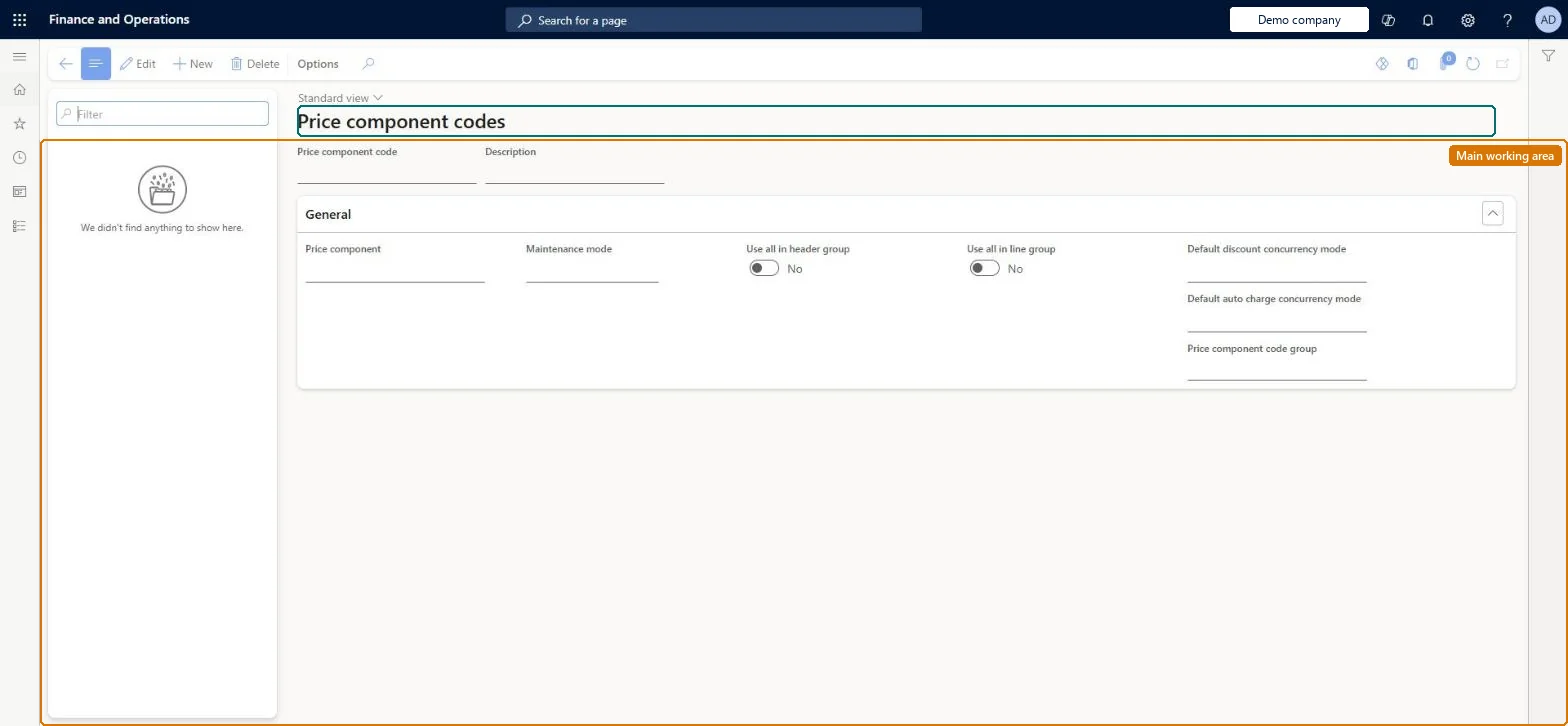
Setup step on the Price component codes page · Pricing management
Set up Price component codes
Use this page to define each code's price component type, which header and line price attribute groups its pricing rules can use, the ranks used to settle competing rules, and default concurrency modes.
Accounts receivable manager, Retail merchandising manager, Retail operations manager and 5 more roles
Business process
Set product prices
Menu item
GUPPriceComponentCode
Main table
GUPPriceComponentCode
Data entity
GUPPriceComponentCodeEntity
Setup steps
1 on this page
Show what matters for
SETUP GUIDEHow to set it up8 sections. Choose a role to highlight what matters to you.
Everyone
1What it is and why
What it is
A setup page where you create price component codes, the basic building blocks of a price structure, each of one price component type such as base price, sales trade agreement, margin component, discount or auto charge.
What you do here
Use this page to define each code's price component type, which header and line price attribute groups its pricing rules can use, the ranks used to settle competing rules, and default concurrency modes.
Example
For example, when two trade agreement rules match the same order line, the rule whose attribute group combination has the highest combination rank sets the price.
The page in Dynamics 365. page title tab to open what to set or check
About the examples: Examples and screenshots in this guide use BEAT, a demo company in a Dynamics 365 test environment. Use your own company's codes and values instead of copying them.
Setup steps on this page
Set up Price component codes
Use this page to define each code's price component type, which header and line price attribute groups its pricing rules can use, the ranks used to settle competing rules, and default concurrency modes.
Steps from Microsoft
Go to Pricing management > Setup > Price component codes > Price component codes.
Select New.
Enter the Price component code and Description.
On the General FastTab, select the Price component and the Maintenance mode, and set the other options.
Add header and line price attribute groups, or define the price attribute group combinations.
Decide Price component and Maintenance mode before saving; keep exactly one Sales trade agreement code and at most one code per base price typeThe code, Price component and Maintenance mode become read-only on save. You can have only one code for each base price type and for Sales trade agreement, and trade agreements need exactly one Sales trade agreement code.
One-way: Warning: Price component code, Price component and Maintenance mode can't be changed once the record is saved. To change them, create a new code and move rules and price trees to it.
If you change it later
The code, price component type and maintenance mode can't be changed after the record is saved. Microsoft Learn
Technical architect
6Technical
Menu item
GUPPriceComponentCodeChecked in Dynamics 365
Form
GUPPriceComponentCodeChecked in Dynamics 365
Table
GUPPriceComponentCodeShown as “PRICE COMPONENT CODE” in Record infoKey field: NameChecked in Dynamics 365
Data entities
GUPPriceComponentCodeEntityPrice component code (separate) Checked in Dynamics 365GUPPriceComponentCodeCombinationEntityPrice attribute group combination Checked in Dynamics 365
Who can open it
PrivilegesMaintain price component code master GUPPriceComponentCodeMaintainView price component code master GUPPriceComponentCodeViewDutiesInquiries into policies governing pricing setting process GUPMasterDataInquiryEnable pricing setting process GUPMasterDataMaintain9 security rolesAccounts receivable manager CustInvoiceAccountsReceivableManagerMCRTestUserRoleRetail merchandising manager RetailMerchandisingManagerRetail operations manager RetailOperationsManagerRetail service RetailServiceRetail store IT RetailStoreITPurchasing manager TradePurchasingManagerSales clerk TradeSalesClerkSales manager TradeSalesManagerChecked in Dynamics 365
Roles to set it up and use it
To set it up or change itRetail service RetailServiceSales manager TradeSalesManagerRetail merchandising manager RetailMerchandisingManagerPurchasing manager TradePurchasingManagerRetail store IT RetailStoreITTo use itSales clerk TradeSalesClerkAccounts receivable manager CustInvoiceAccountsReceivableManagerGive people one of these roles. On this system, 8 roles can open this page.Checked in Dynamics 365