Purchasing agent, Chief executive officer, Accounts receivable manager and 6 more roles
Business process
Set product prices
Menu item
GUPPriceDiscAdmTable_Sales
Main table
PriceDiscAdmTable
Data entity
TradeAgreementJournalHeaderEntity
Show what matters for
PAGE GUIDEWhat the page does and how to use it8 sections. Choose a role to highlight what matters to you.
Everyone
1What it is and why
What it is
A page where you create and manage sales trade agreement journals, which hold negotiated prices for specific products and customers.
What you do here
Use this page to create journals, add pricing rule lines that set which prices apply to which combinations of customers and products, and then validate and post them.
Example
For example, to give a customer a fixed net price that no other adjustment or discount can change, set Allow price adjustment to No and Prevent discount to Yes on the journal line.
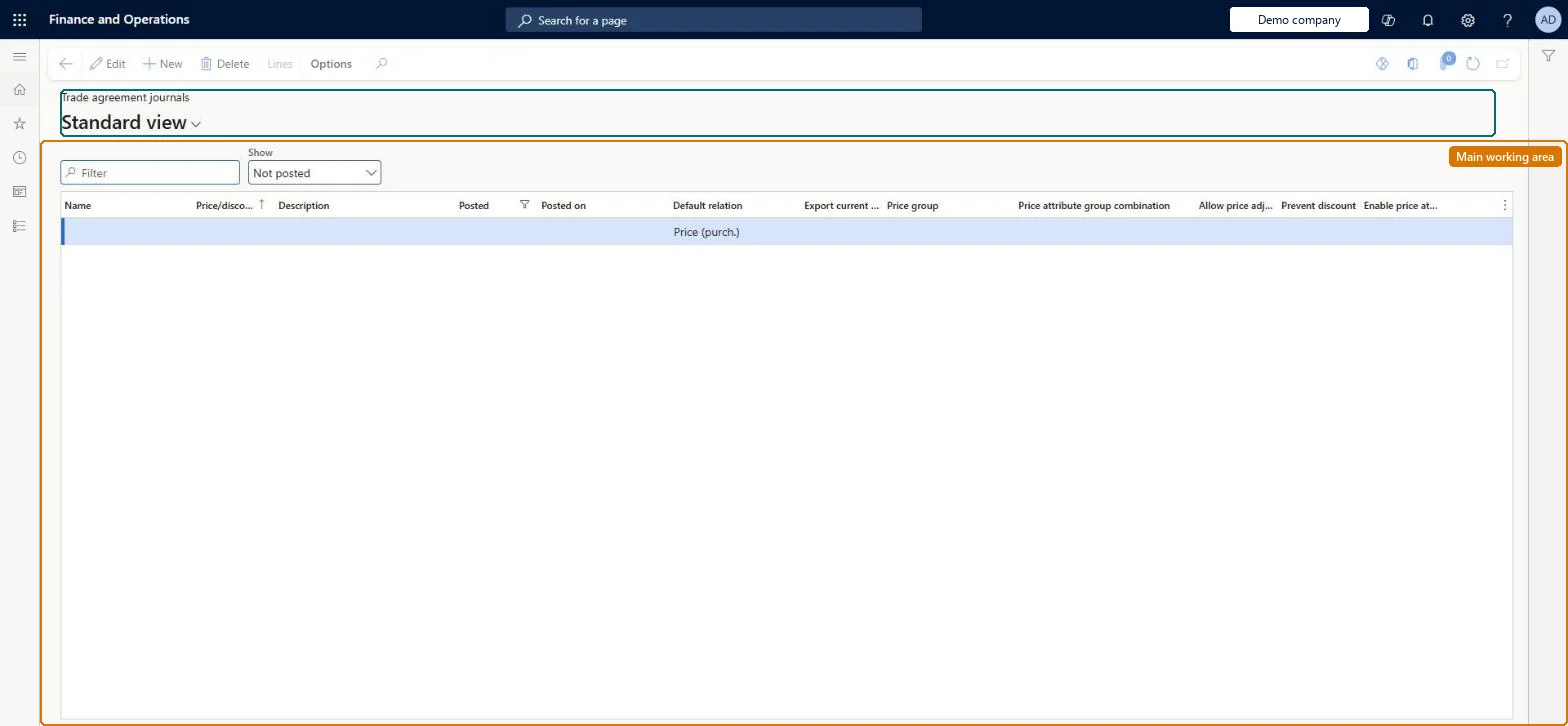
The page in Dynamics 365. page title tab to open what to set or check
About the examples: Examples and screenshots in this guide use BEAT, a demo company in a Dynamics 365 test environment. Use your own company's codes and values instead of copying them.
Steps from Microsoft
Go to Pricing management > During-sales pricing > Sales trade agreement price > Trade agreement journals.
Make sure that the Show field is set to All or Not posted, and then select New.
In the Name field, select a trade agreement journal name, and then select Save.
On the Action Pane, select Lines.
Select New, choose the price attribute group combination and the customer and product conditions, and then select OK.
Set the quantity range, Unit, Amount in currency, Currency, From date and To date for each line.
New records on this page take their Price/discount journal number from the PriceDiscJournalNum reference; BEAT uses number sequence Sale_51. Checked in Dynamics 365
Hard to reverse: Once posted, a journal shows Posted and the price is live. Learn describes changing prices by creating a new journal (Select copies posted lines), editing the copies, and validating and posting them, not by editing the posted journal. Microsoft Learn
If you change it later
A posted sales trade agreement price takes priority over the item base price for the customers and products it covers. Microsoft Learn
Technical architect
6Technical
Menu item
GUPPriceDiscAdmTable_SalesChecked in Dynamics 365
Form
PriceDiscAdmTableChecked in Dynamics 365
Table
PriceDiscAdmTableShown as “TRADE AGREEMENT JOURNAL TABLE” in Record infoKey field: JournalNumChecked in Dynamics 365
Data entities
TradeAgreementJournalHeaderEntityTrade agreement journal headers Microsoft data model TradeOpenTradeAgreementJournalHeaderV2EntityTrade agreement journal table V2 Microsoft data model
Who can open it
PrivilegesMaintain sales trade agreement journals GUPTradeAgreementMaintainView sales trade agreement journals GUPTradeAgreementViewDutiesView sales trade agreement journals GUPTradeAgreementInquiryMaintain sales trade agreement journals GUPTradeAgreementMaintainInquire into product sales prices and discount master PriceDiscProdSalesPriceDiscMasterInquirMaintain product prices and discount master PriceDiscProductPriceDiscMasterMaintainApprove product prices and discounts PriceDiscProductPricesDiscountsApproveReview purchase order process performance PurchOrderProcessPerformanceReviewEnable quotation to sales order process SalesQuotationToSalesOrderProcessEnable10 security rolesChief executive officer CompanyChiefExecutiveOfficerAccounts receivable manager CustInvoiceAccountsReceivableManagerAccountant LedgerAccountantAccounting manager LedgerAccountingManagerMCRTestUserRoleRetail service RetailServicePurchasing manager TradePurchasingManagerSales clerk TradeSalesClerkSales manager TradeSalesManagerPurchasing agent VendPurchasingAgentChecked in Dynamics 365
Roles to set it up and use it
To set it up or change itRetail service RetailServiceSales manager TradeSalesManagerAccounts receivable manager CustInvoiceAccountsReceivableManagerPurchasing agent VendPurchasingAgentTo use itSales clerk TradeSalesClerkPurchasing manager TradePurchasingManagerAccountant LedgerAccountantAccounting manager LedgerAccountingManagerChief executive officer CompanyChiefExecutiveOfficerGive people one of these roles. On this system, 9 roles can open this page.Checked in Dynamics 365
Actions on the page
(Action Pane without tabs): LinesChecked in Dynamics 365
TradeAgreementJournalHeaderEntity (Trade agreement journal headers): loaded for each company.TradeOpenTradeAgreementJournalHeaderV2Entity (Trade agreement journal table V2): loaded for each company.Microsoft Learn