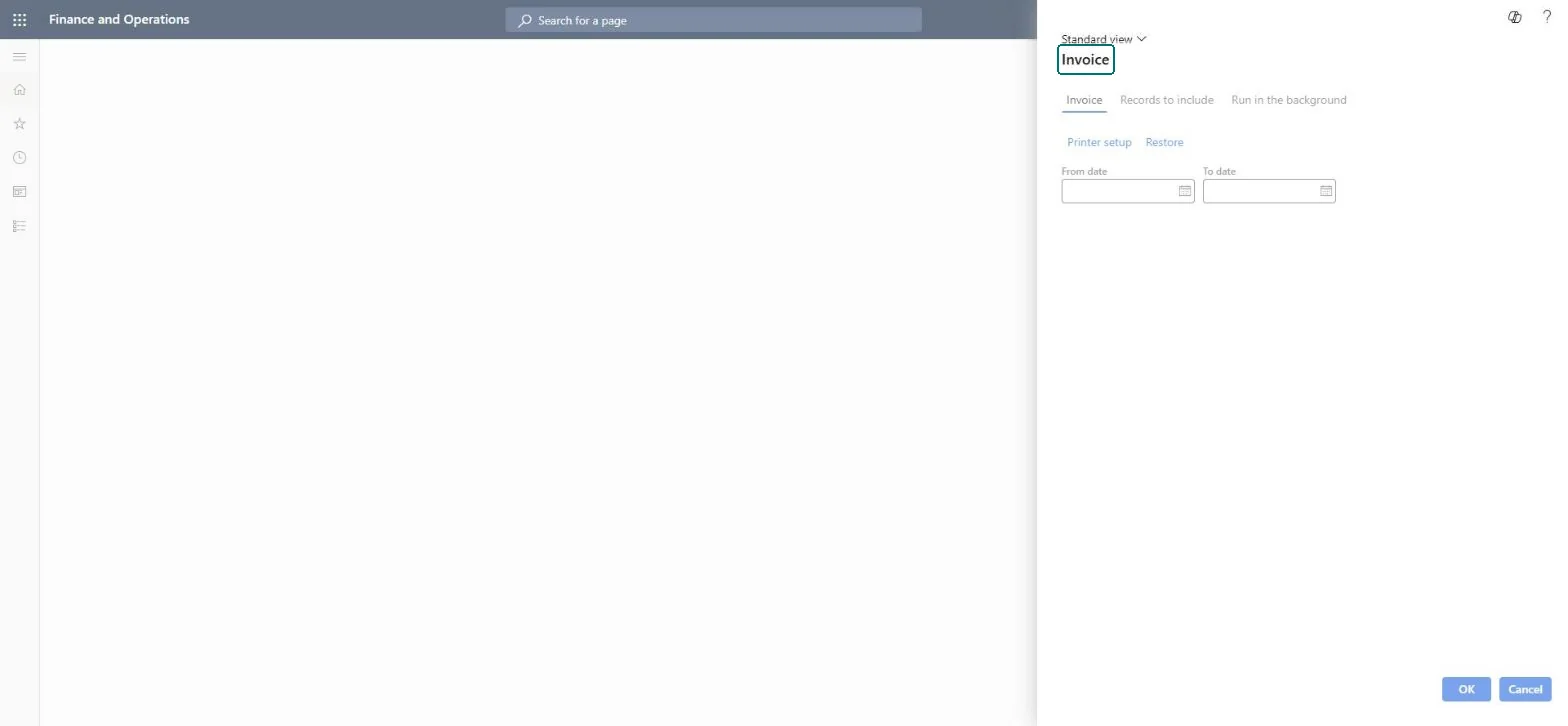
Choose the invoice kinds and dates for the Project invoices report
Project management and accountingInquiries and reportsProject invoices reports
output:PSAProjPrintInvoice
Business process
Manage project financials
Menu item
output:PSAProjPrintInvoice
Setup steps
1 on this page
Show what matters for
SETUP GUIDEHow to set it up8 sections. Choose a role to highlight what matters to you.
Everyone
1What it is and why
What it is
A report that prints copies of posted project customer invoices, both invoices for hours, expenses, items and fees and on-account invoices, for an invoice date range.
What you do here
Use it to reprint or check the project invoices that went to customers after a billing run.
Example
After the October 2026 billing run, BEAT's project assistant reprints the invoices dated 2026-10-01 to 2026-10-31 for contract PC-0042: invoice PIV-001187 for 18,450.00 of hours on PRJ-0042 and on-account invoice PIV-001190 for milestone 2 of 25,000.00.
The page in Dynamics 365. page title tab to open what to set or check
About the examples: Examples and screenshots in this guide use BEAT, a demo company in a Dynamics 365 test environment. Use your own company's codes and values instead of copying them.
When to run it
When to run it
After project invoice proposals are posted for a billing period, when you want a copy of the customer invoices sent.
How often
On demand, typically after each billing run.
What the output shows
Printouts of the posted project customer invoices in the date range, with their invoice lines. On-account invoices appear only when On-account is turned on.
Choose the invoice kinds and dates for the Project invoices report
Print exactly the project invoices of one billing run.
Steps from Microsoft
Go to Project management and accounting > Inquiries and reports > Project invoices reports > Project invoices.
On the Invoice tab, enter the From date and To date of the invoice dates you want to review.
Turn on Invoice to include customer invoices for actual project transactions, and On-account to include on-account invoices from billing schedules or prepayments.
To print to a printer or file instead of the screen, select Printer setup; filter Records to include on a project contract or customer if you only need part of the invoices.
Check each invoice against the posted project invoices list; a missing invoice usually means its invoice proposal was not posted yet.
An invoice you expect is missing from the printout.
Check that its invoice proposal is posted and that its invoice date is inside the From date and To date. Milestone and prepayment invoices print only when On-account is turned on. Microsoft Learn
Set the invoice date range to the billing run and turn on both Invoice and On-account unless you need only one kind.Invoice selects invoices of hours, expenses, items and fees; On-account selects invoices of on-account transactions such as milestones and prepayments. Leaving one off silently drops that kind of invoice.
On the live system, Project manager, Project supervisor, Project assistant, Accounts receivable clerk and Accounts receivable centralized payments clerk can run this page.
Checked in Dynamics 365
Solution architect
5Design impact
Shared or per company
Per legal entity: the report reads only the project data of the company you are signed in to, so run it in each company you close. Checked in Dynamics 365
Can it be undone
Reversible: Running or rerunning the report changes no data.
If you change it later
The report reads posted project invoices only. A posted invoice can't be edited; it is corrected with a credit note through a new invoice proposal, so rerun the report after the credit note is posted to print both documents. Microsoft Learn
Technical architect
6Technical
Menu item
output:PSAProjPrintInvoiceChecked in Dynamics 365
Form
PSAProjPrintInvoiceDialogChecked in Dynamics 365
Roles to set it up and use it
To use itProject manager ProjProjectManagerProject supervisor ProjProjectSupervisorProject assistant ProjProjectClerkAccounts receivable clerk CustInvoiceAccountsReceivableClerkAccounts receivable centralized payments clerk PaymAccountsReceivableCentralPaymClerkGive people one of these roles. On this system, 6 roles can run this page.Checked in Dynamics 365
Load order: Project invoices has no data entity in Data management: the menu item PSAProjPrintInvoice opens a report that only reads posted project data. There is nothing to migrate for the report itself; load the project data it reads, for example opening balances through Journals > Beginning balance, then run the report in the new system and compare its totals with the old one.Checked in Dynamics 365
Checked in a working Dynamics 365 system, version 10.0.49: the menu item, form, table and security, the page.
To cite this step: PM-RC-010, Choose the invoice kinds and dates for the Project invoices report. Beyond ERP Atlas Hub, 2026-11-11. https://www.beyonderp.cloud/atlas/step/PM-RC-010