Project management and accountingInquiries and reportsPrices reports
output:ProjPriceList
Business process
Manage project financials
Menu item
output:ProjPriceList
Setup steps
1 on this page
Show what matters for
SETUP GUIDEHow to set it up8 sections. Choose a role to highlight what matters to you.
Everyone
1What it is and why
What it is
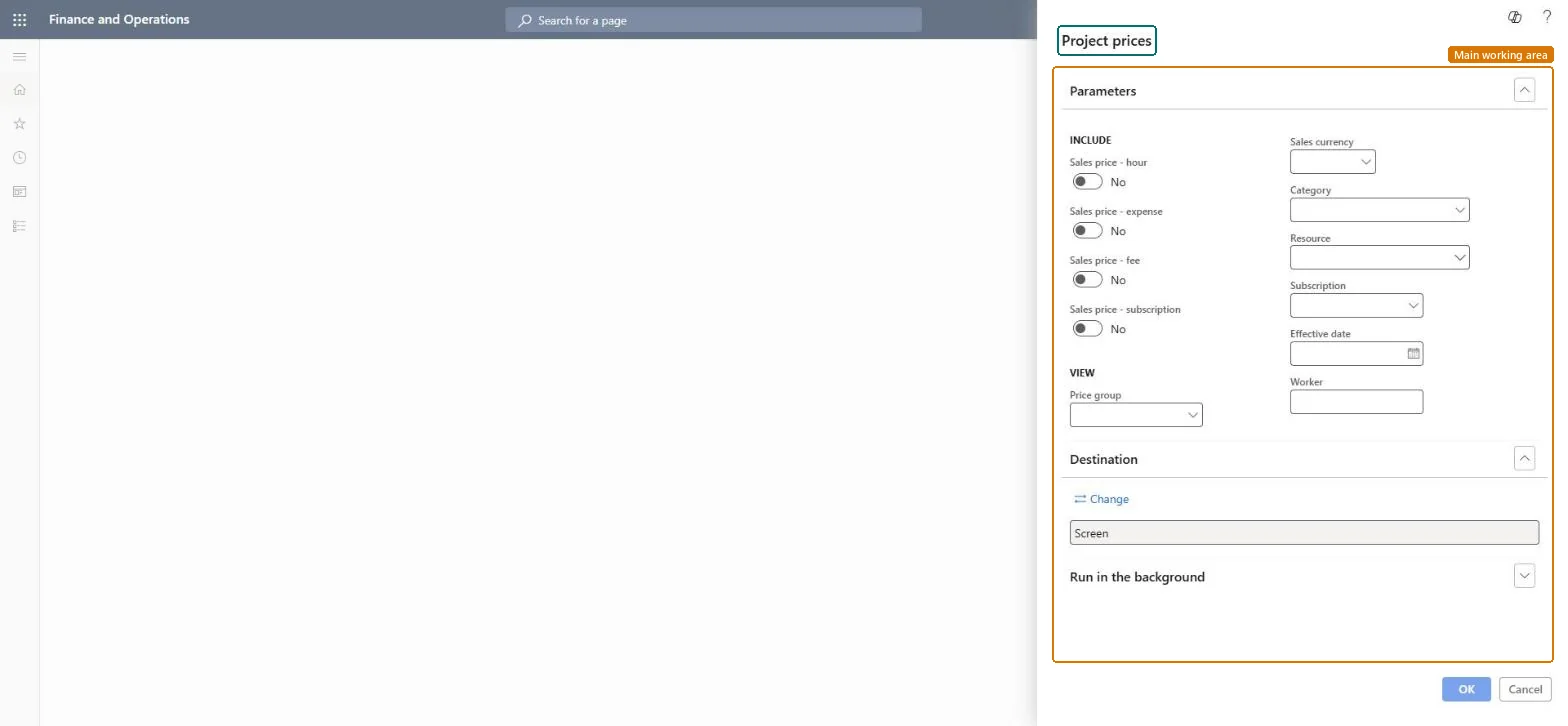
A report that lists the project sales prices set up for hours, expenses, fees and subscriptions, filtered by price group, currency, category, resource, worker and effective date.
What you do here
Use it to answer 'which sales price will a project transaction get on a given date?' before a price change, or when a journal line picked up an unexpected price.
Example
Before the 1 January price increase, the BEAT project accountant prints hour sales prices for price group PG-STD in EUR on 31 December and finds CONSULT at 150.00 and DEV at 120.00, then checks the new records for 1 January show 158.00 and 126.00.
The page in Dynamics 365. page title tab to open what to set or check
About the examples: Examples and screenshots in this guide use BEAT, a demo company in a Dynamics 365 test environment. Use your own company's codes and values instead of copying them.
When to run it
When to run it
Before a price change, and when an hour or expense line got an unexpected sales price.
How often
On demand; yearly before price increases.
What the output shows
Sales prices per price type with price group, currency, category, resource, worker and effective date.
Under View: limits the report to one project price group.Checked in Dynamics 365
PG-STD
Sales currency
Limits the report to prices in one currency.Checked in Dynamics 365
EUR
Effective date
Lists only prices valid on this date; leave it empty to list every dated price record.Checked in Dynamics 365
2026-12-31
Common errors and fixes
Message
What to do
Item prices don't appear on the report.
Item sales prices are set up in Inventory management, not in project prices; the report covers hours, expenses, fees and subscriptions. Microsoft Learn
Test checklist
Create an hour sales price of 150.00 EUR for role CONSULT, price group PG-STD, effective 1 October.
Run the report for hours, PG-STD, EUR, effective date 31 October.
Turn on one price type and set Price group, Sales currency and Effective date before running.Prices are dated records per role, category, project or price group; without an effective date the report lists old and new prices side by side.
On the live system, Project accountant runs this report.
Checked in Dynamics 365
Solution architect
5Design impact
Shared or per company
Per company: project sales prices belong to the legal entity; intercompany work uses transfer prices instead. Microsoft data model
Can it be undone
Reversible: Reading the page changes no data.
If you change it later
A new price record applies from its effective date to transactions entered afterwards; posted transactions keep their price until adjusted. Microsoft Learn
Technical architect
6Technical
Menu item
output:ProjPriceListChecked in Dynamics 365
Form
SysOperationTemplateFormChecked in Dynamics 365
Roles to set it up and use it
To use itProject accountant ProjProjectAccountantGive people one of these roles. On this system, 1 role can run this page.Checked in Dynamics 365
Load order: The Project prices report has no data entity in Data management: it prints price records. Load hour, expense and fee prices with ProjHourSalesPriceV2Entity, ProjCostSalesPriceEntity and ProjRevenueSalesPriceEntity, then run the report to compare.Load first: Project - hour sales price V2 (ProjHourSalesPriceV2Entity)Microsoft data model