Use My projects as the project manager's start page
Project management and accountingProjects
ProjProjectsListPage_MyProjects
Used by
Auditor, Budget clerk, Budget contributor and 14 more roles
Business process
Plan projects
Menu item
ProjProjectsListPage_MyProjects
Main table
ProjTable
Data entity
ProjProjectV2Entity
Setup steps
1 on this page
Show what matters for
SETUP GUIDEHow to set it up8 sections. Choose a role to highlight what matters to you.
Everyone
1What it is and why
What it is
A personal view of the project list: the same projects table and form as All projects, opened through its own menu item so you start from the projects you work on.
What you do here
Use it as a project manager or team member to reach your own projects quickly and open their plan, forecasts and transactions without searching the whole company list.
Example
For example, a BEAT project manager who runs PRJ-0042 and PRJ-0051 opens My projects on Monday, sets Show projects to the open ones and goes straight to PRJ-0051's forecast of 36,500.00.
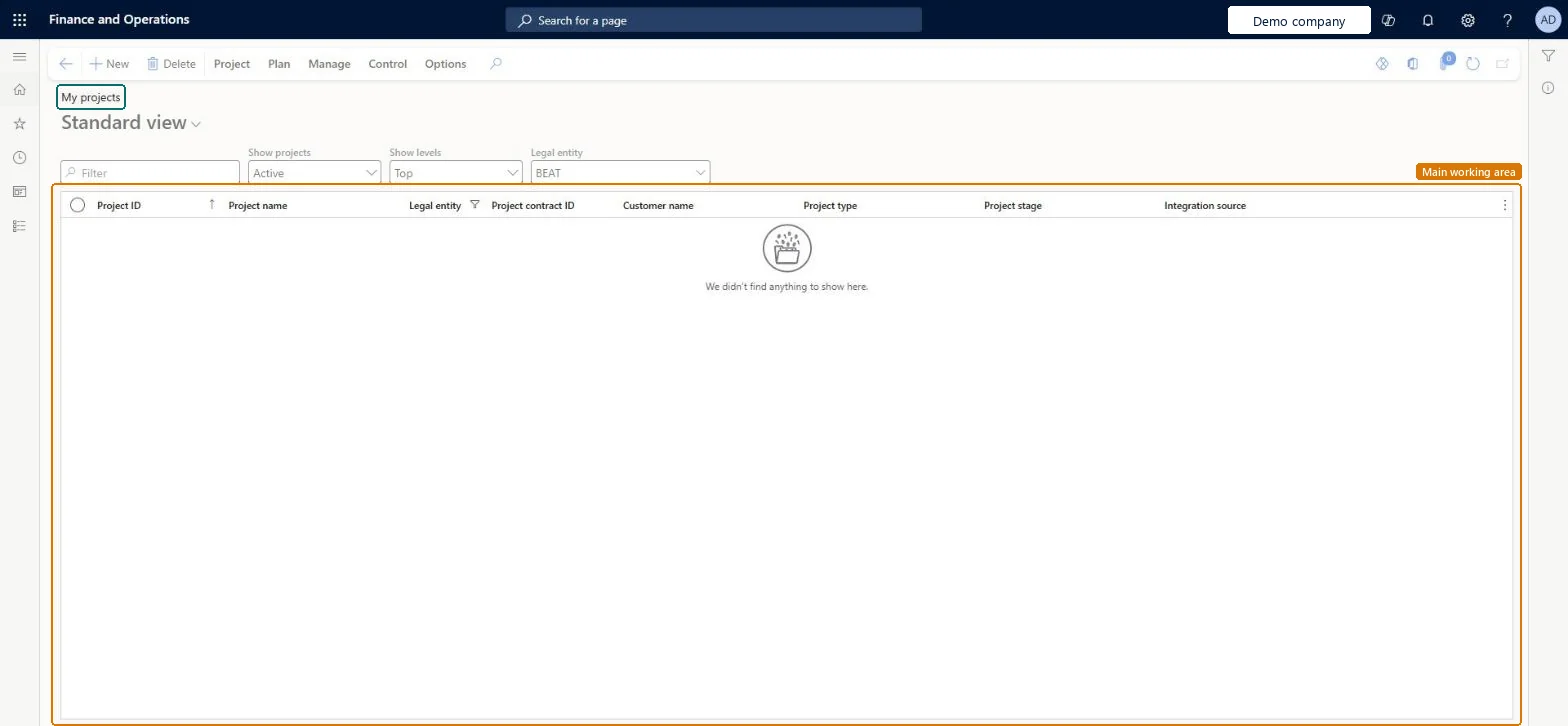
The page in Dynamics 365. page title tab to open what to set or check
About the examples: Examples and screenshots in this guide use BEAT, a demo company in a Dynamics 365 test environment. Use your own company's codes and values instead of copying them.
Setup steps on this page
Use My projects as the project manager's start page
Start each review from your own projects with the right filters.
Steps from Microsoft
Go to Project management and accounting > Projects > My projects.
Set the Show projects, Show levels and Legal entity fields to narrow the list.
Select the project you work on.
On the Plan tab, open Forecast or Work breakdown structure to review the plan.
On the Manage tab, open Posted transactions to compare the actuals with the plan.
Set Show projects to the open projects and Legal entity to your company before you read the list.The list can hold closed projects and other legal entities' projects, which changes what you see as your workload.
To set it up or change itProject manager ProjProjectManagerProject accountant ProjProjectAccountantField Service Integration User FieldServiceIntegrationUserSales manager TradeSalesManagerTo use itProject supervisor ProjProjectSupervisorChief financial officer CompanyChiefFinancialOfficerProject assistant ProjProjectClerkService delivery manager SMAServiceDeliveryManagerAccounting manager LedgerAccountingManagerGive people one of these roles. On this system, 17 roles can open this page.Checked in Dynamics 365
ProjectEntity (Projects): loaded for each company, in Microsoft's default template 650 - Project accounting.ProjProjectV2Entity (Projects V2): loaded for each company.Load order: Microsoft's default template 650 - Project accounting loads Projects at execution unit 1, level 650, sequence 20. Lower levels load first, and entities at the same level load in sequence order.Load first: the default templates at lower levels (System setup to Expense management)Microsoft Learn
Checked in a working Dynamics 365 system, version 10.0.49: the menu item, form, table and security, the page.
To cite this step: PM-OPS-030, Use My projects as the project manager's start page. Beyond ERP Atlas Hub, 2026-11-11. https://www.beyonderp.cloud/atlas/step/PM-OPS-030