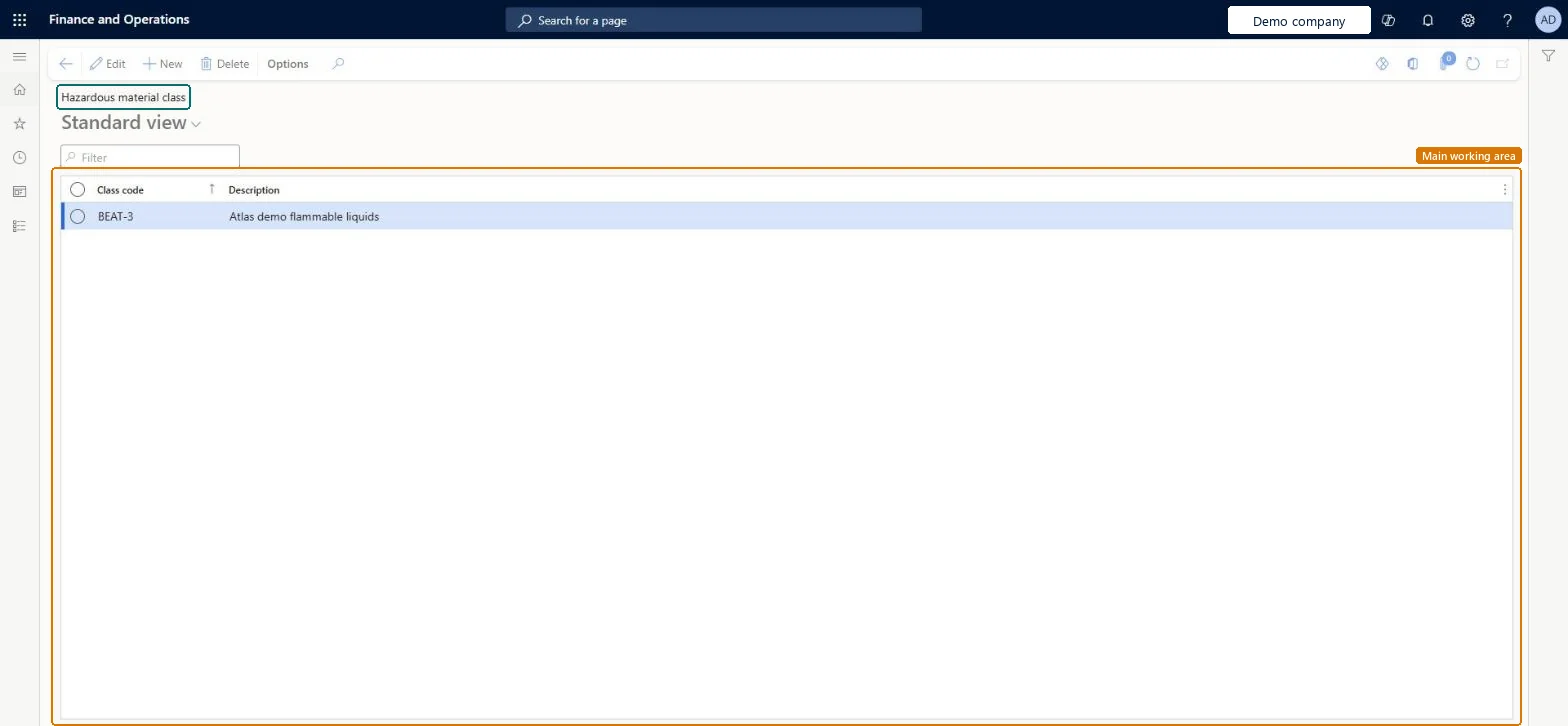
Setup step on the Hazardous material class page · Product information management
Set up Hazardous material class
Use this page to set up the classes that are relevant to the materials you must classify, so that a class can be assigned to each released item to describe its hazardous nature.
SETUP GUIDEHow to set it up8 sections. Choose a role to highlight what matters to you.
Everyone
1What it is and why
What it is
A setup page where you define hazardous material classes, typically mapped to the classes listed in the regulation that you conform to.
What you do here
Use this page to set up the classes that are relevant to the materials you must classify, so that a class can be assigned to each released item to describe its hazardous nature.
Example
For example, the US regulation CFR 49 lists class 3 as flammable and combustible liquids, so you can set up a class for those materials.
The page in Dynamics 365. page title tab to open what to set or check
About the examples: Examples and screenshots in this guide use BEAT, a demo company in a Dynamics 365 test environment. Use your own company's codes and values instead of copying them.
Setup steps on this page
Set up Hazardous material class
Use this page to set up the classes that are relevant to the materials you must classify, so that a class can be assigned to each released item to describe its hazardous nature.
How to use it
Go to Product information management > Setup > Hazardous material shipping documentation > Hazardous material class.
On the Action Pane, select New.
Enter a Class code and a Description.
Source: Checked in Dynamics 365
Fields on the page
Field
What it means
Table column
Class code
The code that identifies the class, used in lookups when a class is assigned to a released item.Microsoft Learn
The class codes from the regulation you follow, for example CFR 49 class 3 for flammable and combustible liquidsMicrosoft says a class is typically mapped to the classes listed in the regulation, and the code is what users pick on the released item.
Creating classes without their divisions. An item can't be given a class without a division, so set up the divisions straight after.
PrivilegesHazardous material class maintain HMIMClassListDisplayMaintainHazardous material class view HMIMClassListDisplayViewDutiesMaintain Hazardous materials HMIMHazardousMaterialsMaintainView Hazardous materials HMIMHazardousMaterialsView2 security rolesHazardous materials manager HMIMHazardousMaterialsManagerHazardous materials viewer HMIMHazardousMaterialsViewerChecked in Dynamics 365
Roles to set it up and use it
To set it up or change itHazardous materials manager HMIMHazardousMaterialsManagerTo use itHazardous materials viewer HMIMHazardousMaterialsViewerGive people one of these roles. On this system, 2 roles can open this page.Checked in Dynamics 365