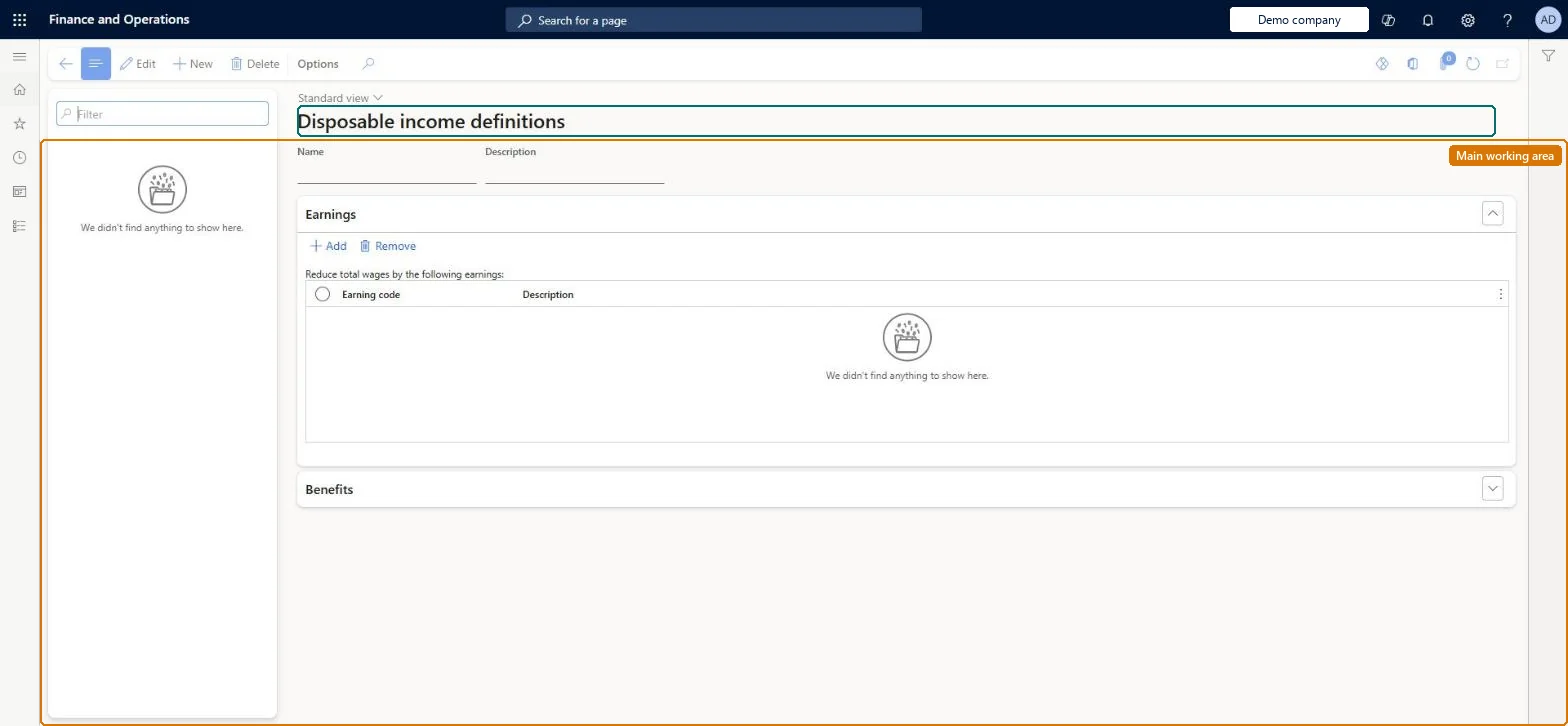
Setup step on the Disposable income definition page · Payroll
Set up Disposable income definition
Use this page to create a definition for each state whose formula differs from the federal one, so garnishments are limited correctly; the federal formula is already built in.
Compensation and benefits manager, Payroll administrator, Payroll manager
Business process
Manage compensation and benefits
Menu item
PayrollDisposableIncome
Main table
PayrollDisposableIncome
Data entity
PayrollDisposableIncomeEntity
Setup steps
1 on this page
Show what matters for
SETUP GUIDEHow to set it up8 sections. Choose a role to highlight what matters to you.
Everyone
1What it is and why
What it is
A setup page where you define state-specific disposable income definitions that list extra earnings and benefit deductions to exclude when calculating a worker's disposable income for garnishments.
What you do here
Use this page to create a definition for each state whose formula differs from the federal one, so garnishments are limited correctly; the federal formula is already built in.
Example
For example, a definition for Texas garnishments is named starting with TX.
The page in Dynamics 365. page title tab to open what to set or check
About the examples: Examples and screenshots in this guide use BEAT, a demo company in a Dynamics 365 test environment. Use your own company's codes and values instead of copying them.
Setup steps on this page
Set up Disposable income definition
Use this page to create a definition for each state whose formula differs from the federal one, so garnishments are limited correctly; the federal formula is already built in.
Steps from Microsoft
Go to Payroll > Setup > Benefits > Disposable income definition.
Select New and enter a name (starting with the state abbreviation) and description.
In the Reduce total wages by the following earnings grid, select Add and choose exempt earning codes.
In the Reduce disposable income by deductions for the following benefits grid, select Add and choose exempt benefits.
One definition per state that differs from the federal formula, named with the two-letter state code first (for example TX...), contents set by legal advisors and reviewed yearlyThe federal formula is built in; state definitions change yearly and are hard to map to earning codes and benefits, so Learn recommends legal advisors decide and review them.
Editing a definition that is in use: definitions are not date-effective, so the change applies immediately to all garnishments that use it.
Solution architect
5Design impact
Can it be undone
Hard to reverse: No date-effective versions: a change applies at once. Deleting an earning code or benefit removes it from every definition, and new codes are never added automatically.
If you change it later
Definitions are not date-effective, so any change applies at once; Microsoft advises not changing definitions in use. Deleting an earning code or benefit removes it from all definitions. Microsoft Learn
Technical architect
6Technical
Menu item
PayrollDisposableIncomeChecked in Dynamics 365
Form
PayrollDisposableIncomeChecked in Dynamics 365
Table
PayrollDisposableIncomeShown as “DISPOSABLE INCOME DEFINITION” in Record infoKey field: NameChecked in Dynamics 365
PrivilegesMaintain disposable income definition PayrollDisposableIncomeMaintainView disposable income definition PayrollDisposableIncomeViewDutiesInquire into payroll master data PayrollMasterDataInquireSet up payroll master data PayrollMasterDataMaintain3 security rolesCompensation and benefits manager HcmCompensationAndBenefitsManagerPayroll administrator HcmPayrollAdministratorPayroll manager HcmPayrollManagerChecked in Dynamics 365
Roles to set it up and use it
To set it up or change itPayroll administrator HcmPayrollAdministratorCompensation and benefits manager HcmCompensationAndBenefitsManagerTo use itPayroll manager HcmPayrollManagerGive people one of these roles. On this system, 3 roles can open this page.Checked in Dynamics 365
Checked in a working Dynamics 365 system, version 10.0.49: the menu item, form, table and security, the page.
To cite this step: PAY-SETUP-140, Set up Disposable income definition. Beyond ERP Atlas Hub, 2026-11-11. https://www.beyonderp.cloud/atlas/step/PAY-SETUP-140