About the examples: Examples and screenshots in this guide use BEAT, a demo company in a Dynamics 365 test environment. Use your own company's codes and values instead of copying them.
Step by step, with screenshots
Set up Date dimensions1 screen
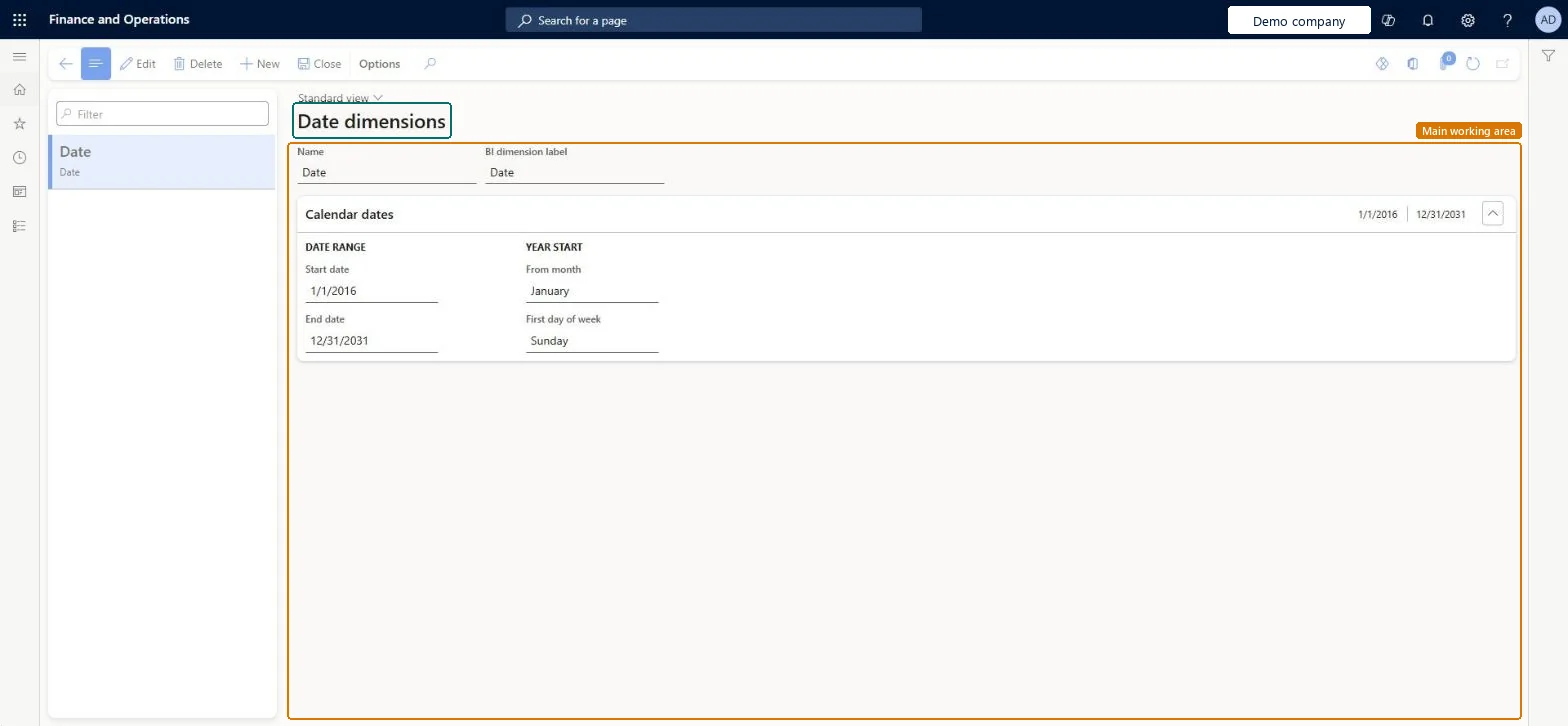
Use this page to keep the date range current so that date-based reports keep showing data.
Screen 1
Check the date dimension
Go to Organization administration > Setup > Calendars > Date dimensions
Select the date dimension in the list
Check the date range it covers and the month the year starts
Check the first day of the week used by reports
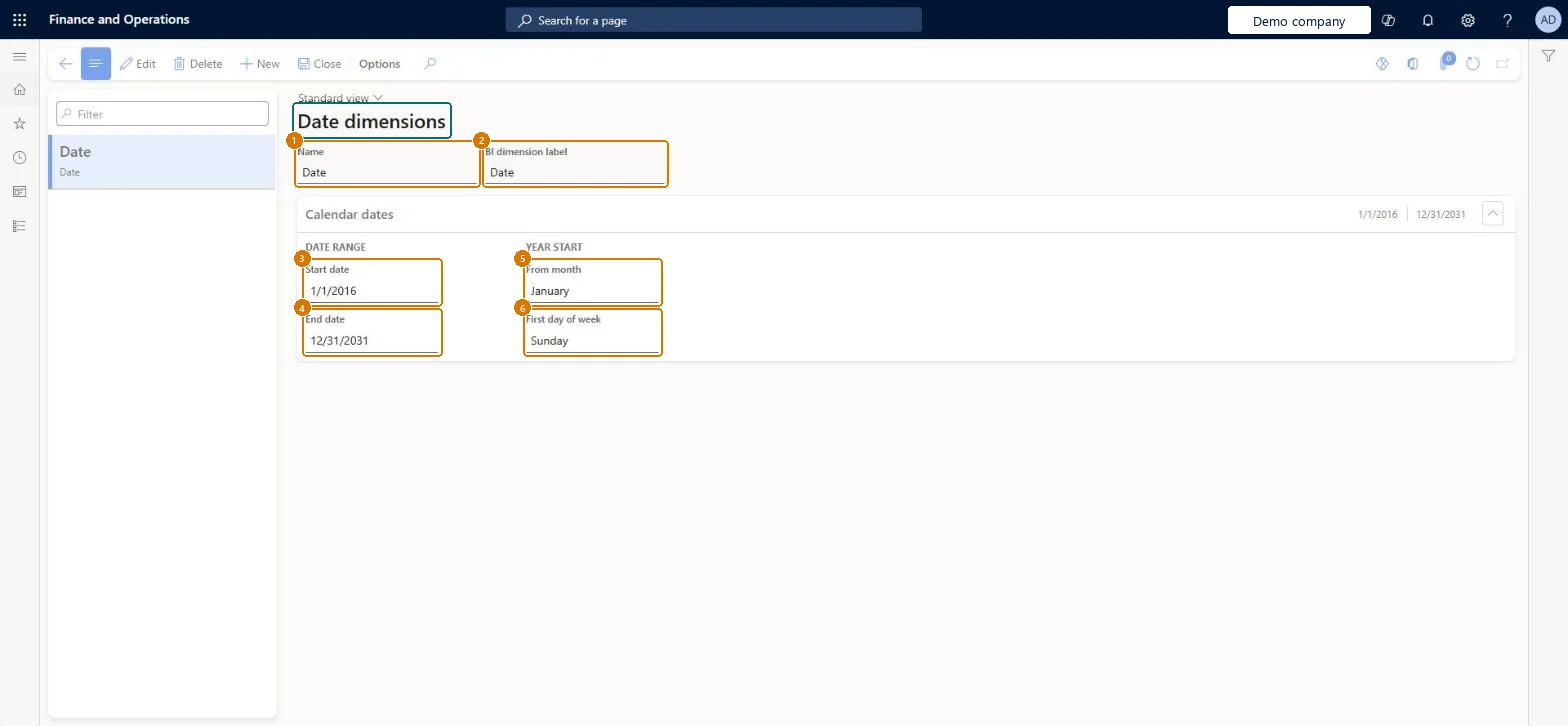
1Name
Date
3Start date
1/1/2016
4End date
12/31/2031
5From month
January
6First day of week
Sunday
Show the full screen page title tab to open what to set or check
How to use it
Go to Organization administration > Setup > Calendars > Date dimensions.
Select Date in the list on the left.
Select Edit.
Under Calendar dates, change the Start date and End date.
Choose the From month and First day of week.
Select Close.
Source: Checked in Dynamics 365
Fields on the page
Field
What it means
Example
Table column
End date
The last date of the date range. Make sure it extends into the future.Microsoft Learn
A date range whose End date reaches well into the futureMicrosoft's checklist for an empty or incomplete cash flow Power BI report includes making sure the date dimension's End date extends into the future.
Letting the End date fall behind today. Cash flow Power BI views then don't show all data or appear empty.
Reversible: Extend the date range at any time; refresh the Entity store measurements afterwards.
Technical architect
6Technical
Menu item
BICalendarBuilderChecked in Dynamics 365
Form
BICalendarBuilderChecked in Dynamics 365
Table
BIDateDimensionShown as “Time dimension” in Record infoChecked in Dynamics 365
Who can open it
PrivilegesMaintain Gregorian calendars BIGregorianCalendarsMaintainDutiesMaintain the calendars that are used for business intelligence BICalendarsMaintain1 security roleInformation technology manager SysServerITManagerChecked in Dynamics 365
Roles to set it up and use it
To set it up or change itInformation technology manager SysServerITManagerGive people one of these roles. On this system, 1 role can open this page.Checked in Dynamics 365
Actions on the page
Options: Personalize, Page options, ShareChecked in Dynamics 365
Checked in a working Dynamics 365 system, version 10.0.49: the menu item, form, table and security, the page, the demo records and the values in the screenshots.
To cite this step: OA-SETUP-300, Set up Date dimensions. Beyond ERP Atlas Hub, 2026-11-11. https://www.beyonderp.cloud/atlas/step/OA-SETUP-300