About the examples: Examples and screenshots in this guide use BEAT, a demo company in a Dynamics 365 test environment. Use your own company's codes and values instead of copying them.
Step by step, with screenshots
Set up Working time templates1 screen
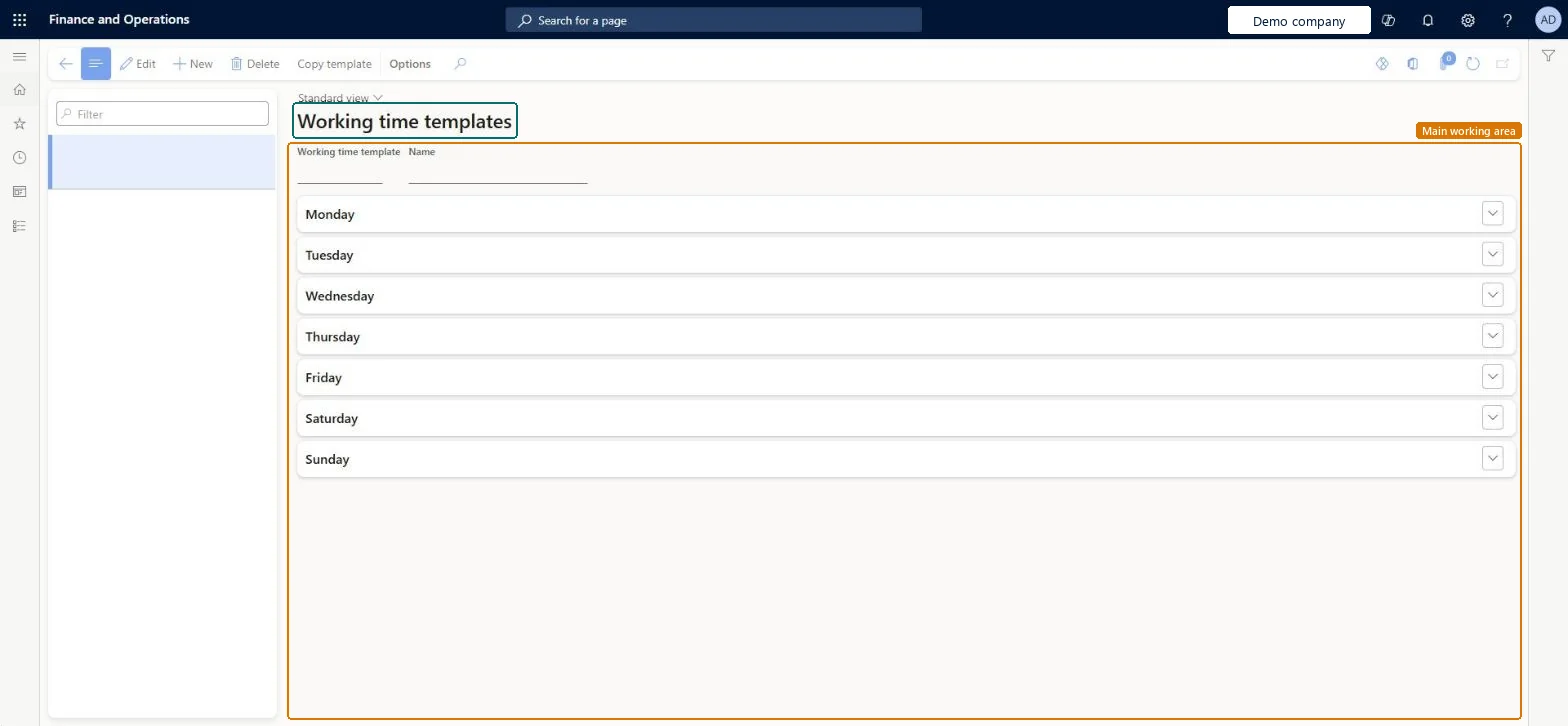
Use this page to set the working hours for each day of the week, including breaks and special time slots, before you build calendars.
Screen 1
Create a working time template
Go to Organization administration > Setup > Calendars > Working time templates
Select New
Enter the template ID and name
On each day, select Add and enter the from and to times
Select Save; Copy day repeats a day on the others
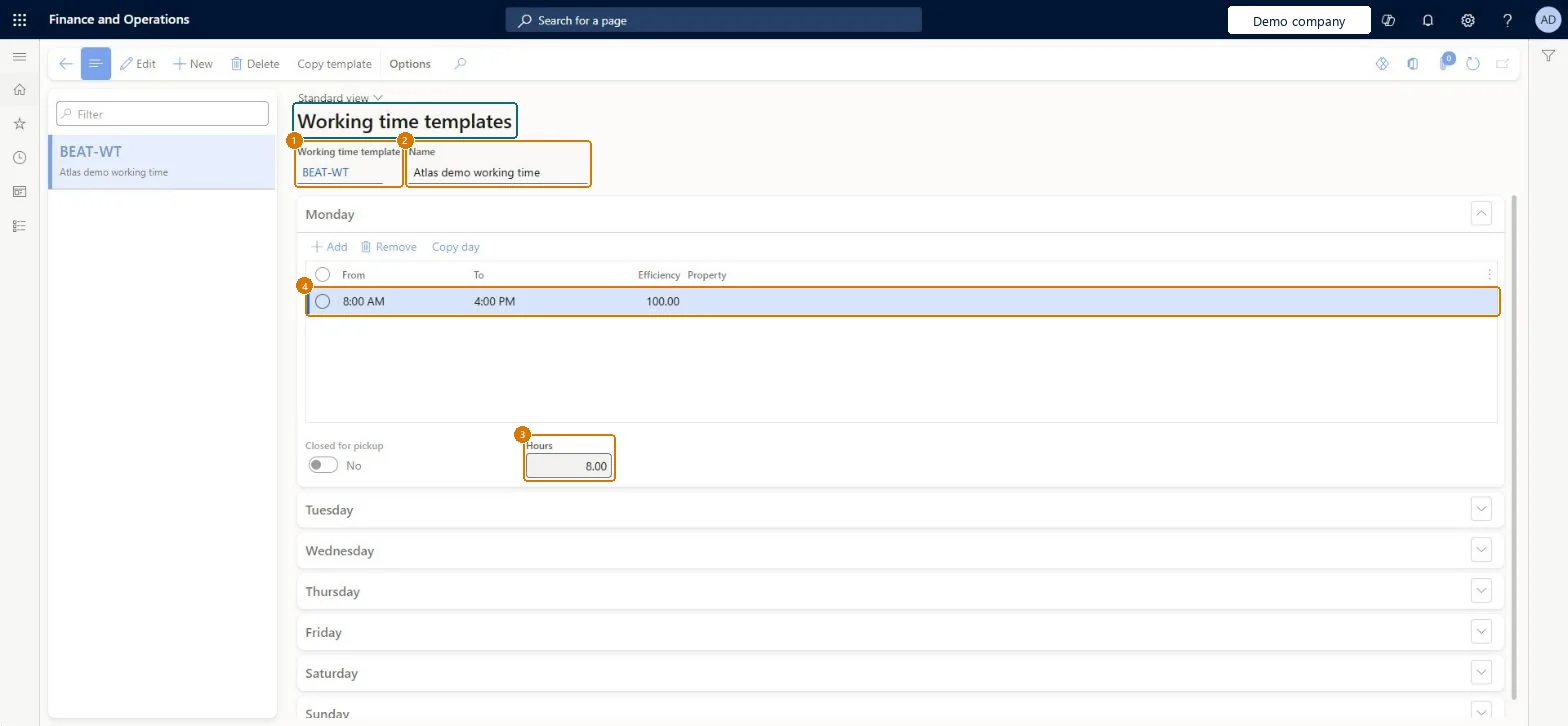
1Working time template
BEAT-WT
2Name
Working time
3Hours
8.00
4Monday from
8:00 AM
Monday to
4:00 PM
Show the full screen page title tab to open what to set or check
Steps from Microsoft
Go to Organization administration > Setup > Calendars > Working time templates.
Select New.
Enter a Working time template ID and a Name.
Expand the Monday section and select Add.
Enter the From and To times for the morning, and then add a second line for the afternoon.
Select Copy day to copy Monday's times to the other weekdays.
Optionally, set a Property on time slots for special operations.
One template per weekly pattern: Monday set up with the working blocks around breaks, copied to the other weekdays with Copy day, and weekend days marked Closed for pickupTemplates define the working hours for a week and are used to generate working times in calendars; Microsoft's procedure builds Monday, copies it to the other days and marks weekends Closed for pickup.
Over-detailed templates. Calendars with many working time intervals per day make the scheduling engine slower to load working times.
Reversible: A template can be edited at any time. Calendars get the new hours only when their working times are generated again; rerun master planning and scheduling afterwards.
Technical architect
6Technical
Menu item
WorkTimeTableChecked in Dynamics 365
Form
WorkTimeTableChecked in Dynamics 365
Table
WorkTimeTableShown as “Working time templates” in Record infoChecked in Dynamics 365
PrivilegesResource manager ProjResourceManagerMaintain working time templates WorkTimeTableMaintainView working time templates WorkTimeTableViewDutiesResource manager ProjResourceManagerInquire into calendar policies WorkCalendarPoliciesInquireEnable calendar management process WorkCalendarsEnable8 security rolesPayroll administrator HcmPayrollAdministratorPayroll manager HcmPayrollManagerProduction manager ProdProductionManagerProject manager ProjProjectManagerResource manager ProjResourceManagerProcess engineer RouteProcessEngineerProcess engineering manager RouteProcessEngineeringManagerService delivery manager SMAServiceDeliveryManagerChecked in Dynamics 365
Roles to set it up and use it
To set it up or change itProduction manager ProdProductionManagerProject manager ProjProjectManagerProcess engineer RouteProcessEngineerPayroll administrator HcmPayrollAdministratorService delivery manager SMAServiceDeliveryManagerTo use itProcess engineering manager RouteProcessEngineeringManagerPayroll manager HcmPayrollManagerResource manager ProjResourceManagerGive people one of these roles. On this system, 8 roles can open this page.Checked in Dynamics 365
Actions on the page
Options: Personalize, Page options, ShareChecked in Dynamics 365
WorkCalendarTimeTemplateEntity (Working time templates): loaded for each company, in Microsoft's default template 410 - Production control.Load order: Microsoft's default template 410 - Production control loads Working time templates at execution unit 1, level 20, sequence 10. Lower levels load first, and entities at the same level load in sequence order.Load first: the default templates at lower levels (System setup to Global address book)Microsoft Learn
Checked in a working Dynamics 365 system, version 10.0.49: the menu item, form, table and security, the page, the demo records and the values in the screenshots.
To cite this step: OA-SETUP-290, Set up Working time templates. Beyond ERP Atlas Hub, 2026-11-11. https://www.beyonderp.cloud/atlas/step/OA-SETUP-290