Setup step on the Segment configuration page · Organization administration
Set up Segment configuration
Use this page to work with the segments of number sequence formats, including scope segments such as legal entity or company that show which organization a number belongs to.
SETUP GUIDEHow to set it up7 sections. Choose a role to highlight what matters to you.
Everyone
1What it is and why
What it is
A setup page for the segments that number sequence formats are built from.
What you do here
Use this page to work with the segments of number sequence formats, including scope segments such as legal entity or company that show which organization a number belongs to.
Example
For example, an expense report sequence for legal entity CS uses a legal entity segment, the constant -EXPENSE- and four digits, giving CS-EXPENSE-0039.
The page in Dynamics 365. page title tab to open what to set or check
About the examples: Examples and screenshots in this guide use BEAT, a demo company in a Dynamics 365 test environment. Use your own company's codes and values instead of copying them.
Step by step, with screenshots
Set up Segment configuration1 screen
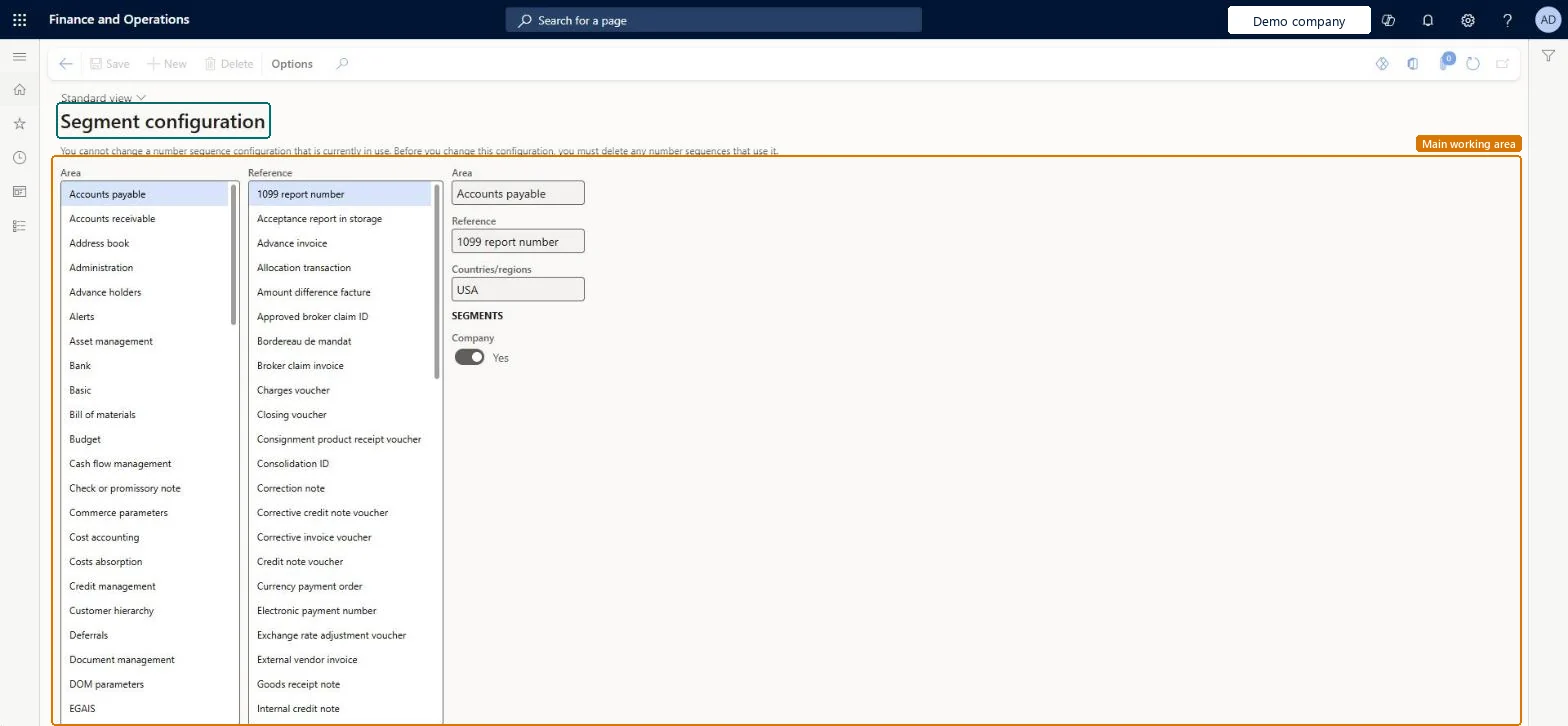
Use this page to work with the segments of number sequence formats, including scope segments such as legal entity or company that show which organization a number belongs to.
Screen 1
Check which segments a number sequence reference uses
Go to Organization administration > Number sequences > Segment configuration
Select the area in the Area list
Select the reference in the Reference list
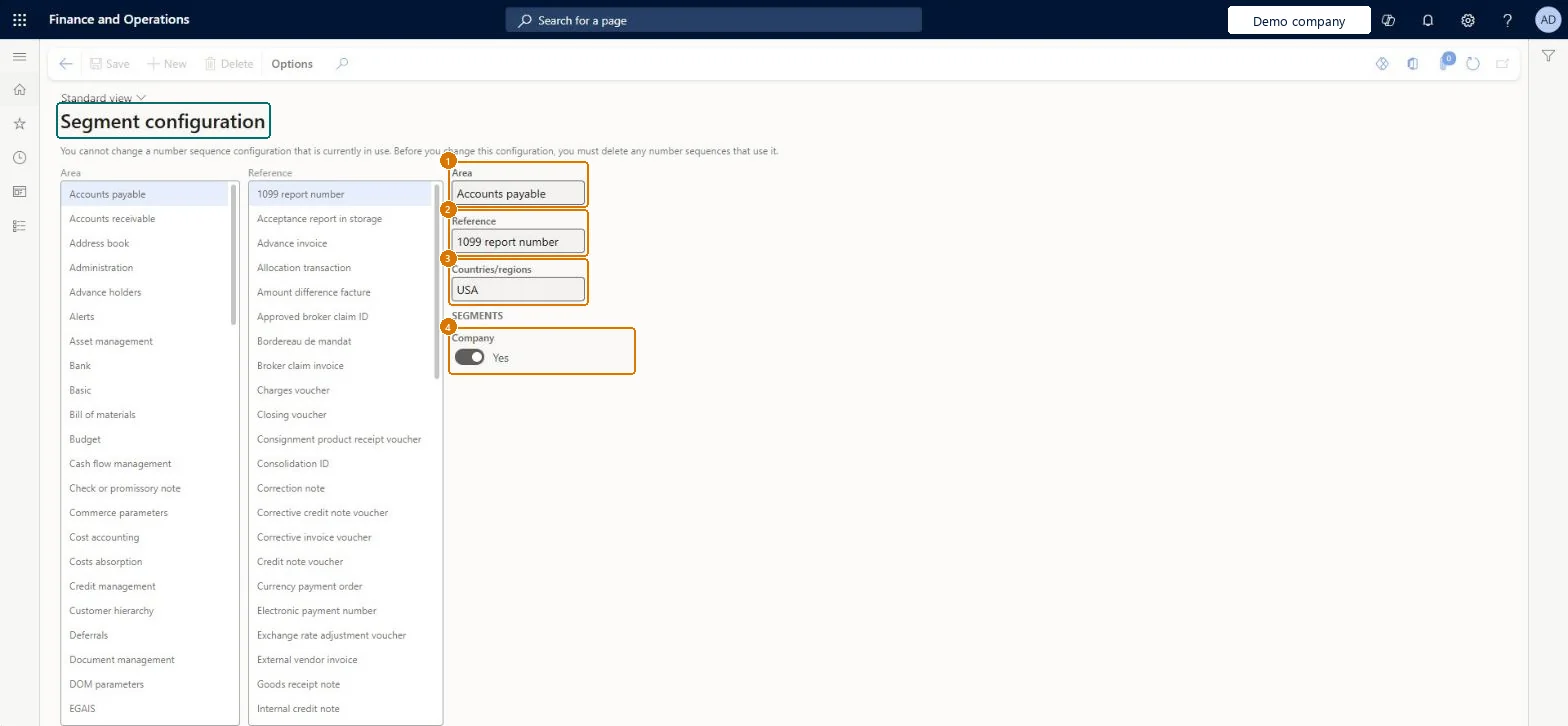
Read the segments on the right
1Area
Accounts payable
2Reference
1099 report number
3Countries/regions
USA
4Company
Yes
Show the full screen page title tab to open what to set or check
How to use it
Go to Organization administration > Number sequences > Segment configuration.
Select an Area in the first list, such as Accounts payable.
Select a Reference in the second list, such as 1099 report number.
Review the Countries/regions field and the Segments section, such as the Company switch.
Select New to add a configuration, or Delete to remove one.
Select Save.
Source: Checked in Dynamics 365
Fields on the page
Field
What it means
Example
Area
The area, such as Sales or Travel and expense, that the reference belongs to.Microsoft Learn
Accounts payable
Reference
The record or document, such as Sales order, that the number sequence gives numbers to.Microsoft Learn
1099 report number
Countries/regions
USA
Company
Yes
Test checklist
Create a number sequence with Scope = Legal entity for a test reference and add segments Legal entity, Constant '-EXP-' and Alphanumeric '####'.
Assign the sequence to the reference on the module parameters page.
Create a record for that reference in two legal entities.
Check that each number starts with its own legal entity code and that the alphanumeric part increments.
For sequences scoped to Company, Legal entity or Operating unit, include the matching scope segment (for example a Legal entity segment) in the format, followed by a Constant and an Alphanumeric segment.A scope segment lets anyone tell from the number alone which organization a record belongs to, for example CS-EXPENSE-0039 versus RW-EXPENSE-0039.
Which scope should each number sequence use?Using the same Company-scoped format in every company without a scope segment: numbering restarts per company, so the same number, such as SO-0029, exists in each company and can't be told apart in cross-company reports.
Technical architect
5Technical
Menu item
NumberSequenceConfigurationChecked in Dynamics 365
Form
NumberSequenceConfigurationChecked in Dynamics 365
Data entities
NumberSequenceDataTypeEntityDatatype number sequence properties Checked in Dynamics 365
Roles to set it up and use it
To set it up or change itInformation technology manager SysServerITManagerGive people one of these roles. On this system, 1 role can open this page.Checked in Dynamics 365
Checked in a working Dynamics 365 system, version 10.0.49: the menu item, form, table and security, the page, the demo records and the values in the screenshots.
To cite this step: OA-NUMSEQ-010, Set up Segment configuration. Beyond ERP Atlas Hub, 2026-11-11. https://www.beyonderp.cloud/atlas/step/OA-NUMSEQ-010