BeyondERP.Newsletter
Menu

Setup step on the Deprecated features page · Master planning

Set up Deprecated features

A setup page where you switch deprecated planning features on or off.

Used by
Production planner
Business process
Balance supply and demand
Menu item
ReqDeprecatedFunctionalitySharedParameters
Main table
ReqDeprecatedFunctionalitySharedParameters
Setup steps
1 on this page
Show what matters for
SETUP GUIDEHow to set it up6 sections. Choose a role to highlight what matters to you.
Everyone

1What it is and why

What it isA setup page where you switch deprecated planning features on or off.
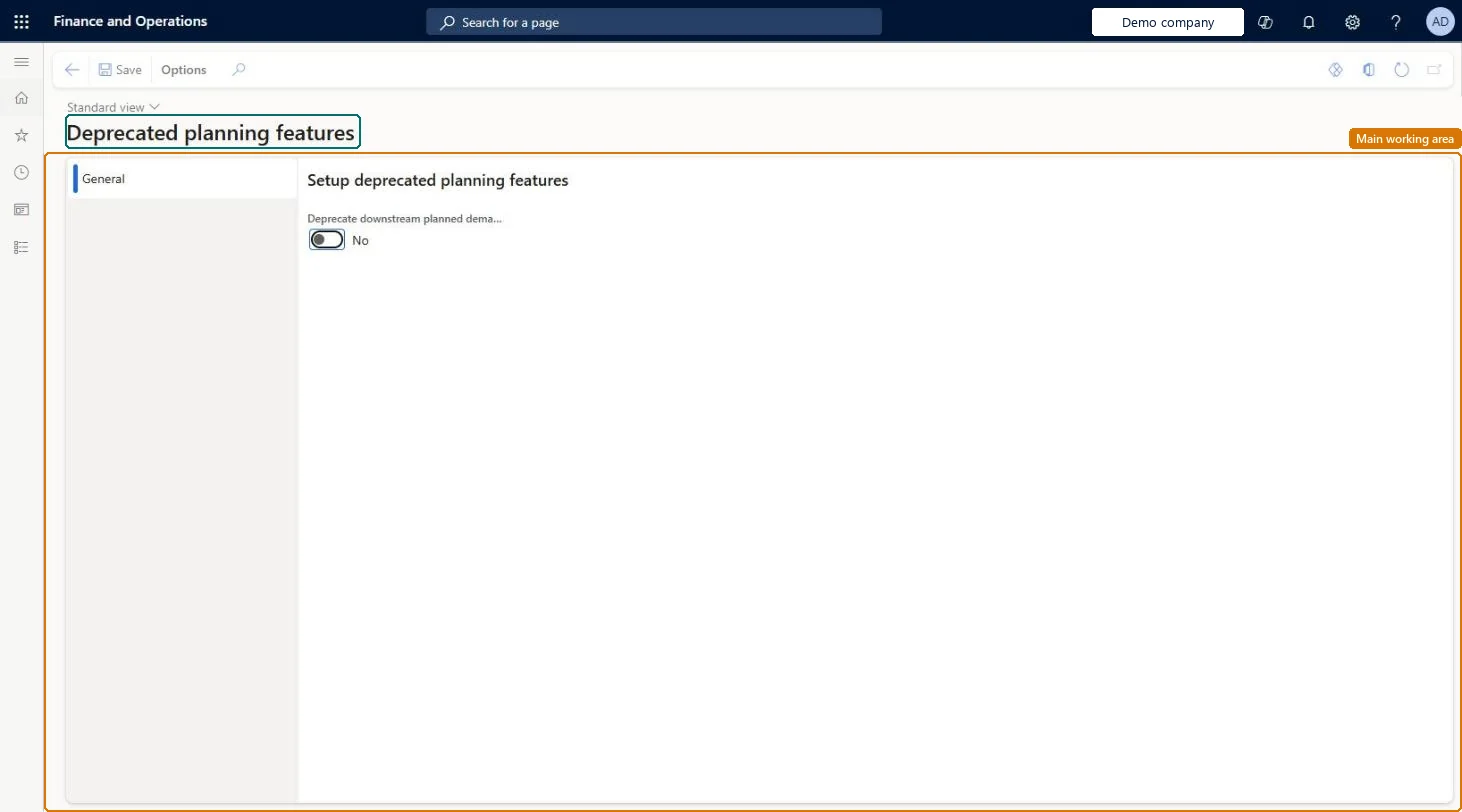
What you do hereUse this page to set the toggle for the deprecated downstream planned demand feature.
ExampleFor example, you set it to No when you stop using that feature.
Deprecated features page in Dynamics 365
The page in Dynamics 365. page title tab to open what to set or check
Functional consultant · Solution architect

2Where it fits

End user · Functional consultant

3How to do it

About the examples: Examples and screenshots in this guide use BEAT, a demo company in a Dynamics 365 test environment. Use your own company's codes and values instead of copying them.

Setup steps on this page

Set up Deprecated features

How to use it

  1. Go to Master planning > Setup > Deprecated features.
  2. On the General tab, set the toggle for the deprecated downstream planned demand feature to Yes or No.
  3. Select Save.

Source: Checked in Dynamics 365

Technical architect

4Technical

Menu itemReqDeprecatedFunctionalitySharedParameters Checked in Dynamics 365
FormReqDeprecatedFunctionalitySharedParameters Checked in Dynamics 365
TableReqDeprecatedFunctionalitySharedParametersShown as “DEPRECATED PLANNING FEATURES” in Record infoChecked in Dynamics 365
Who can open itPrivilegesDeprecated planning features ReqDeprecatedFunctionalityParametersDutiesMaintain the master for demand forecasting parameters ReqDemPlanSetupMaintain
1 security roleProduction planner ReqProductionPlanner
Checked in Dynamics 365
Roles to set it up and use itTo set it up or change itProduction planner ReqProductionPlannerGive people one of these roles. On this system, 1 role can open this page.Checked in Dynamics 365
Developer

5Developer

Open it by URLhttps://<your-environment>/?mi=ReqDeprecatedFunctionalitySharedParameters
Table definitionReqDeprecatedFunctionalitySharedParameters columns and relations Microsoft data model
Everyone

6Sources

To cite this step: MP-SETUP-050, Set up Deprecated features. Beyond ERP Atlas Hub, 2026-11-11. https://www.beyonderp.cloud/atlas/step/MP-SETUP-050