SETUP GUIDEHow to set it up8 sections. Choose a role to highlight what matters to you.
Everyone
1What it is and why
What it is
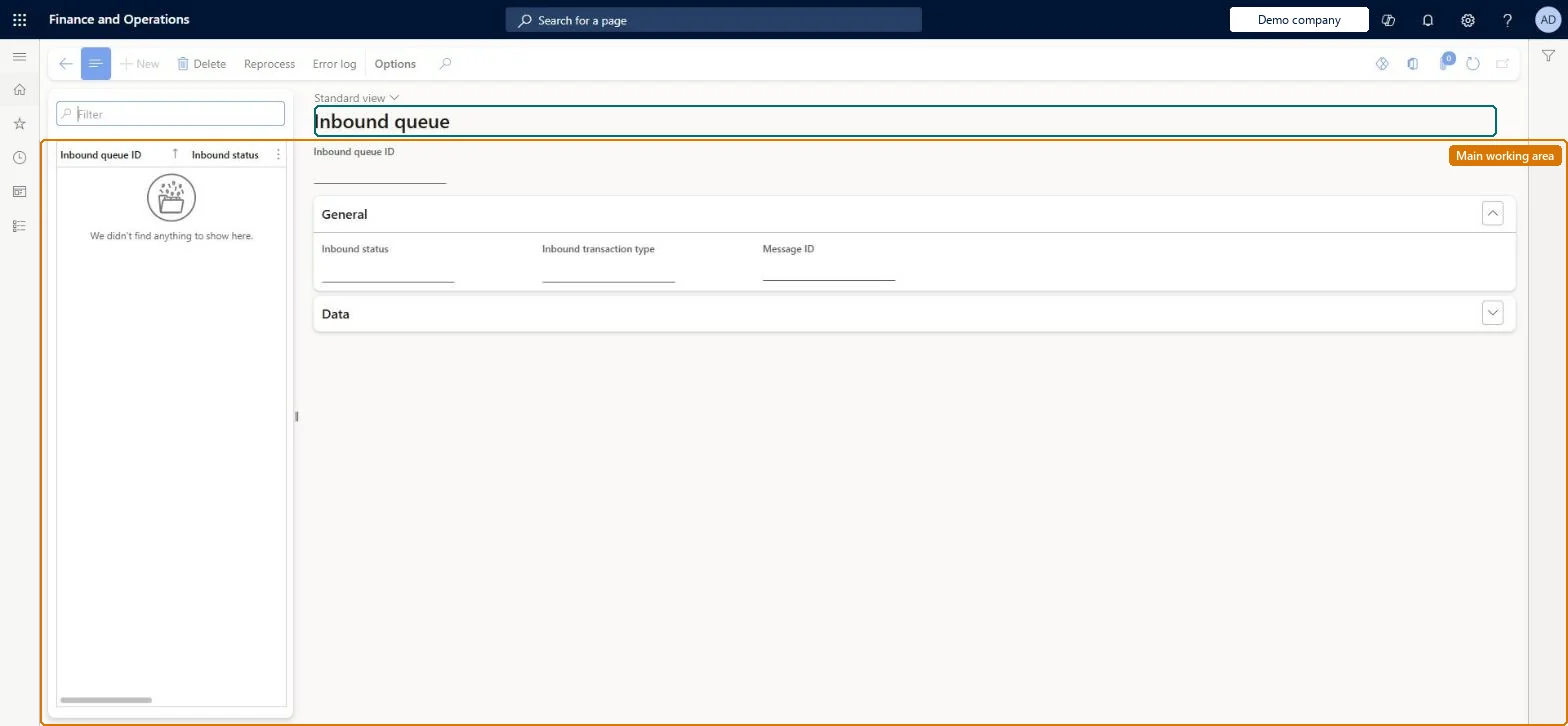
A list page that shows every inbound event that the material handling system has sent to warehouse management, with its status.
What you do here
Use this page to review inbound queue items, see their transaction type, message ID and data fields, inspect the error log, and reprocess events that failed.
Example
For example, a conveyor system sends a WorkConfirm event with data01 = the work line pair ID 000123 and data03 = license plate LP-0457. The pick location is license plate controlled and LP-0457 isn't on it, so the event gets status Errored; you read the Error log, correct the license plate on the work, and select Reprocess.
The page in Dynamics 365. page title tab to open what to set or check
About the examples: Examples and screenshots in this guide use BEAT, a demo company in a Dynamics 365 test environment. Use your own company's codes and values instead of copying them.
Setup steps on this page
Monitor and correct the inbound queue
Review inbound events from the material handling system, read the error log of errored events and reprocess them after the cause is fixed.
Steps from Microsoft
Go to Material handling equipment interface > Common > Inbound queue.
Filter the list on Status = Errored and select an inbound queue item to see its transaction type, message ID and data01 to data10.
Select Error log on the Action Pane and read why the event failed.
Fix the cause in warehouse management, for example the license plate, the location or the short pick exception code.
Select Reprocess on the Action Pane, or run Reprocess errored inbound queue for several events at once.
In a test environment with Enable manual inbound message creation = Yes, select New to simulate an inbound event.
The type of inbound event, such as work confirm, short pick, override or license plate receipt.Microsoft Learn
WorkConfirm
Message ID
A unique ID from the external system that can be used to reject duplicate messages.Microsoft Learn
CONV-2026-11-09-0001
MessageId
Inbound queue ID
A unique ID that the system assigns to each inbound event.Microsoft Learn
InboundQueueId
Status
Processed when the event ran, or Errored when processing failed. An errored event stays in the queue with its error log and can be reprocessed after the cause is fixed.Microsoft Learn
Errored
data01 through data10
The parameters the material handling system sent. What each one means depends on the transaction type: WorkConfirm data01 = work line pair ID or data02 = work line record ID, data03 = license plate to pick from, data04 = target license plate; ShortPick data02 = work record ID, data03 = license plate, data04 = quantity, data05 = short pick exception code, data06 = target license plate; Override data01 = work record ID, data02 = new location; LPReceipt data01 = inbound license plate.Microsoft Learn
WorkConfirm: data01 = 000123
Common errors and fixes
Message
What to do
The message is rejected because a message with the same message ID already exists
Enable inbound message ID is Yes and the material handling system sent a message ID it used before. Make the material handling system send a new unique message ID for each event; a resend of the same event should keep its ID so it is not posted twice. Microsoft Learn
A WorkConfirm event gets status Errored for a pick from a license plate controlled location
data03 must give the license plate to pick from and data04 the work's target license plate. Correct the data or the work, then select Reprocess. Microsoft Learn
A ShortPick event gets status Errored
data05 must be a short pick exception code linked to a Work exception record whose Exception type is Short pick. Set up the code on Work exceptions and reprocess. Microsoft Learn
An Override event gets status Errored
The work line must be Open or In process and the new location in data02 must exist. Microsoft Learn
Test checklist
On Material handling equipment interface parameters, set Enable inbound message ID to Yes and, in a test environment, Enable manual inbound message creation to Yes.
Release work in a warehouse that has a WorkCreation subscription and note the work line pair ID of its outbound event.
Create a WorkConfirm inbound event with that pair ID in data01 and the license plates in data03 and data04, and check that the status is Processed and the work is closed on All work.
Create a second event with the same message ID and check that it is rejected because the message already exists.
Filter on Status = Errored every day; read the Error log, fix the cause in warehouse management, then reprocess. Keep Enable inbound message ID = Yes so a resend can't post twice.Inbound events run straight away when they arrive, so an errored event means the warehouse work it describes didn't happen. It stays Errored until someone fixes the cause and reprocesses it.
The Material handling equipment interface configuration key (System administration > Setup > License configuration > Trade > Warehouse and Transportation management) must be on; it is turned on in maintenance mode. No Feature management feature is needed. In this system 1 role can open this page, among them Material handling manager.
Per company: the inbound queue entity is not shared across companies in Data management. Picks and puts from inbound events run in the default warehouse of the worker mapped to the calling user. Checked in Dynamics 365
Can it be undone
Hard to reverse: A processed inbound event has run its picks and puts; correct them with normal warehouse work.
If you change it later
Reprocessing an inbound event runs the warehouse work it describes, so the system might run, change or create work. Microsoft Learn
Technical architect
6Technical
Menu item
WMHEInboundQueueChecked in Dynamics 365
Form
WMHEInboundQueueChecked in Dynamics 365
Table
WMHEInboundQueueShown as “INBOUND QUEUE” in Record infoKey field: InboundQueueIdChecked in Dynamics 365
Data entities
WMHEInboundQueueEntityInbound queue entity (The inbound events with their transaction type, message ID and data fields.) Checked in Dynamics 365
Who can open it
PrivilegesMaintain inbound queue WMHEInboundQueueMaintainView inbound queue WMHEInboundQueueViewDutiesInquire into material handling execution WMHEInquireIntoMaterialHandlingExecutionMaintain material handling execution WMHEMaintainMaterialHandlingExecution1 security roleMaterial handling manager WMHEMaterialHandlingManagerChecked in Dynamics 365
Roles to set it up and use it
To set it up or change itMaterial handling manager WMHEMaterialHandlingManagerGive people one of these roles. On this system, 1 role can open this page.Checked in Dynamics 365
Actions on the page
(Action Pane without tabs): Reprocess, Error logChecked in Dynamics 365
Developer
7Developer
Open it by URL
https://<your-environment>/?mi=WMHEInboundQueue
Data migration
WMHEInboundQueueEntity Holds inbound events that the material handling system submits through the WMHEServices service; queue history is not migrated.Load order: Don't migrate queue records: inbound events are created by the material handling system calling WMHEServices and run straight away. Load the parameters and the subscriptions before go-live and start with an empty queue. The material handling system reaches these queues through the custom service WMHEServices, on the SOAP endpoint /soap/services/WMHEServices and the REST endpoint /api/services/WMHEServices/WMHEService.Load first: Material handling equipment interface parameters, SubscriptionsMicrosoft Learn
Checked in a working Dynamics 365 system, version 10.0.49: the menu item, form, table and security, the page.
To cite this step: MHE-INQ-010, Monitor and correct the inbound queue. Beyond ERP Atlas Hub, 2026-11-11. https://www.beyonderp.cloud/atlas/step/MHE-INQ-010