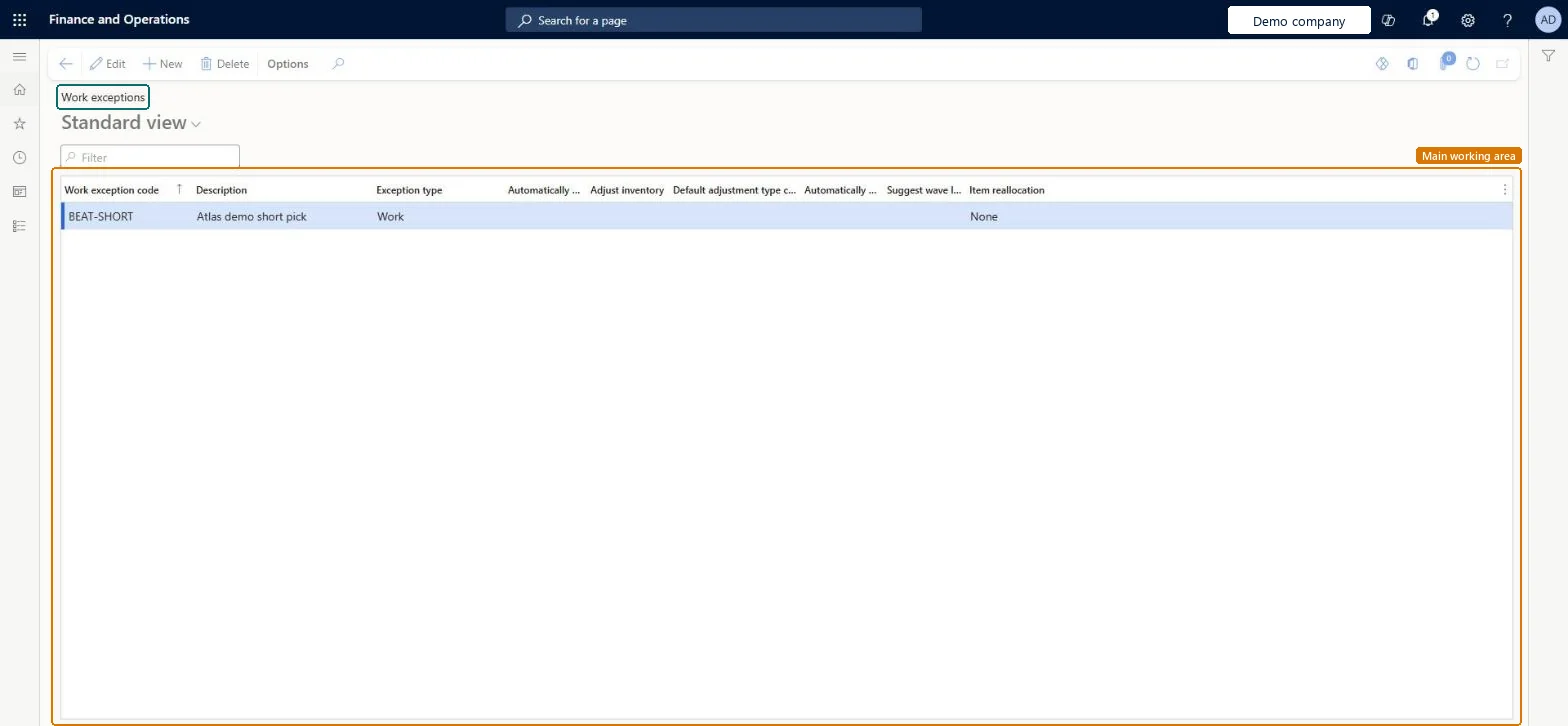
About the examples: Examples and screenshots in this guide use BEAT, a demo company in a Dynamics 365 test environment. Use your own company's codes and values instead of copying them.
Setup steps on this page
Set up Work exceptions
Use this page to set, for each work exception code, how the system responds when that exception occurs.
Steps from Microsoft
Go to Warehouse management > Setup > Work > Work exceptions.
Select New.
In the Work exception code field, enter a value, and in the Description field, enter a short description.
In the Exception type field, select the type, for example Short pick.
Select the Adjust inventory check box if inventory should adjust automatically at the short picked location.
In the Default adjustment type code field, enter or select a value.
Several Short pick exceptions with different Item reallocation policies (for example Automatic and Manual), named so workers know which to chooseLearn suggests several work exceptions with different reallocation policies so workers can choose the one that fits the shipment.
Choosing Automatic and manual for a worker without Allow manual item reallocation. That worker gets no reallocation at all, not even automatic.Test: Short pick with automatic reallocation
Hard to reverse: The code and Exception type are fixed once saved. Changing the type resets Adjust inventory, Default adjustment type code, Suggest wave label reprint and Item reallocation. Other options can be changed and affect later exceptions only. Microsoft Learn
Technical architect
6Technical
Menu item
WHSWorkExceptionChecked in Dynamics 365
Form
WHSWorkExceptionChecked in Dynamics 365
Table
WHSWorkExceptionShown as “WORK EXCEPTIONS” in Record infoKey field: WorkExceptionCodeChecked in Dynamics 365
To set it up or change itWarehouse manager WMSWarehouseManagerWarehouse planner WHSWarehousePlannerTo use itWarehouse worker WMSWarehouseWorkerShipping clerk InventShippingClerkReceiving clerk InventReceivingClerkGive people one of these roles. On this system, 5 roles can open this page.Checked in Dynamics 365
WHSWarehouseWorkExceptionEntity (Warehouse work exceptions): loaded for each company, in Microsoft's default template 400 - Warehouse management.Load order: Microsoft's default template 400 - Warehouse management loads Warehouse work exceptions at execution unit 1, level 60, sequence 10. Lower levels load first, and entities at the same level load in sequence order.Load first: Inventory adjustment types, the default templates at lower levels (System setup to dependency bands 30 to 90)Microsoft Learn