About the examples: Examples and screenshots in this guide use BEAT, a demo company in a Dynamics 365 test environment. Use your own company's codes and values instead of copying them.
Step by step, with screenshots
Activate order entry deadline combinations1 screen
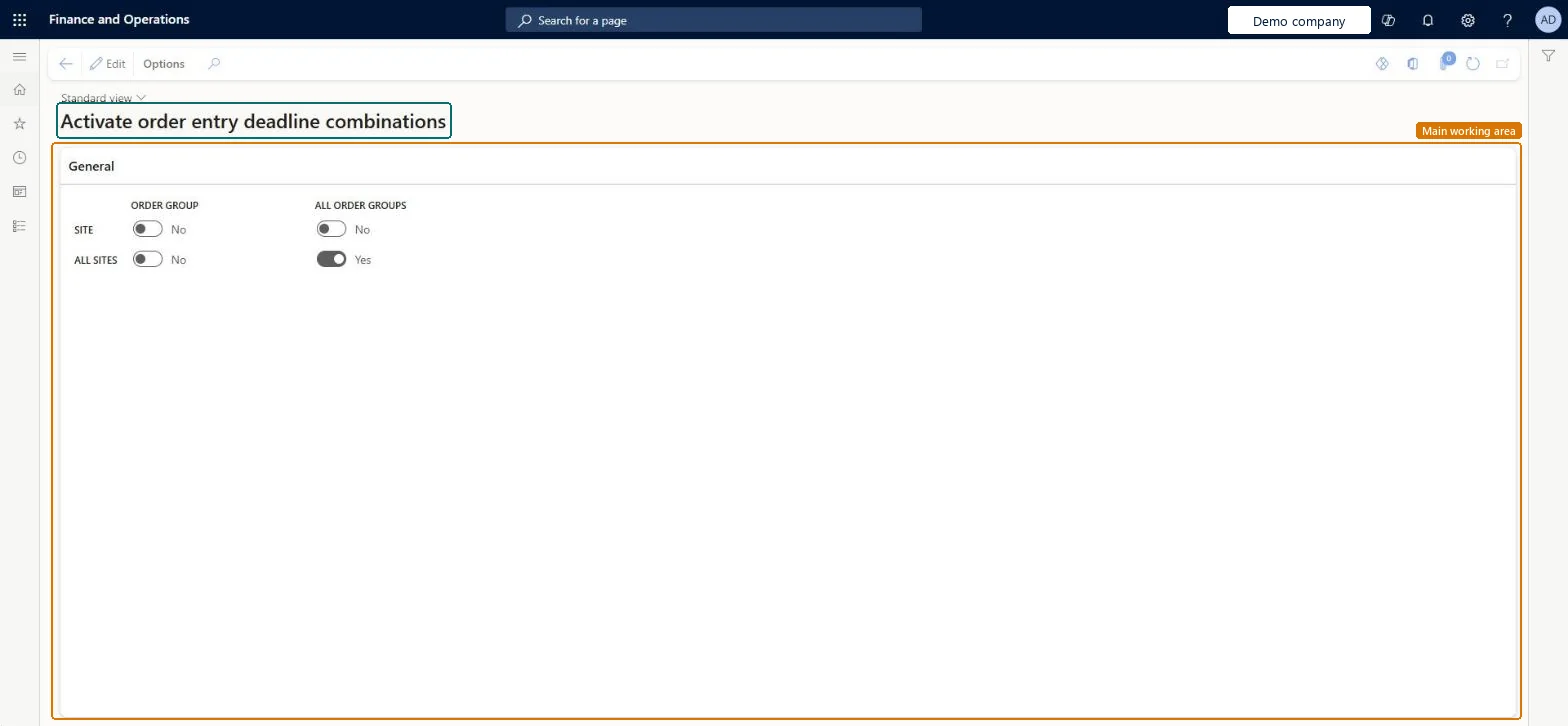
Use this page to switch on order entry deadlines for a site and a customer group, for all groups at a site, or for all sites.
Screen 1
Choose which order entry deadline combinations apply
Go to Inventory management > Setup > Distribution > Activate order entry deadline combinations
Select Edit
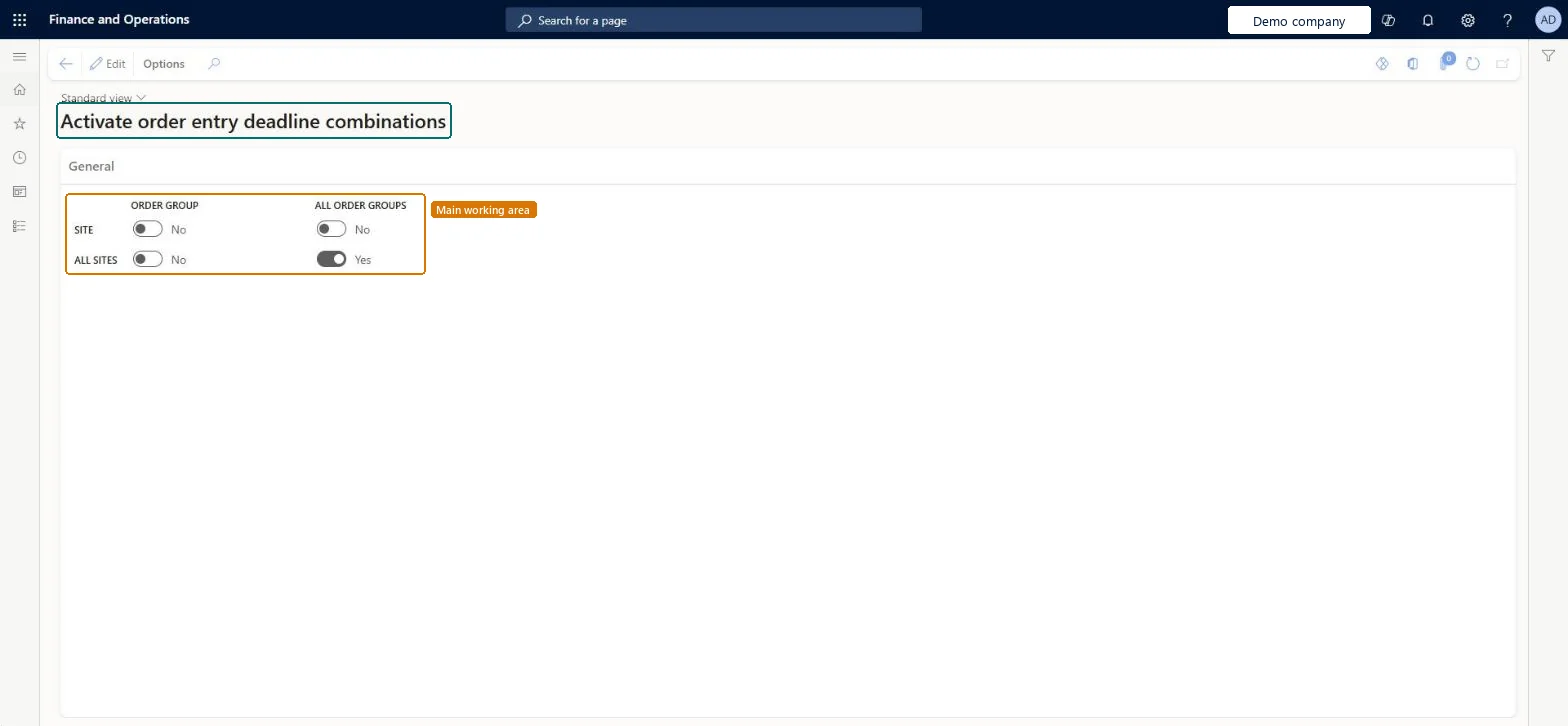
Turn on the combinations you use: a site with an order group, a site for all order groups, all sites for an order group, or all sites and all order groups
Select Save
All sites, all order groups
Yes
Site, order group
No
page title tab to open what to set or check
Steps from Microsoft
Go to Inventory management > Setup > Distribution > Activate order entry deadline combinations.
Select the check boxes for the combinations of sites and order entry deadline groups to activate.
Use the All order groups and All sites check boxes to apply a deadline to every group or every site.
Creating order entry deadline groups and assigning them to customers without activating the site and group combination here, so the group's own deadlines aren't used.
Reversible: Combinations are read when ship and receipt dates are checked for new orders; changing them affects later date calculations, not dates already confirmed.
If you change it later
The combination for all sites and all order entry deadline groups is always active and can't be turned off. Microsoft Learn
Technical architect
6Technical
Menu item
InventOrderEntryDeadlineParametersChecked in Dynamics 365
Form
InventOrderEntryDeadlineParametersChecked in Dynamics 365
Table
InventorderentrydeadlineparametersShown as “Order entry deadline parameters” in Record infoChecked in Dynamics 365
Data entities
InventOrderEntryDeadlineActivationEntityOrder entry deadline parameters Microsoft data model
Who can open it
PrivilegesMaintain order entry deadline information InventOrderEntryDeadlineMaintainView order entry deadline information InventOrderEntryDeadlineViewDutiesInquire into logistic policies InventLogisticPoliciesInquireInquire into quotation to sales order policies RentalSalesQuotationToSlsOrdPoliciesInquireEnable quotation to sales order process RentalSalesQuotationToSlsOrdProcessEnableMaintain sales order entry deadlines SalesOrderEntryDeadlineMaintainInquire into quotation to sales order policies SalesQuotationToSalesOrderPolInquireEnable quotation to sales order process SalesQuotationToSalesOrderProcessEnable11 security rolesProduct design manager BOMProductDesignManagerAccounts receivable manager CustInvoiceAccountsReceivableManagerProduction supervisor ProdProductionSupervisorRental coordinator agent RentalCoordinatorAgentRental manager RentalManagerRental representative RentalRepresentativeRental sales manager RentalSalesManagerRetail service RetailServiceProcess engineer RouteProcessEngineerProcess engineering manager RouteProcessEngineeringManagerSales manager TradeSalesManagerChecked in Dynamics 365
Roles to set it up and use it
To set it up or change itSales manager TradeSalesManagerRetail service RetailServiceRental sales manager RentalSalesManagerRental manager RentalManagerRental coordinator agent RentalCoordinatorAgentTo use itProduction supervisor ProdProductionSupervisorProcess engineer RouteProcessEngineerProduct design manager BOMProductDesignManagerProcess engineering manager RouteProcessEngineeringManagerRental representative RentalRepresentativeGive people one of these roles. On this system, 11 roles can open this page.Checked in Dynamics 365
Actions on the page
Options: Personalize, Page options, ShareChecked in Dynamics 365
InventOrderEntryDeadlineActivationEntity (Order entry deadline parameters): loaded for each company, in Microsoft's default template 300 - Inventory.Load order: Microsoft's default template 300 - Inventory loads Order entry deadline parameters at execution unit 1, level 300, sequence 90. Lower levels load first, and entities at the same level load in sequence order.Load first: the default templates at lower levels (System setup to Budgeting)Microsoft Learn
Checked in a working Dynamics 365 system, version 10.0.49: the menu item, form, table and security, the page, the demo records and the values in the screenshots.
To cite this step: IM-SETUP-110, Activate order entry deadline combinations. Beyond ERP Atlas Hub, 2026-11-11. https://www.beyonderp.cloud/atlas/step/IM-SETUP-110