| What it is | A setup page where you create approval workflows for each type of inventory journal. |
|---|---|
| What you do here | Use this page to make sure that only approved inventory journals can be posted. |
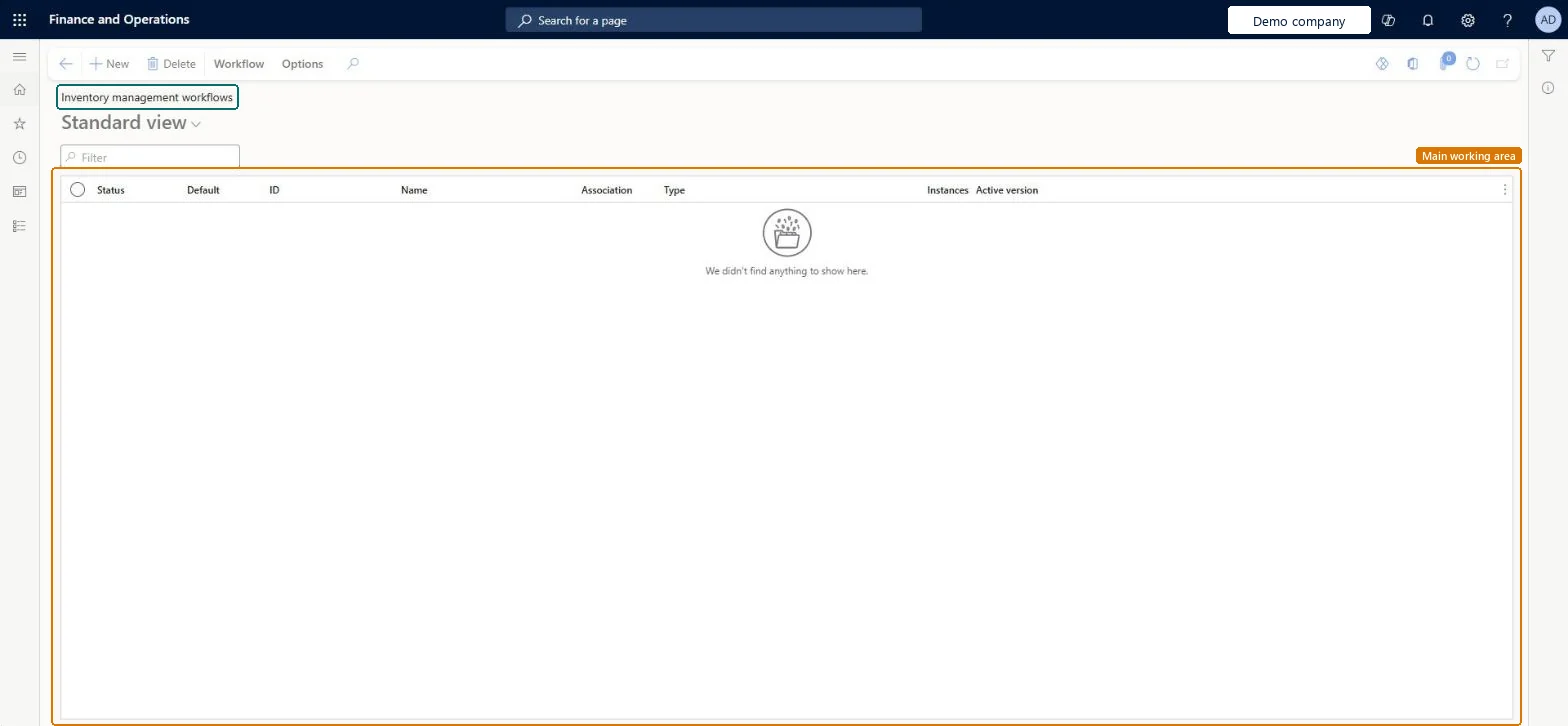
Setup step on the Inventory management workflows page · Inventory management
Use this page to make sure that only approved inventory journals can be posted.
WorkflowConfigurationInventWorkflowTable| What it is | A setup page where you create approval workflows for each type of inventory journal. |
|---|---|
| What you do here | Use this page to make sure that only approved inventory journals can be posted. |
| Business process | Maintain inventory levels |
|---|---|
| Menu path | Inventory management › Setup › Inventory management workflows |
| Used next by | Journal names, inventory Microsoft Learn Set up Inventory |
| In this process | Set up Sample procedure types · Set up Quality charges |
About the examples: Examples and screenshots in this guide use BEAT, a demo company in a Dynamics 365 test environment. Use your own company's codes and values instead of copying them.
Use this page to make sure that only approved inventory journals can be posted.
Source: Microsoft Learn
Source: Microsoft Learn
| Setup step | Recommended value and why | Decision, common mistake and test |
|---|---|---|
| Set up Inventory management workflows | One approval workflow per inventory journal type you need to control, linked to each journal name on Inventory journal names with Approval workflow set to YesJournal types can need different approval hierarchies, so Learn has you configure a workflow per type and, if one type needs different routes, several workflows assigned to different journal names. | Does each inventory journal type need one approval route, or several?Expecting these workflows to control warehouse journals. They apply only to journals recorded in Inventory management, not to journals triggered from Warehouse management.Test: Unapproved inventory journal can't be posted |
| Can it be undone | Reversible: Workflows keep versions and you choose which version is active (one per workflow ID). Approval workflow can be switched on or off per journal name. |
|---|---|
| If you change it later | Workflows keep versions, and only one version of each workflow can be active at a time. Microsoft Learn |
| Menu item | WorkflowConfigurationInvent Checked in Dynamics 365 |
|---|---|
| Form | WorkflowTableListPageRnr Checked in Dynamics 365 |
| Table | WorkflowTableShown as “Workflow configurations” in Record infoKey field: SequenceNumberChecked in Dynamics 365 |
| Who can open it | PrivilegesAuthor workflows WorkflowAuthorInventWorkflowsDutiesInquire into warehouse operation policies WMSWarehouseOperationPoliciesInquireEnable warehouse operation process WMSWarehouseOperationProcessEnable3 security rolesMaterials managerInventMaterialsManagerWarehouse planner WHSWarehousePlannerWarehouse manager WMSWarehouseManager |
| Roles to set it up and use it | To set it up or change itWarehouse manager WMSWarehouseManagerMaterials manager InventMaterialsManagerWarehouse planner WHSWarehousePlannerGive people one of these roles. On this system, 3 roles can open this page.Checked in Dynamics 365 |
| Actions on the page | Workflow: Manage, HierarchyOptions: Personalize, Page options, ShareChecked in Dynamics 365 |
| Open it by URL | https://<your-environment>/?mi=WorkflowConfigurationInvent |
|---|---|
| Table definition | WorkflowTable columns and relations Microsoft data model |
To cite this step: IM-SETUP-030, Set up Inventory management workflows. Beyond ERP Atlas Hub, 2026-11-11. https://www.beyonderp.cloud/atlas/step/IM-SETUP-030