About the examples: Examples and screenshots in this guide use BEAT, a demo company in a Dynamics 365 test environment. Use your own company's codes and values instead of copying them.
Step by step, with screenshots
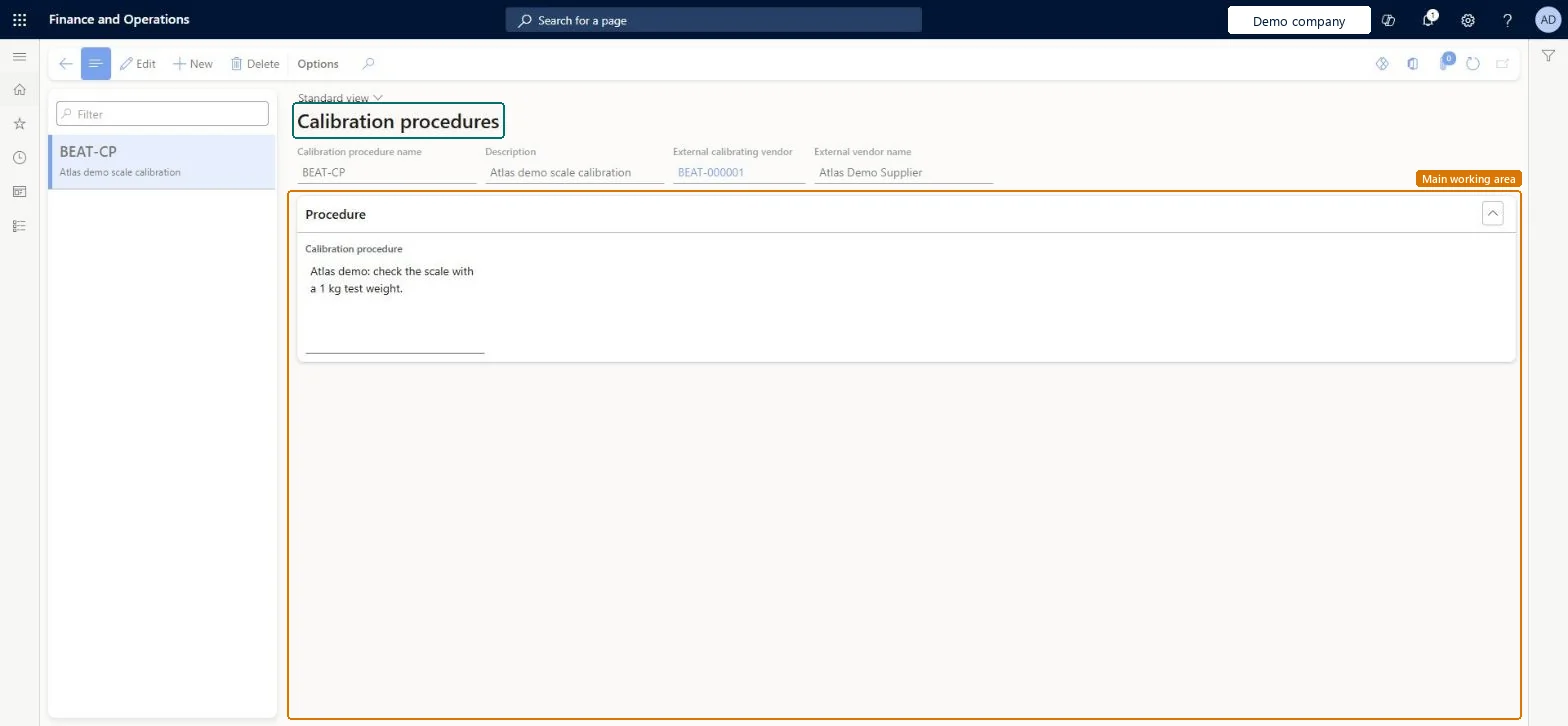
Set up Calibration procedures1 screen
Use this page to keep calibration instructions, attached documents and external calibration vendors in one place for each kind of calibration.
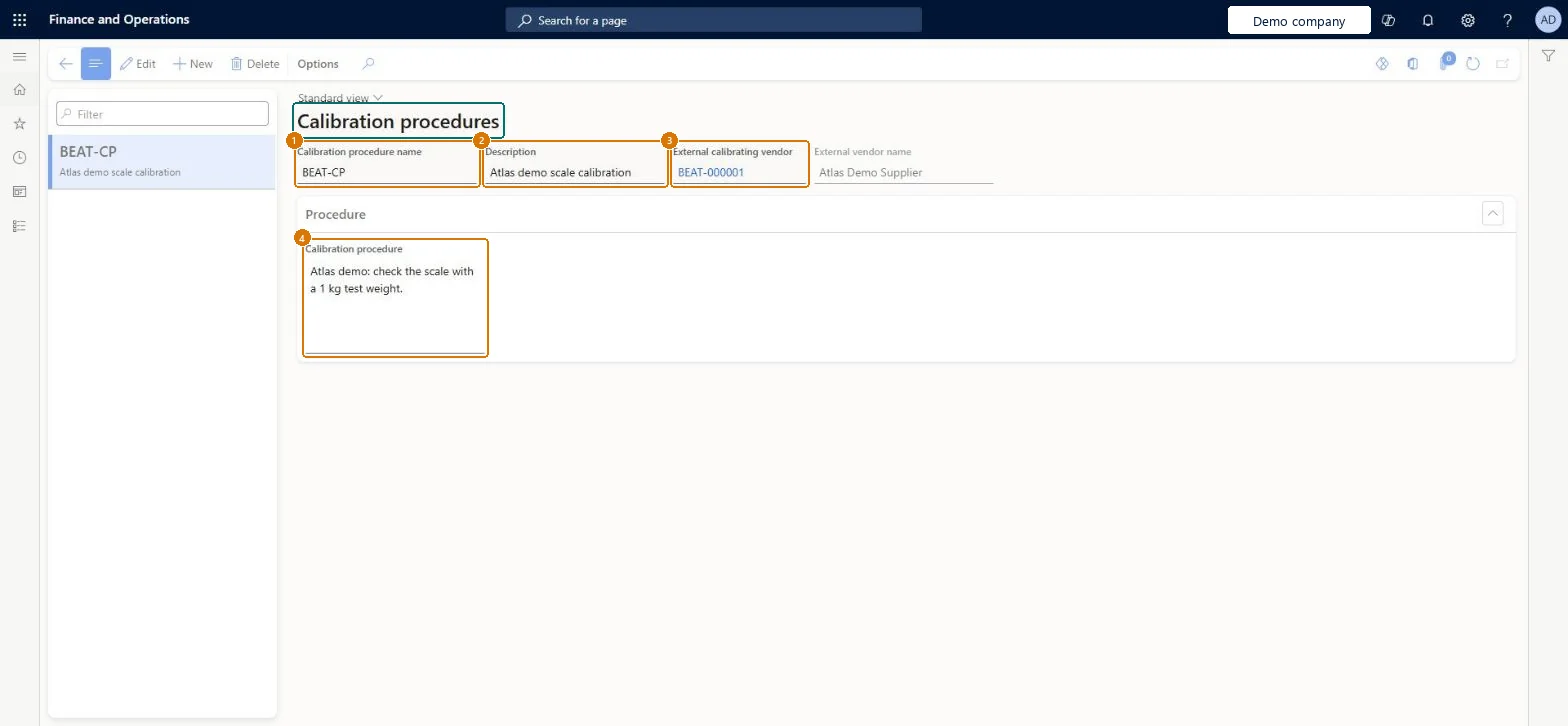
Screen 1
Create a calibration procedure
Go to Inventory management > Setup > Quality control > Calibration procedures
Make sure the vendor exists if an outside company calibrates (here demo vendor BEAT-000001)
Select New
Enter the calibration procedure name and a description
Optionally select the external calibrating vendor
Under Procedure, enter the calibration instructions and attach any documents
Select Save
1Calibration procedure name
BEAT-CP
2Description
Scale calibration
3External calibrating vendor
BEAT-000001
4Calibration procedure
Check the scale with a 1 kg test weight.
Show the full screen page title tab to open what to set or check
Steps from Microsoft
Go to Inventory management > Setup > Quality control > Calibration procedures.
Create a new calibration procedure, or select one to edit.
Enter the Calibration procedure name and a Description.
If an outside vendor does the calibration, select the External calibrating vendor.
On the Procedure FastTab, enter the calibration steps.
Optionally, attach documents with more detail by using the Attachments button.
One procedure per type of calibration; External calibrating vendor filled only when an outside vendor does the work, blank for in-houseThe procedure is copied to the tag and the calibration record, and the external vendor shown there is inherited from the procedure.
Putting vendor details in the description instead of External calibrating vendor means the read-only vendor fields on tags and calibration records stay empty.
Feature management and licence
Feature to turn on
Advanced quality management (Mandatory, on by default)
Reversible: Procedures can be edited or deleted; a calibration record can use a different procedure than the tag.
Technical architect
6Technical
Menu item
QMSInventCalibrationProcedureChecked in Dynamics 365
Form
QMSInventCalibrationProcedureChecked in Dynamics 365
Table
QMSInventCalibrationProcedureShown as “Calibration procedures” in Record infoChecked in Dynamics 365
Data entities
QMSTestInstrumentCalibrationProcedureEntityTest instrument calibration procedures Checked in Dynamics 365
Who can open it
PrivilegesMaintain calibration procedures QMSInventCalibrationProcedureMaintainView calibration procedures QMSInventCalibrationProcedureViewDutiesInquire into general calibration details QMSInventCalibrationDetailInquireMaintain general calibration details QMSInventCalibrationDetailMaintain2 security rolesQuality control clerk InventQualityControlClerkQuality control manager InventQualityControlManagerChecked in Dynamics 365
Roles to set it up and use it
To set it up or change itQuality control manager InventQualityControlManagerQuality control clerk InventQualityControlClerkGive people one of these roles. On this system, 2 roles can open this page.Checked in Dynamics 365
Actions on the page
Options: Personalize, Page options, ShareChecked in Dynamics 365
Checked in a working Dynamics 365 system, version 10.0.49: the menu item, form, table and security, the page, the demo records and the values in the screenshots.
To cite this step: IM-QC-170, Set up Calibration procedures. Beyond ERP Atlas Hub, 2026-11-11. https://www.beyonderp.cloud/atlas/step/IM-QC-170