SETUP GUIDEHow to set it up8 sections. Choose a role to highlight what matters to you.
Everyone
1What it is and why
What it is
A page where employees and managers record activities and events that show how goals were met or how someone performed during a period.
What you do here
Use this page to document past activities and plan future ones that support a goal, development plan or performance commitment, and to link them to goals and reviews.
Example
For example, Anna in BEAT's sales team adds the entry Presented at the Q3 partner conference dated 12 September 2026, adds it to her goal Win 5 new partners and shares it with her manager; when the goal is added to her 2026 annual review, the entry appears on the review's Activities tab.
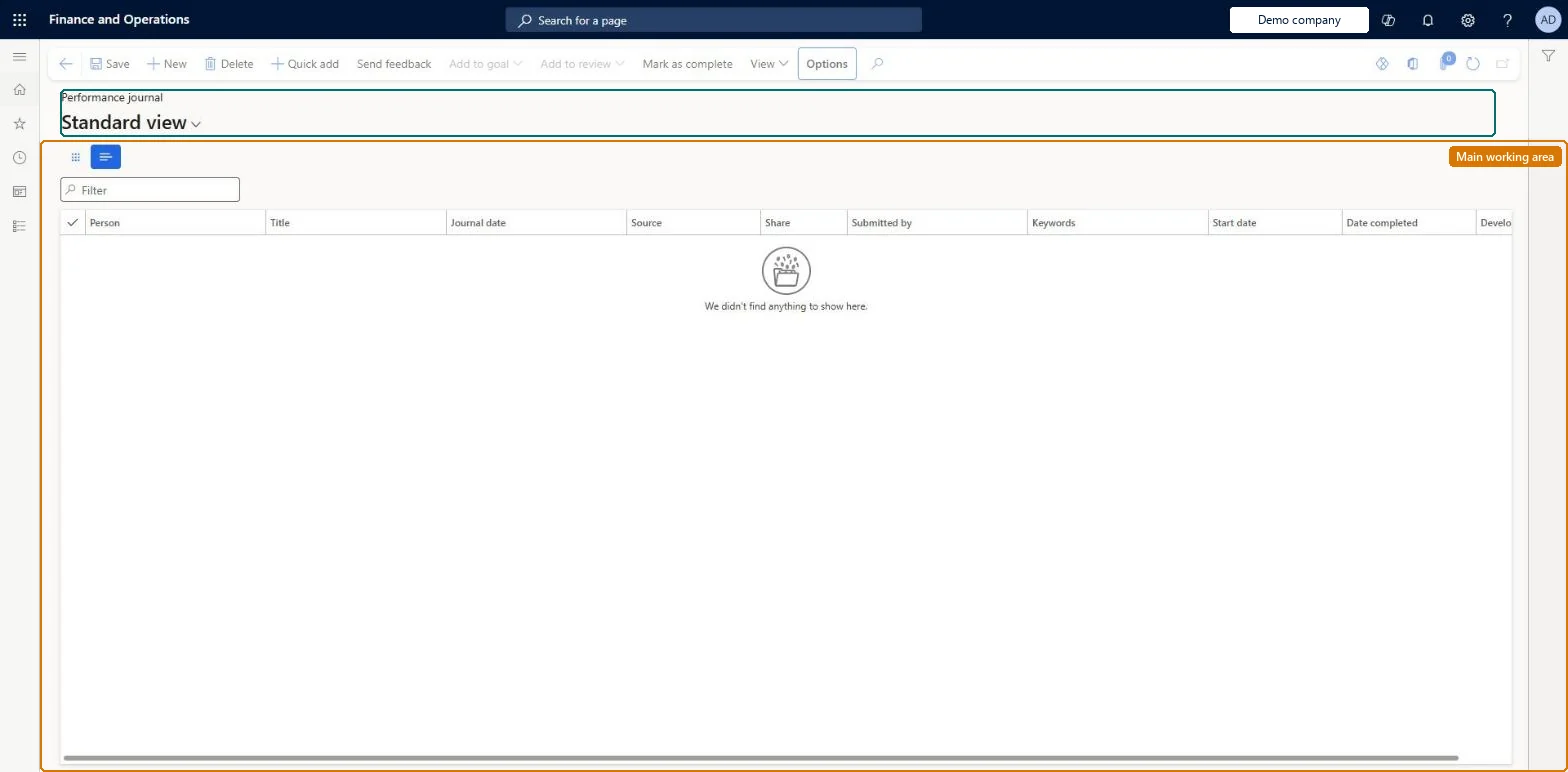
The page in Dynamics 365. page title tab to open what to set or check
About the examples: Examples and screenshots in this guide use BEAT, a demo company in a Dynamics 365 test environment. Use your own company's codes and values instead of copying them.
Setup steps on this page
Keep performance journal entries linked to goals
Record the activities that support a goal so they reach the review.
Steps from Microsoft
Go to Human resources > Performance > Performance journal.
Select New.
Enter a Title and Description.
Enter a Start date and Date completed.
Set Development plan and enter Keywords if needed.
The manager doesn't see an employee's journal entry
The entry isn't shared. The employee selects Share with manager on the entry; otherwise it stays visible only to the employee. Microsoft Learn
A journal entry doesn't show on the review
Add the entry to the review, or to a goal that is on the review: entries added to a goal appear on the review once the goal is added to it. Microsoft Learn
Test checklist
In Employee self service, create an entry with Share with manager selected and Development plan Yes.
Add the entry to one of your goals and check it shows in the goal's Activities section.
Add the goal to a review and check the review's Activities tab lists the 1 entry.
Record each activity that supports a goal as a journal entry, add it to the goal, and select Share with manager on entries the manager should read before the review.Entries added to a goal appear in the goal's Activities section and on every review the goal is added to, so the review carries the evidence.
Employees keep their own journal in Employee self service; managers keep one for their team in Manager self service and choose whether to share it with the employee. No Feature management feature is needed for this page.
Shared: Data management lists the Performance journal entity as shared, so the records are not kept per legal entity and every company sees the same list. Checked in Dynamics 365
Can it be undone
Reversible: Entries can be edited, shared and added to goals and reviews at any time.
If you change it later
An entry added to a goal appears in the goal's Activities section, and once that goal is added to a review the entry appears on the review automatically. Send feedback creates a journal entry for each person who receives the feedback message. Microsoft Learn
Technical architect
6Technical
Menu item
HcmPerfJournal_HRChecked in Dynamics 365
Form
HcmPerfJournalChecked in Dynamics 365
Table
HcmPerfJournalShown as “PERFORMANCE JOURNAL ENTRY” in Record infoKey field: TitleChecked in Dynamics 365
Data entities
HcmPerfJournalEntityPerformance journal Checked in Dynamics 365
Who can open it
PrivilegesHcmPerfJournal_HRMaintainDutiesMaintain the performance journals for all employees HcmPerfJournalMaintain1 security roleHuman resource manager HcmHumanResourceManagerChecked in Dynamics 365
Roles to set it up and use it
To set it up or change itHuman resource manager HcmHumanResourceManagerGive people one of these roles. On this system, 1 role can open this page.Checked in Dynamics 365
Actions on the page
(Action Pane without tabs): Quick add, Send feedback, Add to goal, Add to review, Mark as complete, ViewChecked in Dynamics 365
Developer
7Developer
Open it by URL
https://<your-environment>/?mi=HcmPerfJournal_HR
Integrate with
HcmPerfJournalEntity data entity Checked in Dynamics 365
Data migration
HcmPerfJournalEntity Performance journal entries. Shared by all companies.Load order: Load with the Employee development template: Performance journal source type comes before Performance journal in that template.Load first: HcmPerfJournalSourceTypesEntityMicrosoft Learn