Compensation and benefits manager, Human resource assistant, Recruiter
Business process
Develop people strategy
Menu item
HcmPositionHierarchyInCircularReference
Main table
HcmTmpPositionHierarchyC
Setup steps
1 on this page
Show what matters for
SETUP GUIDEHow to set it up8 sections. Choose a role to highlight what matters to you.
Everyone
1What it is and why
What it is
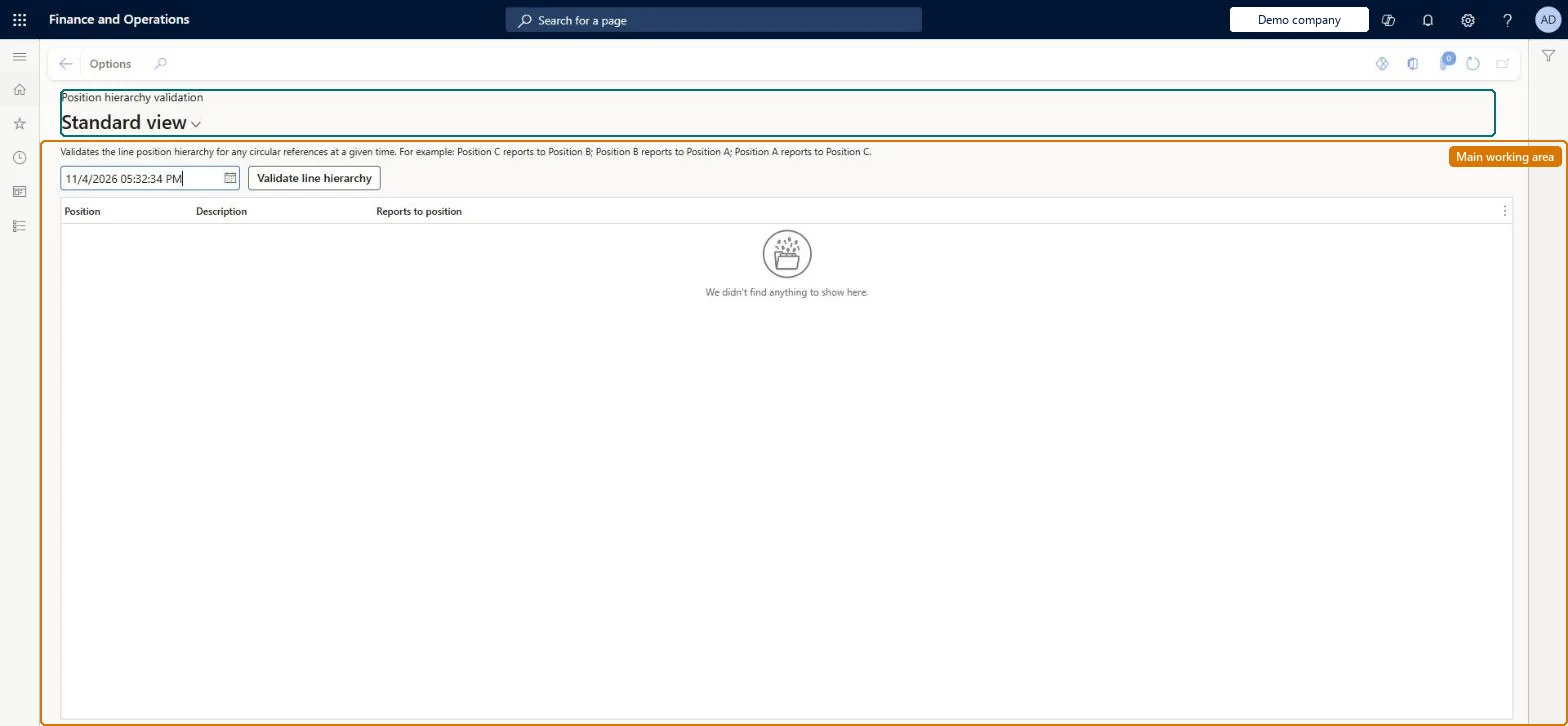
A page that checks the position line hierarchy for circular references, such as two positions that each report to the other, as of a date and time you enter.
What you do here
Use this page to find reporting loops before they break manager lookups and workflow routing, and to check the structure again at other dates.
Example
For example, after a reorganization BEAT sets position 000220 to report to 000300 while 000300 already reports to 000220; validating as of April 1, 2026 lists both positions, and after 000300 is pointed to 000100 the check returns no lines.
The page in Dynamics 365. page title tab to open what to set or check
About the examples: Examples and screenshots in this guide use BEAT, a demo company in a Dynamics 365 test environment. Use your own company's codes and values instead of copying them.
Setup steps on this page
Validate the line hierarchy
Find reporting loops before go-live and after each reorganization.
Steps from Microsoft
Go to Human resources > Positions > Position hierarchy validation.
Enter the date and time to check the hierarchy as of.
Select Validate line hierarchy.
Review the Position, Description and Reports to position of each position caught in a circular reference.
Validate as of today and as of the effective date of every planned reporting change; an empty result is the target.Detection covers one point in time only, and a loop means the manager of the positions in it can't be found correctly.
Human resource user experience enhancements (Must be on)
Licence or add-in
On BEAT the page is run by Human resource assistant, Compensation and benefits manager and Recruiter; the full list is under the page's security roles.
Shared: the check reads positions, which are not per company; Data management lists Positions V2 and Position hierarchies as shared. Checked in Dynamics 365
Can it be undone
Reversible: The check reads positions; you fix loops by changing Reports to position on the positions.
If you change it later
Circular reference detection is limited to a single point in time, so a loop created by a future-dated reports-to change shows only when you validate as of that date. Fixing a loop changes who the workers' manager is from the date of the change. Microsoft Learn
Technical architect
6Technical
Menu item
HcmPositionHierarchyInCircularReferenceChecked in Dynamics 365
Form
HcmPositionHierarchyInCircularReferenceChecked in Dynamics 365
Table
HcmTmpPositionHierarchyCShown as “CIRCULAR REFERENCES IN POSITION HIERARCHY” in Record infoChecked in Dynamics 365
Who can open it
PrivilegesValidate position hierarchy HcmPositionHierarchyInCircularReferenceDutiesMaintain job and position master HcmJobPositionMaintain3 security rolesCompensation and benefits manager HcmCompensationAndBenefitsManagerHuman resource assistant HcmHumanResourceAssistantRecruiter HcmRecruiterChecked in Dynamics 365
Roles to set it up and use it
To set it up or change itHuman resource assistant HcmHumanResourceAssistantCompensation and benefits manager HcmCompensationAndBenefitsManagerRecruiter HcmRecruiterGive people one of these roles. On this system, 3 roles can open this page.Checked in Dynamics 365
Load order: Position hierarchy validation has no data entity in Data management, so it can't be loaded from a file or a configuration template. It checks the loaded positions; load positions and Position hierarchies with the Jobs and positions template, then run the check as of the go-live date.Microsoft Learn