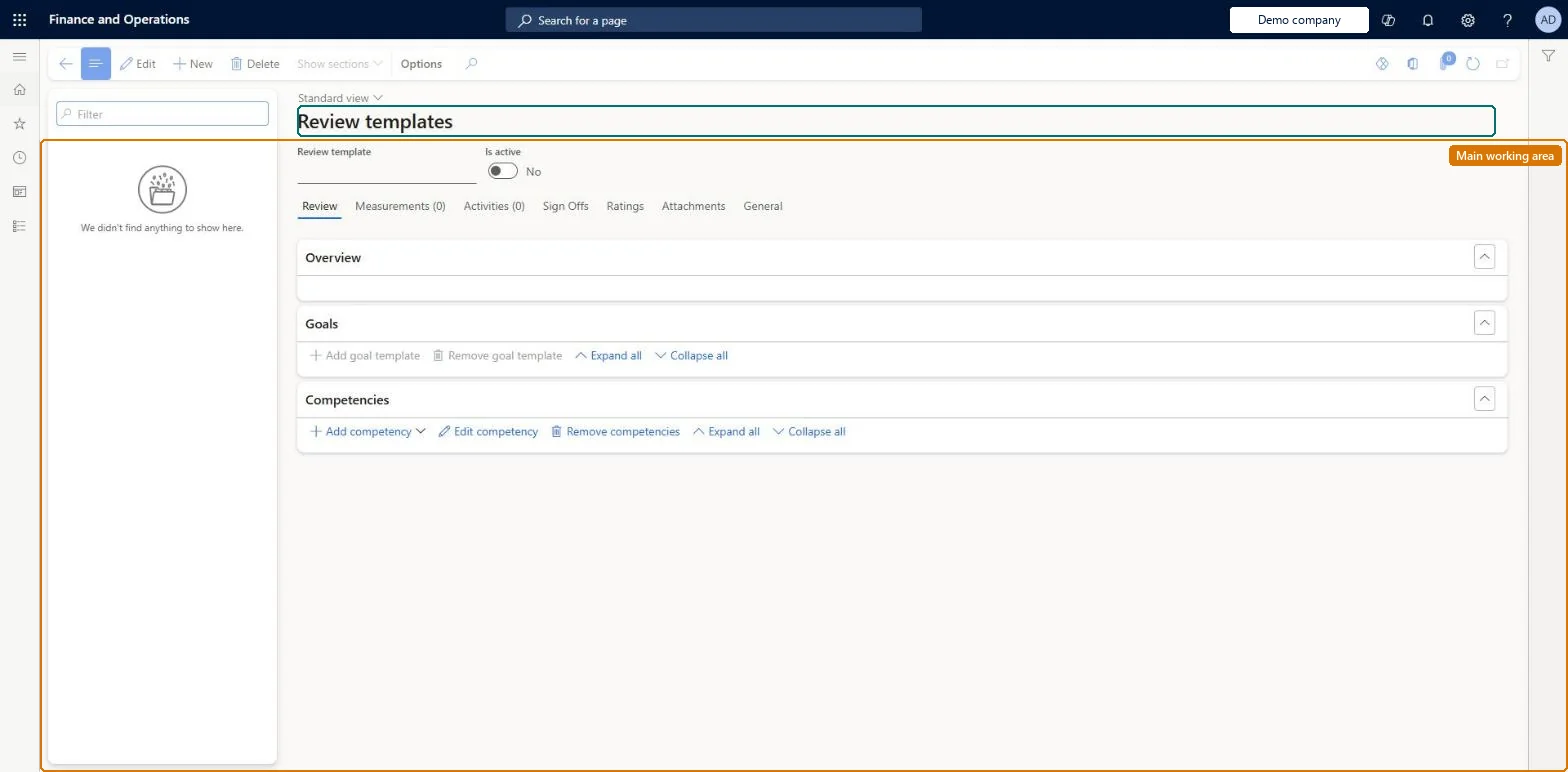
Setup step on the Review templates page · Human resources
Set up Review templates
Use this page to set up templates for kinds of review, such as one-on-ones, development plans or periodic reviews, so that a new review starts with the sections it needs.
Human resource assistant, Human resource manager, Manager and 1 more role
Business process
Develop people strategy
Menu item
HcmDiscussionTemplate
Main table
HcmDiscussionTemplate
Data entity
HcmDiscussionTemplateEntity
Setup steps
1 on this page
Show what matters for
SETUP GUIDEHow to set it up8 sections. Choose a role to highlight what matters to you.
Everyone
1What it is and why
What it is
A setup page where you create review templates that new performance reviews can be based on.
What you do here
Use this page to set up templates for kinds of review, such as one-on-ones, development plans or periodic reviews, so that a new review starts with the sections it needs.
Example
For example, BEAT keeps 3 review templates: One-on-one and Development plan on the review type One-on-one, and Annual review on the review type Annual review with workflow; the 40 annual reviews created from it all start with the same sections and both sign-offs required.
The page in Dynamics 365. page title tab to open what to set or check
About the examples: Examples and screenshots in this guide use BEAT, a demo company in a Dynamics 365 test environment. Use your own company's codes and values instead of copying them.
Setup steps on this page
Set up Review templates
Use this page to set up templates for kinds of review, such as one-on-ones, development plans or periodic reviews, so that a new review starts with the sections it needs.
Steps from Microsoft
Go to Human resources > Performance > Setup > Review templates.
Select New on the Action Pane.
Enter a Review template.
In the General section, enter a Review type and any other information to include.
One review template per kind of review you run (for example one-on-one, development plan, periodic review), each linked to the Review type that has the right workflow and sign-off rulesLearn describes templates for one-on-ones, development plans or periodic reviews that users pick when they create a review, and calls creating a review from a template the best way because each section already holds what the review needs.
HR sets up performance management; employees and managers use goals, journals and reviews in Employee self service and Manager self service. No Feature management feature is needed for this page.
Shared: Data management lists the Review template entity as shared, so the records are not kept per legal entity and every company sees the same list. Checked in Dynamics 365
Can it be undone
Reversible: A template is picked when a review is created, so changes shape the reviews you create next. Learn does not say that editing a template changes reviews that already exist.
If you change it later
Reviews created from the template take its review type, which decides workflow, the default status and which sign-offs are required on each of those reviews. Microsoft Learn
Technical architect
6Technical
Menu item
HcmDiscussionTemplateChecked in Dynamics 365
Form
HcmDiscussionTemplateChecked in Dynamics 365
Table
HcmDiscussionTemplateShown as “DISCUSSIONS” in Record infoChecked in Dynamics 365
Data entities
HcmDiscussionTemplateEntityReview template Checked in Dynamics 365
Who can open it
PrivilegesMaintain privilege for review templates HcmDiscussionTemplateMaintainView privilege for review templates HcmDiscussionTemplateViewDutiesEnable performance process HcmPerformanceProcessEnableInquire into performance process HcmPerformanceProcessInquireInquire into manager's direct report information (Enterprise Portal) MssInquireMaintain manager access to direct report information (Enterprise Information) MssMaintain4 security rolesHuman resource assistant HcmHumanResourceAssistantHuman resource manager HcmHumanResourceManagerManager HcmManagerSelf-service manager HcmManagerSelfServiceChecked in Dynamics 365
Roles to set it up and use it
To set it up or change itHuman resource manager HcmHumanResourceManagerSelf-service manager HcmManagerSelfServiceManager HcmManagerTo use itHuman resource assistant HcmHumanResourceAssistantGive people one of these roles. On this system, 4 roles can open this page.Checked in Dynamics 365
Actions on the page
(Action Pane without tabs): Show sectionsChecked in Dynamics 365
HcmDiscussionTemplateEntity data entity Checked in Dynamics 365
Data migration
HcmDiscussionTemplateEntity Review template. Shared by all companies.Load order: Review template loads in the Employee development template after Discussion types.Load first: HcmDiscussionTypeEntityMicrosoft Learn