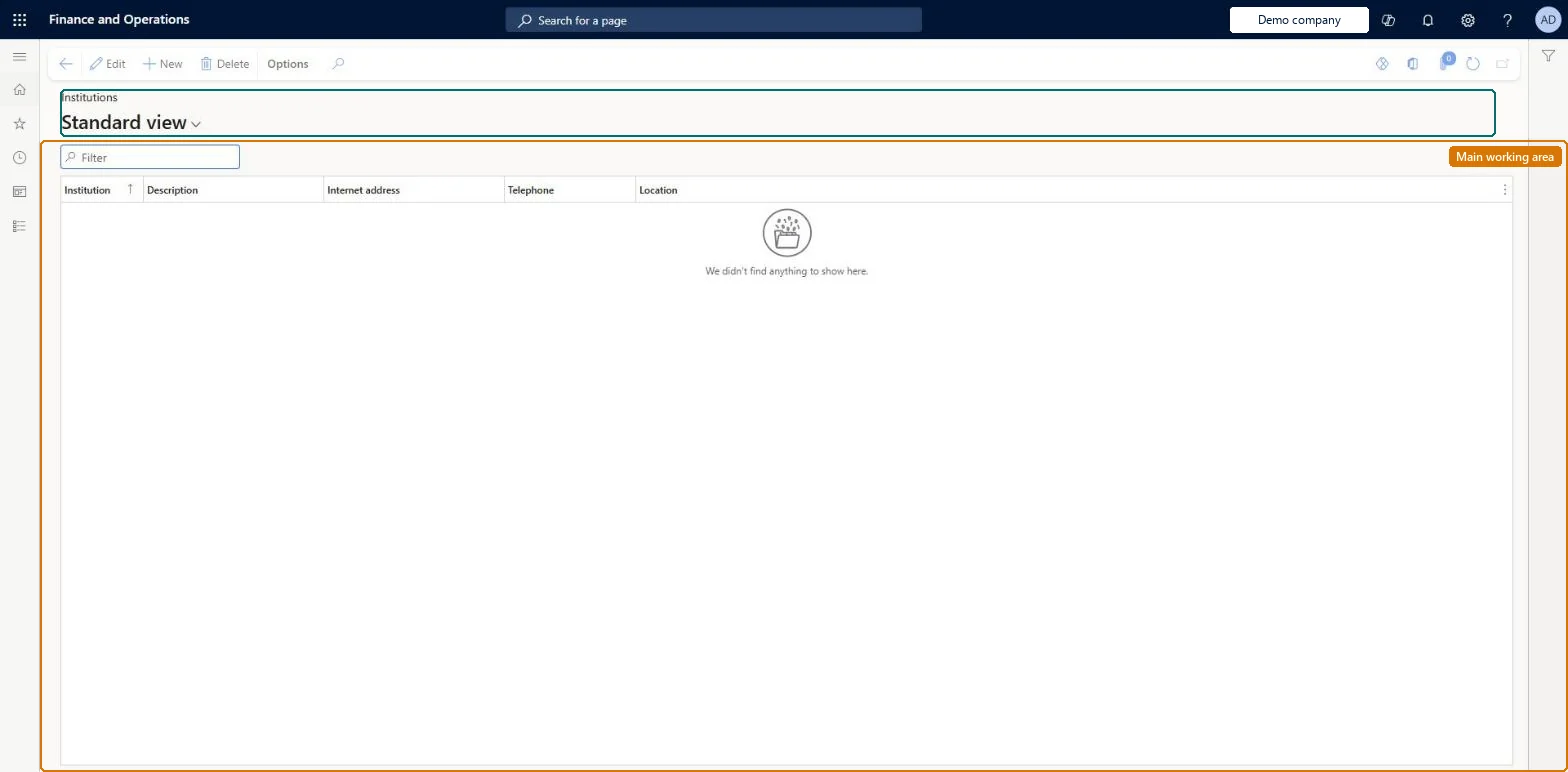
Setup step on the Institutions page · Human resources
Set up Institutions
Use this page to record where workers, applicants or contacts studied, and to use institutions as search criteria in skill mapping, skill gap analysis and skill profiles.
Marketing manager, Compensation and benefits manager, Human resource assistant and 6 more roles
Business process
Develop people strategy
Menu item
HcmEducationInstitution
Main table
HcmEducationInstitution
Data entity
HcmEducationInstitutionEntity
Setup steps
1 on this page
Show what matters for
SETUP GUIDEHow to set it up8 sections. Choose a role to highlight what matters to you.
Everyone
1What it is and why
What it is
A setup page that holds the list of learning institutions where people received their education or attended courses.
What you do here
Use this page to record where workers, applicants or contacts studied, and to use institutions as search criteria in skill mapping, skill gap analysis and skill profiles.
Example
For example, BEAT records the 12 universities and colleges its staff studied at, such as Cairo University; HR then enters each worker's degree with the institution, and a skill mapping can use the institution as a criterion.
The page in Dynamics 365. page title tab to open what to set or check
About the examples: Examples and screenshots in this guide use BEAT, a demo company in a Dynamics 365 test environment. Use your own company's codes and values instead of copying them.
Setup steps on this page
Set up Institutions
Use this page to record where workers, applicants or contacts studied, and to use institutions as search criteria in skill mapping, skill gap analysis and skill profiles.
How to use it
Go to Human resources > Competencies > Setup > Institutions.
Use the Filter box to find a row.
Select New and enter the Institution, Description, Internet address, Telephone and Location.
Review the Institution, Description, Internet address, Telephone and Location columns.
Select Edit to change a selected row, or Delete to remove it.
Source: Checked in Dynamics 365
Fields on the page
Field
What it means
Example
Institution
The identifier of the learning institution.Checked in Dynamics 365
CAIRO-UNI
Description
The name of the institution.Checked in Dynamics 365
Cairo University
Internet address
The institution's web address.Checked in Dynamics 365
https://www.example.edu
Telephone
The institution's phone number.Checked in Dynamics 365
+20 2 3567 0000
Common errors and fixes
Message
What to do
An education record can't be saved
The education discipline is the required part of a person's education; the institution is optional. Select the discipline, or create the institution here first if it is needed. Microsoft Learn
Test checklist
Create an institution.
Add an education record to a worker with a discipline, a degree and the institution.
Check the institution shows on the worker's education.
One record per institution, set up before people's education is entered or loaded.A person's education record can point to the attended institution; the list must exist first.
Shared: institutions are not per company. Data management lists the Institution entity as shared. Checked in Dynamics 365
Can it be undone
Hard to reverse: Education records point to the institution.
If you change it later
The institution is an optional part of a person's education record, next to the required education discipline and the optional degree, so a change here shows on every education record that points to it. Microsoft Learn
Technical architect
6Technical
Menu item
HcmEducationInstitutionChecked in Dynamics 365
Form
HcmEducationInstitutionChecked in Dynamics 365
Table
HcmEducationInstitutionShown as “INSTITUTION” in Record infoKey field: EducationInstitutionIdChecked in Dynamics 365
Data entities
HcmEducationInstitutionEntityInstitution Checked in Dynamics 365
Who can open it
PrivilegesMaintain education institutions HcmEducationInstitutionMaintainView education institutions HcmEducationInstitutionViewDutiesEnable workforce management process HcmWorkforceProcessEnableInquire into workforce management process HcmWorkforceProcessInquireEnable contact process smmContactProcessEnable9 security rolesMarketing manager CRMMarketingManagerCompensation and benefits manager HcmCompensationAndBenefitsManagerHuman resource assistant HcmHumanResourceAssistantHuman resource manager HcmHumanResourceManagerPayroll administrator HcmPayrollAdministratorPayroll manager HcmPayrollManagerRecruiter HcmRecruiterCustomer service manager TradeCustomerServiceManagerSales manager TradeSalesManagerChecked in Dynamics 365
Roles to set it up and use it
To set it up or change itHuman resource assistant HcmHumanResourceAssistantMarketing manager CRMMarketingManagerCustomer service manager TradeCustomerServiceManagerSales manager TradeSalesManagerTo use itHuman resource manager HcmHumanResourceManagerCompensation and benefits manager HcmCompensationAndBenefitsManagerRecruiter HcmRecruiterPayroll administrator HcmPayrollAdministratorPayroll manager HcmPayrollManagerGive people one of these roles. On this system, 9 roles can open this page.Checked in Dynamics 365
HcmEducationInstitutionEntity data entity Checked in Dynamics 365
Data migration
HcmEducationInstitutionEntity Institution. Shared by all companies.Load order: Load with the Employee development template before people's education (Education competency).Microsoft Learn