Setup step on the Financial tags page · General ledger
Set up Financial tags
Used to define and activate tags for tracking subledger data in the general ledger without using document numbers, descriptions, or financial dimensions.
- Used by
- Accountant, Accounting manager, Accounting supervisor and 5 more roles
- Business process
- Create a financial tag in Dynamics 365 Finance
- Menu item
FinancialTags- Main table
FinTagConfiguration- Data entity
- —
- Setup steps
- 1 on this page
Show what matters for
Everyone
1What it is and why
| What it is | Up to 20 user-defined fields per legal entity that are entered on transactions and stored on the accounting entries created for them. |
|---|---|
| What you do here | Used to define and activate tags for tracking subledger data in the general ledger without using document numbers, descriptions, or financial dimensions. |
| Example | Track sales order or purchase order numbers, vendor or customer names, payment references, or invoice numbers on accounting entries. |
Functional consultant · Solution architect
2Where it fits
| Business process | Define accounting policies › Develop chart of accounts strategy › Create a financial tag in Dynamics 365 Finance |
|---|---|
| Menu path | General ledger › Chart of accounts › Financial tags › Financial tags |
| Set up first | General ledger parameters Microsoft Learn ↗Feature management Microsoft Learn ↗ |
| Used next by | General journals Microsoft Learn ↗Voucher transactions Microsoft Learn ↗ |
| Related pages | Financial dimensions Microsoft Learn ↗ |
| In this process | — |
End user · Functional consultant
3How to do it
Setup steps on this page
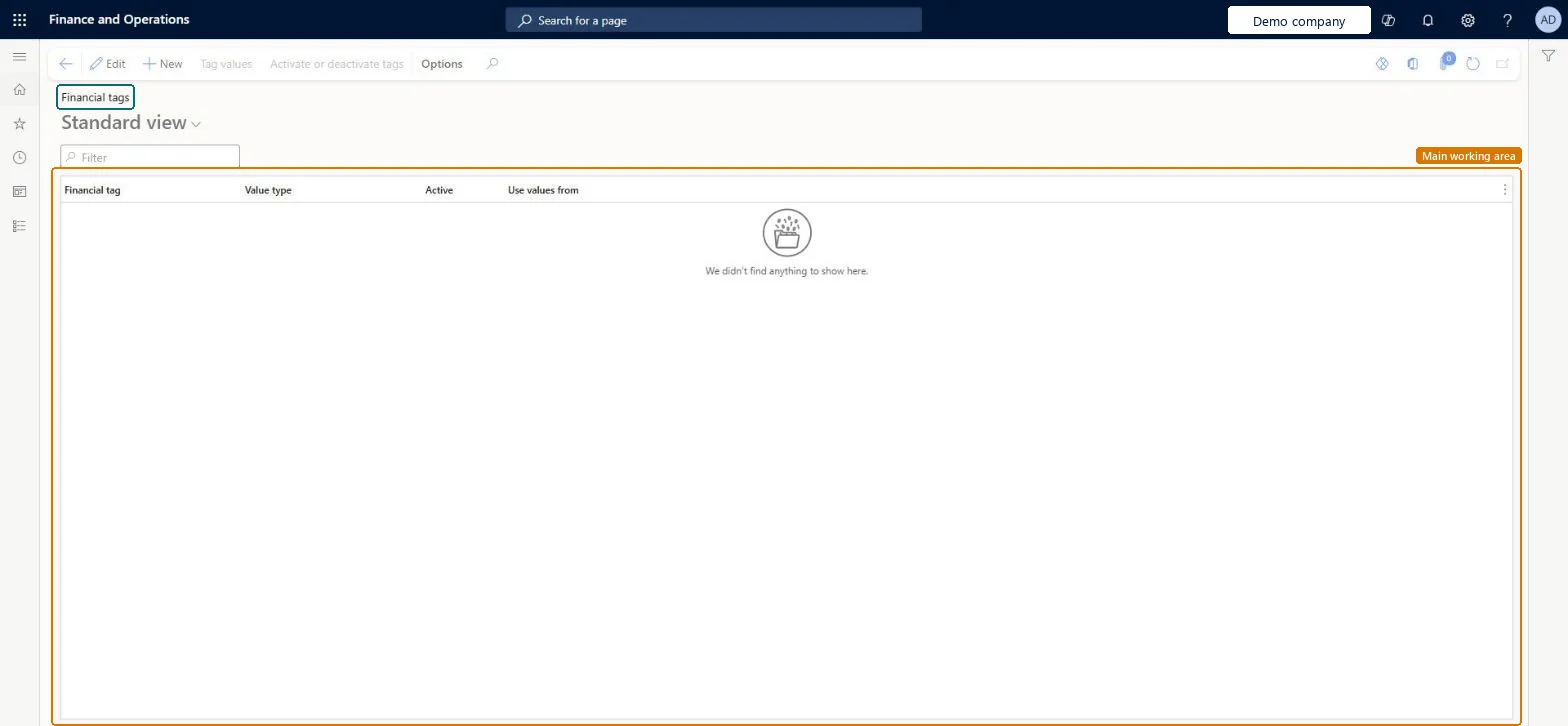
Set up Financial tagsNo screenshots yet
Used to define and activate tags for tracking subledger data in the general ledger without using document numbers, descriptions, or financial dimensions.
Microsoft's steps
- Go to General ledger > Chart of accounts > Financial tags > Financial tags.
- Select New.
- Enter a label for the tag, using only letters, numbers and underscores.
- In the Value type field, select Text, List or Custom list.
- For List, select the source of values in the Use values from field.
- For Custom list, select Tag values and create the values users can choose.
- Select Activate.
Source: Microsoft Learn ↗
Field guide
| Field | What it means | Worked example | Table column |
|---|---|---|---|
| Label | The tag's name; it must start with a letter or underscore and contain only letters, numbers and underscores.Microsoft Learn ↗ | — | — |
| Value type | How values are entered: free text, a list from an entity, or a custom list; fixed versions accept only listed values.Microsoft Learn ↗ | — | — |
| Use values from | For a List tag, the entity whose records are offered as tag values.Microsoft Learn ↗ | — | — |
| Tag values | For a Custom list tag, the list of values users can pick on transactions.Microsoft Learn ↗ | — | — |
Functional consultant
4Setup decisions
| Setup step | Recommended value and why | Decision · common mistake · test |
|---|---|---|
| Set up Financial tags | — | — |
Solution architect
5Design impact
| Shared or per company | — |
|---|---|
| Can it be undone | — |
| Feature or country | — |
| If you change it later | A tag can be deactivated but never deleted. Its label can be changed at any time, but values already posted keep what was entered, even if the tag now tracks something else. Microsoft Learn ↗ |
Technical architect
6Technical
| Menu item | FinancialTags Checked in Dynamics 365 |
|---|---|
| Form | FinTagConfiguration Checked in Dynamics 365 |
| Table | FinTagConfigurationShown as “Financial tag configuration” in Record infoKey field: RecIdChecked in Dynamics 365 |
| Data entities | — |
| Who can open it | PrivilegesMaintain financial tag configuration form FinTagConfigurationMaintainView financial tag configuration form FinTagConfigurationViewDutiesMaintain financial tag configuration form FinTagConfigurationMaintainView financial tag configuration form FinTagConfigurationView8 security rolesChief executive officerCompanyChiefExecutiveOfficerChief financial officer CompanyChiefFinancialOfficerAccounts receivable manager CustInvoiceAccountsReceivableManagerAccountant LedgerAccountantAccounting manager LedgerAccountingManagerAccounting supervisor LedgerAccountingSupervisorFinancial controller LedgerFinancialControllerAccounts payable manager VendInvoiceAccountsPayableManager |
| Actions on the page | Options: Personalize, Page options, ShareChecked in Dynamics 365 |
Developer
7Developer
| Open it directly | https://<your-environment>/?mi=FinancialTags |
|---|---|
| Integrate with | — |
| Table definition | — |
Everyone
8Sources and checks
- learn.microsoft.com/dynamics365/finance/general-ledger/financial-tag
- learn.microsoft.com/dynamics365/finance/general-ledger/financial-tag
- Checked in a working Dynamics 365 system, version 10.0.49: the menu item, form, table and security, the page.
GL-COA-180 — Set up Financial tags. Beyond ERP Atlas Hub, snapshot 2026-10-16, partly verified. https://www.beyonderp.cloud/atlas/step/GL-COA-180