SETUP GUIDEHow to set it up8 sections. Choose a role to highlight what matters to you.
Everyone
1What it is and why
What it is
A periodic task that reclassifies a fixed asset by moving it to a new fixed asset group or giving it a new number in the same group.
What you do here
Use this periodic task to move an asset to the right group when posting requirements change, carrying its books and transactions over to the new asset.
Example
For example, a company that tracks cars and semi-trucks in one VEHICLES group can create a TRUCKS group with its own ledger postings and reclassify the trucks into it.
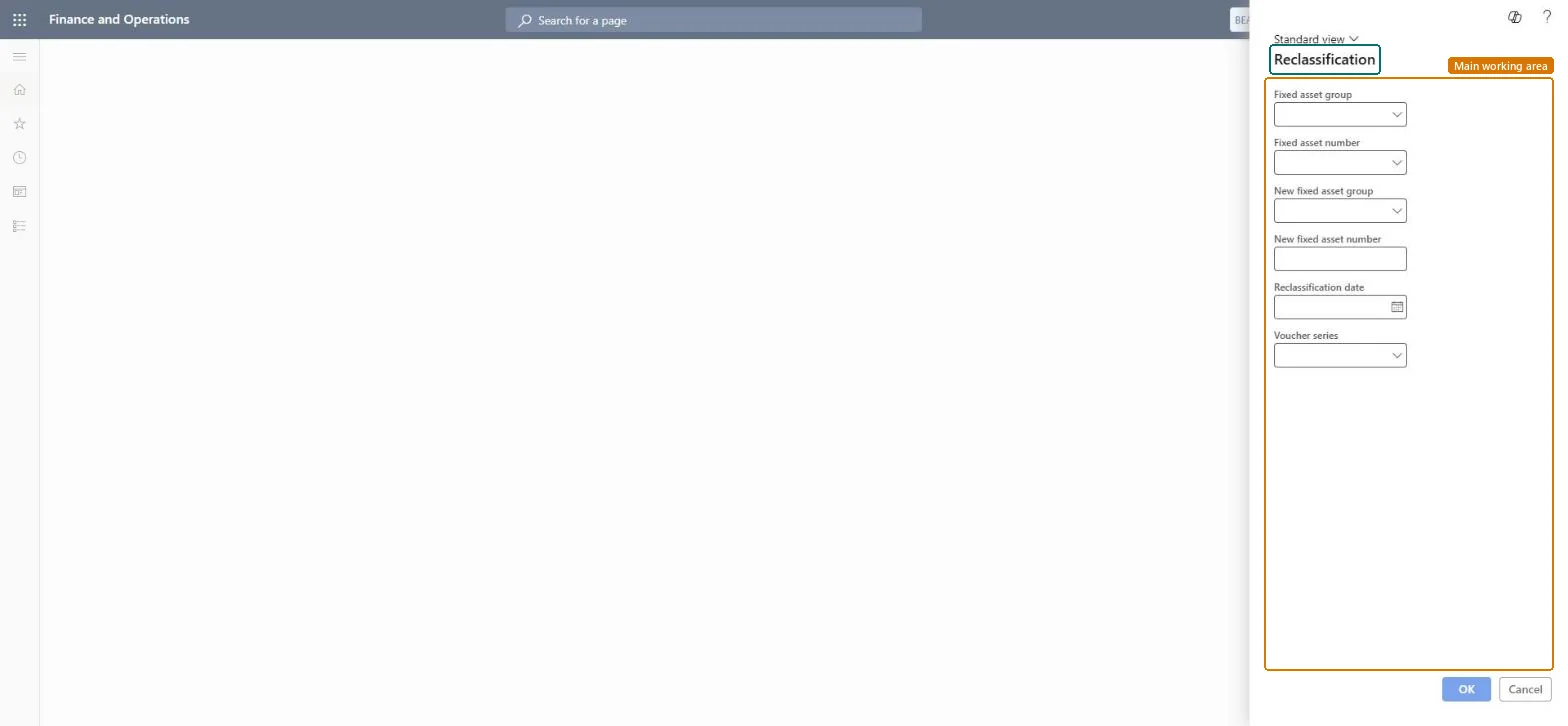
The page in Dynamics 365. page title tab to open what to set or check
About the examples: Examples and screenshots in this guide use BEAT, a demo company in a Dynamics 365 test environment. Use your own company's codes and values instead of copying them.
When to run it
When to run it
When posting requirements change and an asset must belong to another fixed asset group or get a new number.
How often
On demand, per asset.
What the output shows
A new fixed asset with all books copied and the transactions regenerated; the original asset's books get status Closed. If the asset had a transfer transaction, a message in the Action center tells you to complete a transfer to the right dimensions.
Move an asset to a new group or number, with its balances.
Steps from Microsoft
Go to Fixed assets > Periodic tasks > Reclassification.
Select the Fixed asset group and the Fixed asset number of the asset to reclassify.
In New fixed asset group, select the target group. New fixed asset number is filled from the group's number sequence or from the parameters; enter it if neither has one.
Enter the Reclassification date, which becomes the acquisition date on the new books, and select the Voucher series.
Run it, then check the new asset's books and transactions and the Action center for a message about an incomplete transfer.
Reclassify at a period start, after the period's depreciation is posted, and check the new asset's books.The new books get the reclassification date as acquisition date and the original books are closed; transactions are regenerated on the new asset.
Fixed assets is part of Dynamics 365 Finance. Fixed asset accountants reclassify assets. On this system the roles that open the page include Accounting supervisor, Accountant, Rental manager, Rental purchasing manager. No Feature management feature needs to be turned on for this page.
The original asset's books are closed, and its transactions are cancelled and recreated on the new asset. Microsoft Learn
Technical architect
6Technical
Menu item
action:AssetReclassificationChecked in Dynamics 365
Form
AssetReclassificationChecked in Dynamics 365
Roles to set it up and use it
To use itAccounting supervisor LedgerAccountingSupervisorAccountant LedgerAccountantRental manager RentalManagerRental purchasing manager RentalPurchasingManagerGive people one of these roles. On this system, 4 roles can run this page.Checked in Dynamics 365
Load order: Reclassification has no data entity in Data management, so it can't be loaded from a file or a configuration template. The report stores nothing of its own: it reads the posted fixed asset data, so migrate the assets, books and transactions and run it again in the new environment.Microsoft Learn