Accounts payable manager, Auditor, Business Performance Planning app role and 9 more roles
Business process
Maintain fixed assets
Menu item
AssetTable
Main table
AssetTable
Data entity
AssetFixedAssetEntity
Setup steps
1 on this page
Show what matters for
SETUP GUIDEHow to set it up8 sections. Choose a role to highlight what matters to you.
Everyone
1What it is and why
What it is
A list and details page where you record and manage each fixed asset, holding both its financial and non-financial information.
What you do here
Use this page to create fixed assets, keep details such as location, insurance and bar code up to date, and open each asset's books, transactions and valuations.
Example
For example, instead of tracking one conference room chair, you can record 50 chairs bought together as a single asset and use the Quantity, Unit of measure and Unit cost fields.
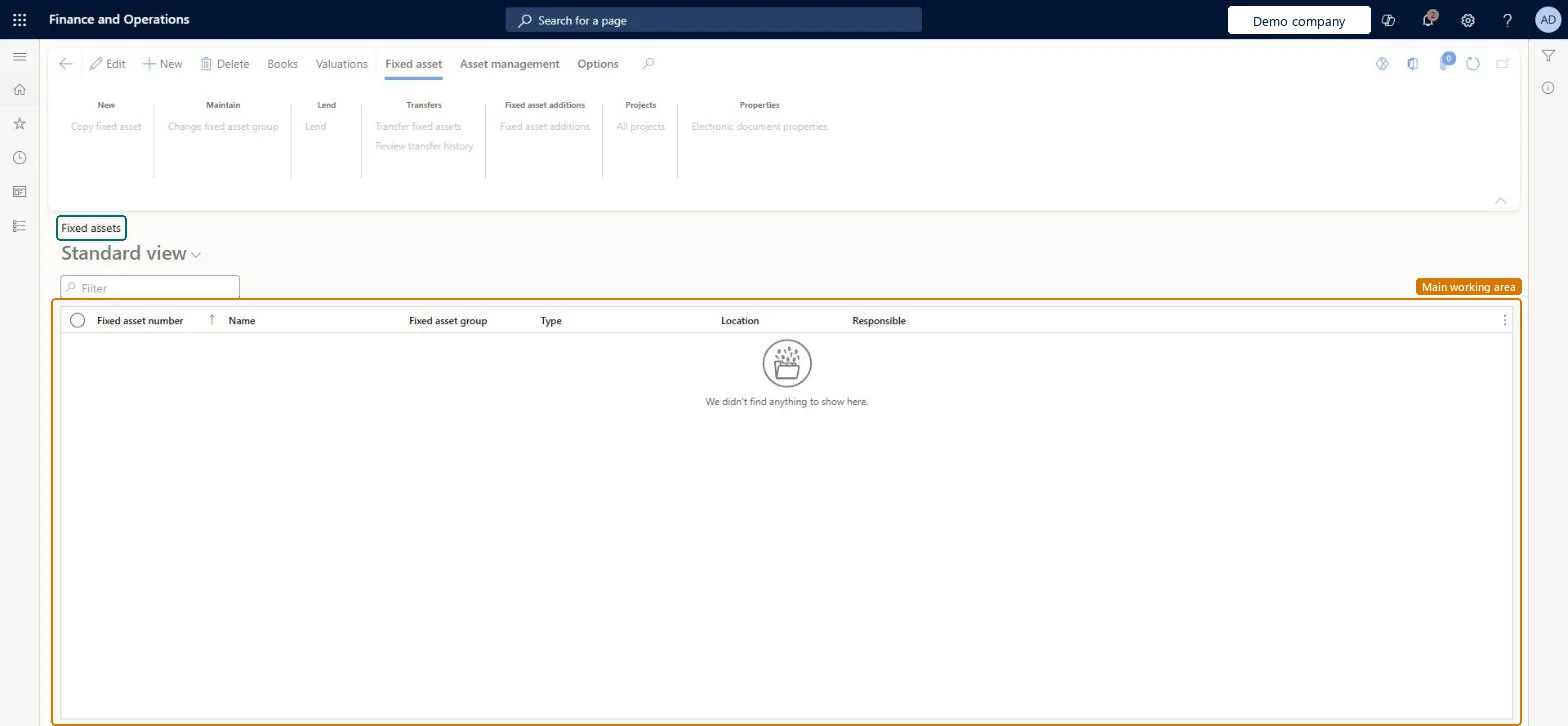
The page in Dynamics 365. page title tab to open what to set or check
About the examples: Examples and screenshots in this guide use BEAT, a demo company in a Dynamics 365 test environment. Use your own company's codes and values instead of copying them.
Setup steps on this page
Create a fixed asset
Create the asset in its group so it gets the group's books and defaults.
Steps from Microsoft
Go to Fixed assets > Fixed assets > Fixed assets.
On the Action Pane, select New.
In the Fixed asset group field, select a group. The number fills in automatically if autonumbering is turned on; otherwise enter a unique number.
In the Name field, enter a name and any other details your business needs.
On the Action Pane, select Books.
In the Acquisition date field, enter a date.
In the Acquisition price field, enter an amount, and complete the other details for each book.
The only required field; it fills in default values and books for the new asset.Microsoft Learn
AssetGroup
Property type
Says whether the record is a regular fixed asset, continuing property kept for inventory only, or other (intangible) assets.Microsoft Learn
PropertyType
Major type
A high-level grouping such as equipment, buildings or land, used for reporting.Microsoft Learn
MajorType
Quantity
Lets one asset record cover several similar low-cost items, together with Unit of measure and Unit cost.Microsoft Learn
Quantity
Structure
Shows whether the asset is a main asset with components or a component of another asset.Microsoft Learn
Insured value
The insured value of the asset, which you can edit here or update in bulk with the periodic update.Microsoft Learn
InsuredValue
Last periodic value/cost update
The date of the last successful bulk update of replacement cost or insured value; it is set automatically.Microsoft Learn
LastFactorUpdateDate
Common errors and fixes
Message
What to do
An asset can't be deleted
An asset with posted transactions, or on an unposted journal line, can't be deleted; rename it or set Calculate depreciation to No on its books. Microsoft Learn
The depreciation proposal skips an asset
Check Calculate depreciation on the asset book. It is set to No when a purchase line is below the capitalization threshold, and the proposal skips books with No. Microsoft Learn
Test checklist
Select New, pick a Fixed asset group and check that Number defaults when Autonumber fixed assets is on in both Fixed assets parameters and the group.
Open Books and check that the books set up on the fixed asset group were added to the asset.
Enter an Acquisition date and Acquisition price on each book.
If you import assets with your own numbers in the template, check the number sequence afterwards; it isn't incremented automatically for Data management imports.
Try to delete an asset that has a posted acquisition and check that the system blocks it.
Create assets from the fixed asset group (or from the purchase order with Create asset during product receipt or invoice posting), and check the books before the first acquisition.The group sets the default books, service life and convention; the acquisition then posts through the posting profile of each book.
Fixed assets is part of Dynamics 365 Finance. Fixed asset accountants create and maintain assets; Fixed asset group is the only required field. On this system the roles that open the page include Accountant, Accounting supervisor, Information technology manager, Business Performance Planning app role. No Feature management feature needs to be turned on for this page.
PrivilegesMaintain fixed asset records AssetTableMaintainView fixed asset records AssetTableViewDutiesInquire into fixed assets AssetFixedAssetsInquireMaintain fixed assets AssetFixedAssetsMaintainMaintain Master entity data for data management DataManagementApplicationMasterEntitiesMaintainView Master entity data for data management DataManagementApplicationMasterEntitiesView12 security rolesAuditor AuditPolicyManagerBusiness Performance Planning app role BPPBudgetPlanningAppRoleBudget manager BudgetBudgetManagerChief financial officer CompanyChiefFinancialOfficerData management administrator DataManagementAdministratorData management migration user DataManagementMigrationUserAccountant LedgerAccountantAccounting manager LedgerAccountingManagerAccounting supervisor LedgerAccountingSupervisorDemand planning app role ScpDemandPlanningAppRoleInformation technology manager SysServerITManagerAccounts payable manager VendInvoiceAccountsPayableManagerChecked in Dynamics 365
Roles to set it up and use it
To set it up or change itAccountant LedgerAccountantAccounting supervisor LedgerAccountingSupervisorInformation technology manager SysServerITManagerBusiness Performance Planning app role BPPBudgetPlanningAppRoleData management migration user DataManagementMigrationUserTo use itAccounting manager LedgerAccountingManagerAuditor AuditPolicyManagerChief financial officer CompanyChiefFinancialOfficerBudget manager BudgetBudgetManagerAccounts payable manager VendInvoiceAccountsPayableManagerGive people one of these roles. On this system, 12 roles can open this page.Checked in Dynamics 365
AssetFixedAssetEntity (Fixed assets): loaded for each company, in Microsoft's default template 150 - Fixed assets.AssetFixedAssetV2Entity (Fixed assets V2 entity): loaded for each company.Load order: Microsoft's default template 150 - Fixed assets loads Fixed assets at execution unit 1, level 150, sequence 10. Lower levels load first, and entities at the same level load in sequence order.Load first: Fixed asset locations, Fixed asset groups, the default templates at lower levels (System setup to Accounts receivable)Microsoft Learn