Business Performance Planning app role, Data management administrator, Data management migration user and 3 more roles
Business process
Develop people strategy
Menu item
TrvLinePurpose
Main table
TrvLinePurpose
Data entity
TrvExpensePurposeEntity
Setup steps
1 on this page
Show what matters for
SETUP GUIDEHow to set it up8 sections. Choose a role to highlight what matters to you.
Everyone
1What it is and why
What it is
A setup page that lists the business purposes employees can pick for entertainment expenses.
What you do here
Use this page to give employees a fixed list of reasons for entertainment, such as a client dinner, so these expenses are explained the same way.
Example
For example, the list holds Client dinner, Prospect lunch and Team celebration; an employee entering a 240.00 USD restaurant bill in the Entertainment expense type picks Client dinner.
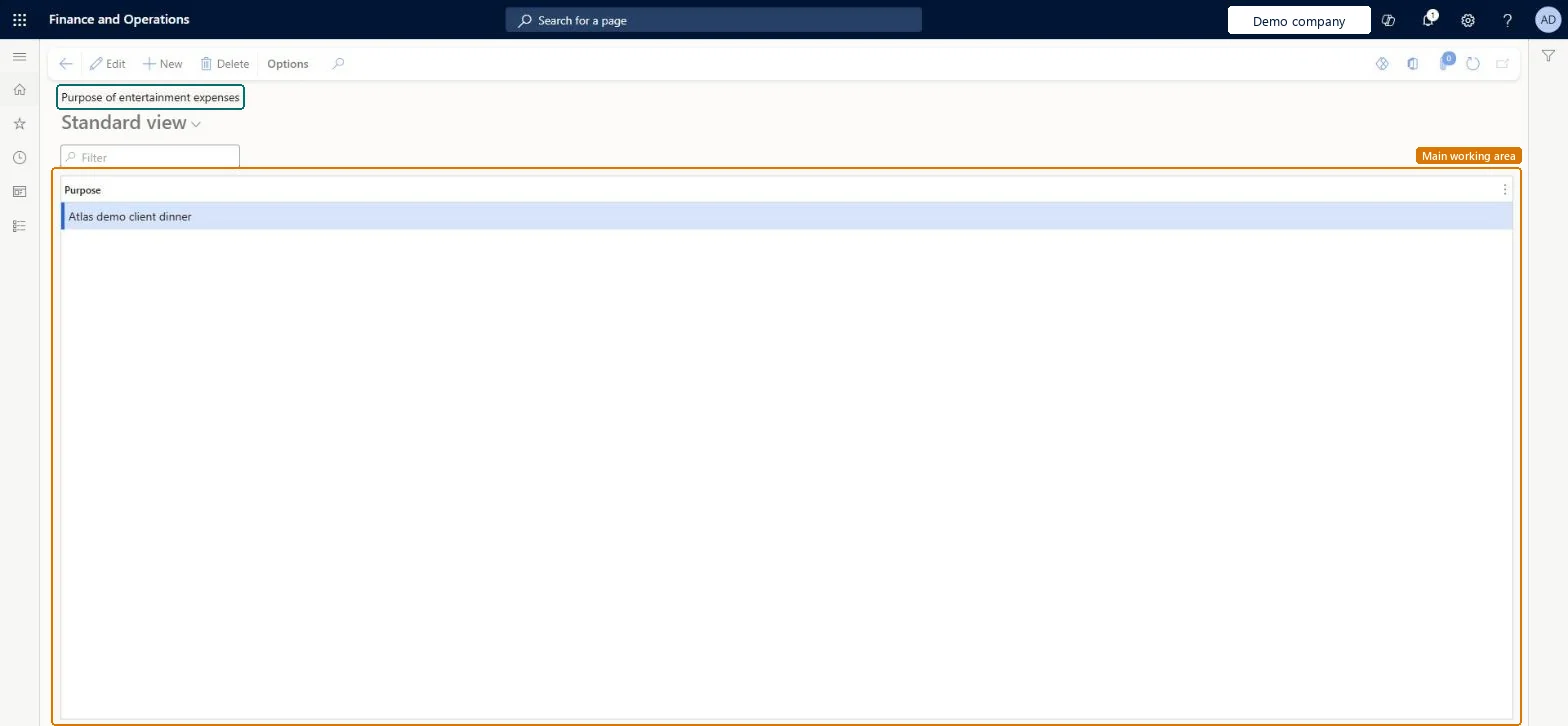
The page in Dynamics 365. page title tab to open what to set or check
About the examples: Examples and screenshots in this guide use BEAT, a demo company in a Dynamics 365 test environment. Use your own company's codes and values instead of copying them.
Step by step, with screenshots
Set up Purpose of entertainment expenses1 screen
Give employees a fixed list of purposes for entertainment expenses.
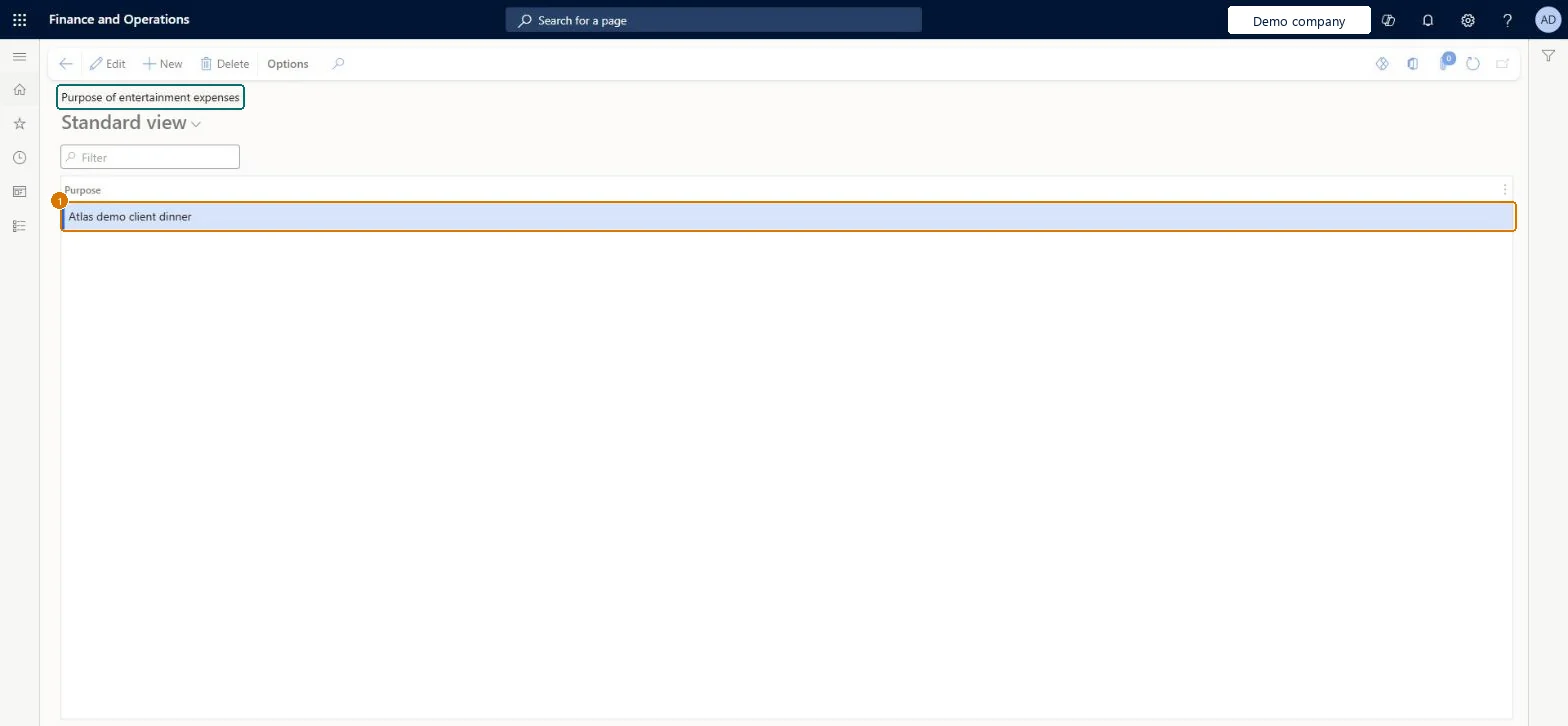
Screen 1
Add a purpose for entertainment expenses
Go to Expense management > Setup > Optional setup > Purpose of entertainment expenses
Select New
Enter the purpose text workers can choose
Select Save
Purpose
Client dinner
Show the full screen page title tab to open what to set or check
Steps from Microsoft
Go to Expense management > Setup > Optional setup > Purpose of entertainment expenses.
Keep a short list that matches what your tax and audit rules need to know about entertainment.A fixed list makes entertainment expenses explained the same way, which helps audit and any rules on deductible entertainment.
In this system Employee and Contractor enter their own expenses, and Expense administrator sets up the module and processes documents. The expense mobile app needs the Employee role, a company on the user account and a link to an employee with active employment. The expense administrator maintains the list. No Feature management feature is needed for this page.
PrivilegesMaintain business purposes available during expense entry TrvTravelTxtMaintainView business purposes available during expense entry TrvTravelTxtViewDutiesMaintain Master entity data for data management DataManagementApplicationMasterEntitiesMaintainView Master entity data for data management DataManagementApplicationMasterEntitiesViewExpenseAgentDutyExpenseAgentV2DutyEnable expense management process TrvTravelAndExpenseProcessEnableInquire into expense management reference data TrvTravelAndExpenseReferenceDataInquire7 security rolesBusiness Performance Planning app role BPPBudgetPlanningAppRoleData management administrator DataManagementAdministratorData management migration user DataManagementMigrationUserExpense administrator ExpenseAdministratorExpenseAgentRoleDemand planning app role ScpDemandPlanningAppRoleInformation technology manager SysServerITManagerChecked in Dynamics 365
Roles to set it up and use it
To set it up or change itExpense administrator ExpenseAdministratorInformation technology manager SysServerITManagerBusiness Performance Planning app role BPPBudgetPlanningAppRoleData management migration user DataManagementMigrationUserDemand planning app role ScpDemandPlanningAppRoleTo use itExpenseAgentRole ExpenseAgentV2Role Give people one of these roles. On this system, 8 roles can open this page.Checked in Dynamics 365
Actions on the page
Options: Personalize, Page options, ShareChecked in Dynamics 365
TrvExpensePurposeEntity (Expense purpose for transactions): the purposes, in template 600 - Expense.Load order: Optional setup; load it with the other optional lists after expense categories.Load first: Expense categoriesMicrosoft Learn
Checked in a working Dynamics 365 system, version 10.0.49: the menu item, form, table and security, the page, the demo records and the values in the screenshots.
To cite this step: EM-SETUP-200, Set up Purpose of entertainment expenses. Beyond ERP Atlas Hub, 2026-11-11. https://www.beyonderp.cloud/atlas/step/EM-SETUP-200