SETUP GUIDEHow to set it up8 sections. Choose a role to highlight what matters to you.
Everyone
1What it is and why
What it is
A report that shows the personal expenses an employee entered on an expense report.
What you do here
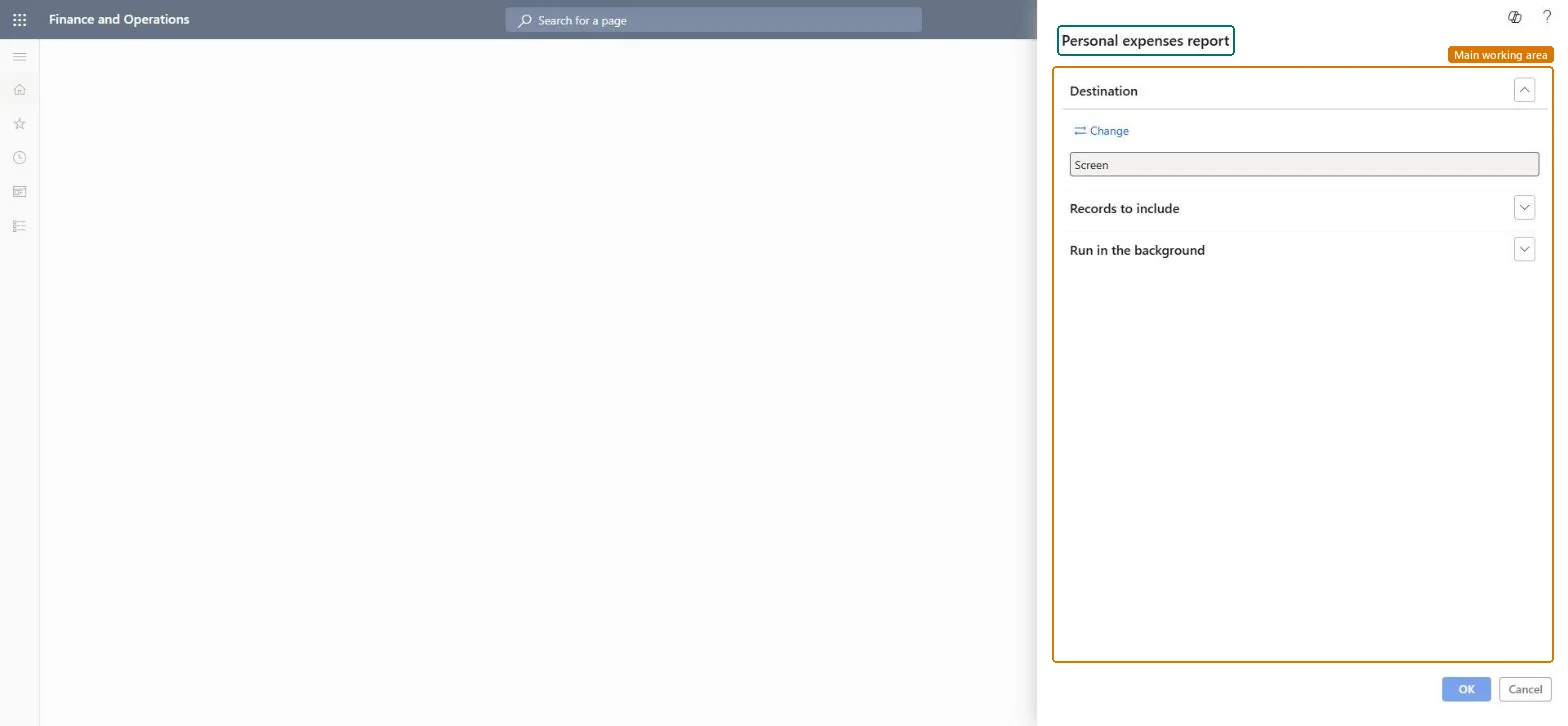
Use this report to list personal expenses, filtered by expense report number.
Example
For example, after a card statement shows 85.00 USD of personal restaurant charges on a sales trip, the expense administrator runs the report for that expense report number to confirm the employee marked them as personal and they aren't reimbursed.
The page in Dynamics 365. page title tab to open what to set or check
About the examples: Examples and screenshots in this guide use BEAT, a demo company in a Dynamics 365 test environment. Use your own company's codes and values instead of copying them.
When to run it
When to run it
When you need to follow up on personal charges, such as personal items on a company credit card, that employees marked on their expense reports.
How often
On demand, for example before reimbursing or when reconciling card statements.
What the output shows
The personal expenses entered on the selected expense reports, by expense type. Who pays these amounts depends on the Personal expenses paid by parameter; an unexpected amount usually means a line was marked personal by mistake.
Run it per expense report or per card statement period, and compare the personal amounts with the card statement.Personal amounts on a corporate card are either paid by the employee or charged back, depending on Personal expenses paid by.
In this system Employee and Contractor enter their own expenses, and Expense administrator sets up the module and processes documents. The expense mobile app needs the Employee role, a company on the user account and a link to an employee with active employment. The expense administrator runs this report; no Feature management feature is needed.
Per company: the report runs in the legal entity you are signed in to and reads that company's expense data. Microsoft Learn
Can it be undone
Reversible: The report reads data and changes nothing.
If you change it later
Who pays the personal part depends on Personal expenses paid by in the parameters: the employee pays the card provider, or the company pays the whole bill and charges the worker's account. Microsoft Learn
Technical architect
6Technical
Menu item
output:TrvPersonalExpensesChecked in Dynamics 365
Form
SysOperationTemplateFormChecked in Dynamics 365
Roles to set it up and use it
To use itExpense administrator ExpenseAdministratorGive people one of these roles. On this system, 1 role can run this page.Checked in Dynamics 365
Load order: The report has no data entity in Data management, so it can't be loaded from a file or a configuration template. It reads posted or entered expense data and prints it; nothing on it is loaded or migrated. Run it in each environment after the data is there.Microsoft Learn
Checked in a working Dynamics 365 system, version 10.0.49: the menu item, form, table and security, the page.
To cite this step: EM-RPT-010, Check personal charges on corporate cards. Beyond ERP Atlas Hub, 2026-11-11. https://www.beyonderp.cloud/atlas/step/EM-RPT-010