SETUP GUIDEHow to set it up8 sections. Choose a role to highlight what matters to you.
Everyone
1What it is and why
What it is
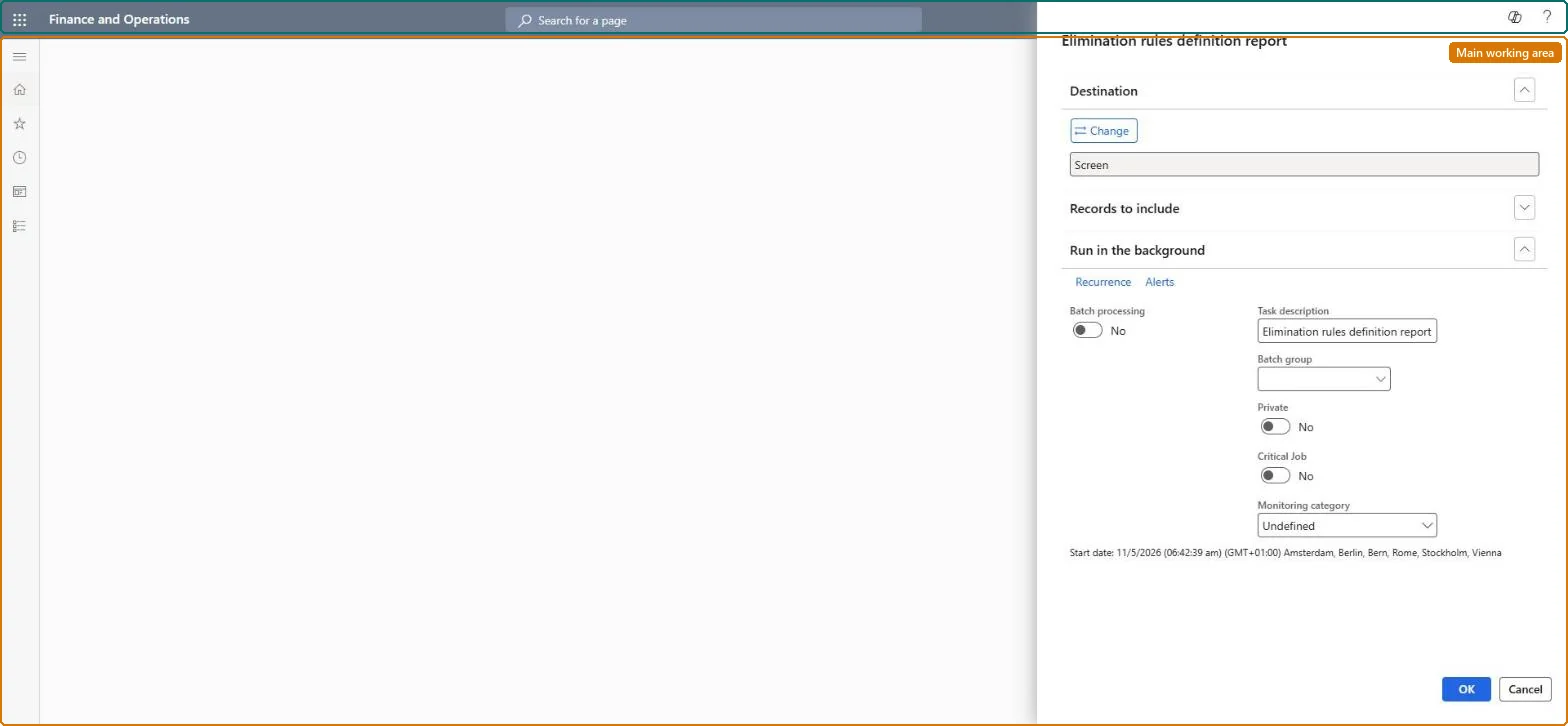
A report that prints the elimination rules and their lines: the company each rule posts to, the journal name, the dates, whether it is active, and the source and destination accounts and dimensions.
What you do here
Use this page to document and check the elimination rules before you run an elimination proposal or a consolidation with eliminations.
Example
For example, before BEAT's first consolidation with eliminations the controller prints rule IC-SALES and checks it posts to the elimination company with journal ELIM and eliminates the net change of accounts 4*.
The page in Dynamics 365. page title tab to open what to set or check
About the examples: Examples and screenshots in this guide use BEAT, a demo company in a Dynamics 365 test environment. Use your own company's codes and values instead of copying them.
When to run it
When to run it
Before the first consolidation with eliminations, after elimination rules change, and for audit documentation.
How often
On demand, whenever elimination rules are added or changed.
What the output shows
A printout of the elimination rules and their lines: destination legal entity, journal, dates, active flag, source accounts and dimensions, and destination accounts. A rule missing from the printout is usually inactive or expired.
Use this page to document and check the elimination rules before you run an elimination proposal or a consolidation with eliminations.
Steps from Microsoft
Go to Consolidations > Setup > Elimination rules definition report.
Filter in Records to include on the elimination rules you want to document, for example only Active rules or one destination company.
Run it and read for each rule the legal entity that the elimination journal posts to, the journal name, the effective and expiry dates, and whether it is Active.
Review the rule lines: source accounts (with wildcards), the Account specification and Dimension specification (Source or User defined), and the net change or fixed method.
Correct any rule that posts to the wrong accounts or company before you run an elimination proposal.
Print the active rules before the first elimination run and after every rule change, and file the printout with the period close.A rule that posts to the wrong company or accounts is cheapest to find before the proposal runs.
Consolidations is part of General ledger in Dynamics 365 Finance. In this system Accountant, Accounting manager, Accounting supervisor, Chief financial officer and Financial controller hold the consolidation duties. The controller and auditors read it. No Feature management feature is needed for this page.
The elimination rules of the current company that match the filter in Records to include. Microsoft Learn
Can it be undone
Reversible: The report changes no data.
If you change it later
None on data; rerun it after any rule change, because it prints the rules as they are. Microsoft Learn
Technical architect
6Technical
Menu item
LedgerEliminationRulesReportChecked in Dynamics 365
Form
SysOperationTemplateFormChecked in Dynamics 365
Roles to set it up and use it
To use itAccounting supervisor LedgerAccountingSupervisorAccountant LedgerAccountantAccounting manager LedgerAccountingManagerChief financial officer CompanyChiefFinancialOfficerFinancial controller LedgerFinancialControllerGive people one of these roles. On this system, 7 roles can run this page.Checked in Dynamics 365
Load order: The Elimination rules definition report has no data entity in Data management, so it can't be loaded from a file or a configuration template. It is a report on the rules; move the rules themselves with the Elimination rule entities.Microsoft Learn
Checked in a working Dynamics 365 system, version 10.0.49: the menu item, form, table and security, the page.
To cite this step: CON-SETUP-020, Document the elimination rules. Beyond ERP Atlas Hub, 2026-11-11. https://www.beyonderp.cloud/atlas/step/CON-SETUP-020