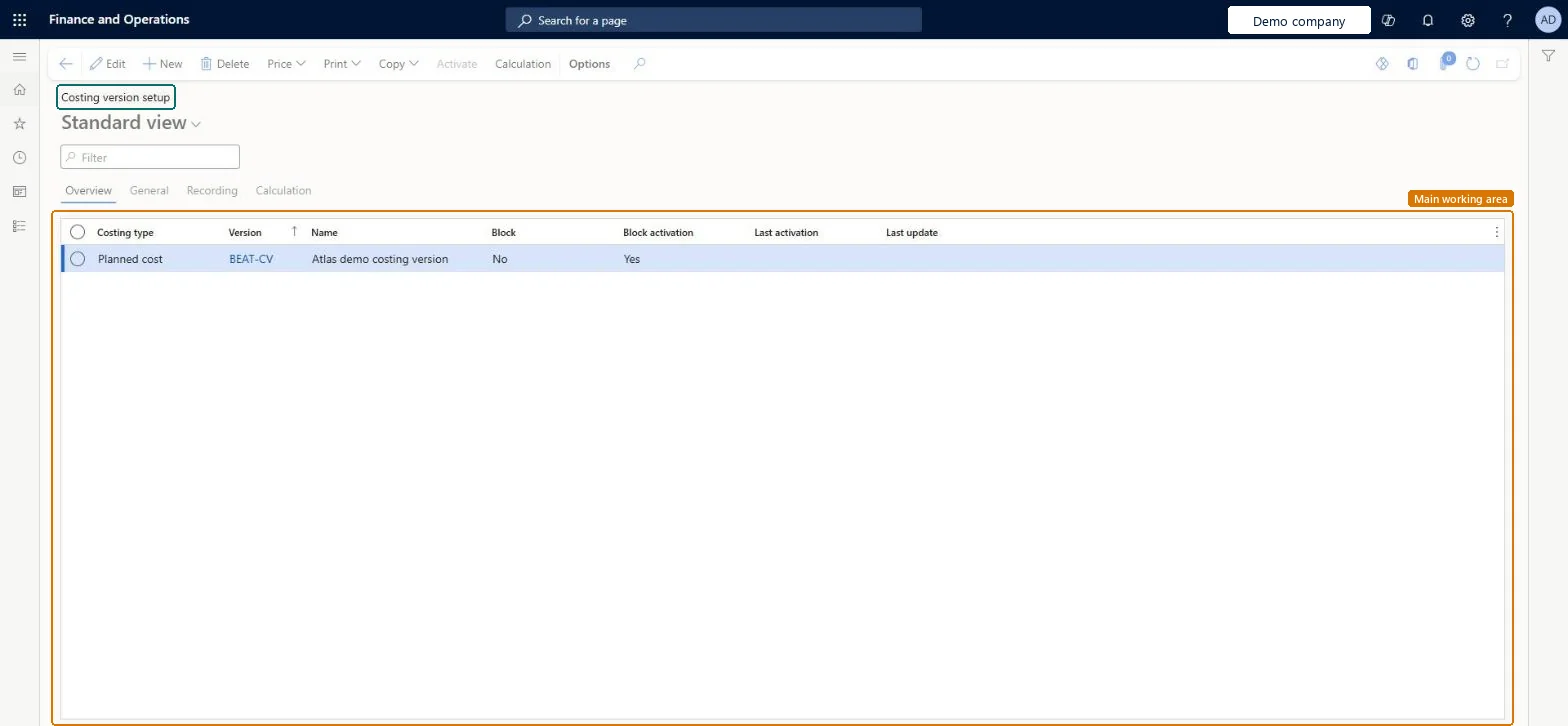
Setup step on the Costing versions page · Cost management
Set up Costing versions
Use this page to create and maintain costing versions, set their costing type and blocking policies, and work with the prices and calculations in each version.
SETUP GUIDEHow to set it up8 sections. Choose a role to highlight what matters to you.
Everyone
1What it is and why
What it is
A list page that shows the costing versions, which contain the standard or planned cost records for items, cost categories and indirect cost calculation formulas.
What you do here
Use this page to create and maintain costing versions, set their costing type and blocking policies, and work with the prices and calculations in each version.
Example
For example, you can use a costing version for planned costs to simulate how cost changes to purchased materials or manufacturing processes affect the calculated costs of manufactured items.
The page in Dynamics 365. page title tab to open what to set or check
About the examples: Examples and screenshots in this guide use BEAT, a demo company in a Dynamics 365 test environment. Use your own company's codes and values instead of copying them.
Setup steps on this page
Set up Costing versions
Use this page to create and maintain costing versions, set their costing type and blocking policies, and work with the prices and calculations in each version.
How to use it
Go to Cost management > Predetermined cost policies setup > Costing versions.
Select New and enter the Costing type, Version and Name.
Use the General, Recording and Calculation tabs to set the policies for the version.
Set Block and Block activation for the version.
Use Price, Copy, Calculation and Print on the Action Pane to work with the cost records in the selected version.
Source: Checked in Dynamics 365
Fields on the page
Field
What it means
Table column
Costing type
Whether the costing version holds standard cost records or planned cost records.Microsoft Learn
CostingType
Block
A blocking policy that controls whether pending costs can be maintained in the costing version.Microsoft Learn
Blocked
Block activation
A blocking policy that controls whether pending costs in the costing version can be activated.Microsoft Learn
BlockActivation
Test checklist
Create a costing version with Costing type Standard cost and Block activation set to Yes
Enter a pending item cost for a purchased item on the Item price page
Run the Item prices report and check the pending cost and its from-date
Set Block activation to No and activate the pending price
Check the item cost record now shows Active and the activation date
One Standard cost version per period (for example 2025-STD) plus a separate Standard cost version for updates, kept on Block activation until the pending costs are checkedLearn describes this two-version approach: the original version stays untouched and each batch of updates is tracked in its own version. Blocking policies let you allow data entry, then stop edits and activation until costs are final.
One-way: Warning: an item cost record that has been activated can't be deactivated or deleted. Activation revalues on-hand inventory for standard cost items; a wrong cost can only be corrected by activating another cost.
If you change it later
The Block and Block activation settings decide whether pending costs in the version can still be maintained and whether they can be activated. Microsoft Learn
Technical architect
6Technical
Menu item
CostingVersionChecked in Dynamics 365
Form
CostingVersionChecked in Dynamics 365
Table
CostingVersionShown as “COSTING VERSIONS” in Record infoChecked in Dynamics 365
PrivilegesMaintain costing version CostingVersionMaintainDutiesMaintain costing versions CostingVersionMasterMaintain3 security rolesInventory accountant InventCostAccountantAccounting manager LedgerAccountingManagerAccounting supervisor LedgerAccountingSupervisorChecked in Dynamics 365
Roles to set it up and use it
To set it up or change itAccounting manager LedgerAccountingManagerInventory accountant InventCostAccountantAccounting supervisor LedgerAccountingSupervisorGive people one of these roles. On this system, 3 roles can open this page.Checked in Dynamics 365
Actions on the page
(Action Pane without tabs): Price, Print, Copy, Activate, CalculationChecked in Dynamics 365
CostingVersionEntity (Costing versions): loaded for each company, in Microsoft's default template 420 - Costing.Load order: Microsoft's default template 420 - Costing loads Costing versions at execution unit 1, level 300, sequence 50. Lower levels load first, and entities at the same level load in sequence order.Load first: the default templates at lower levels (System setup to Budgeting)Microsoft Learn