Print inventory costing reports in Dynamics 365 Finance
Menu item
InventValueExecutionHistory
Main table
InventValueExecutionHistory
Show what matters for
PAGE GUIDEWhat the page does and how to use it7 sections. Choose a role to highlight what matters to you.
Everyone
1What it is and why
What it is
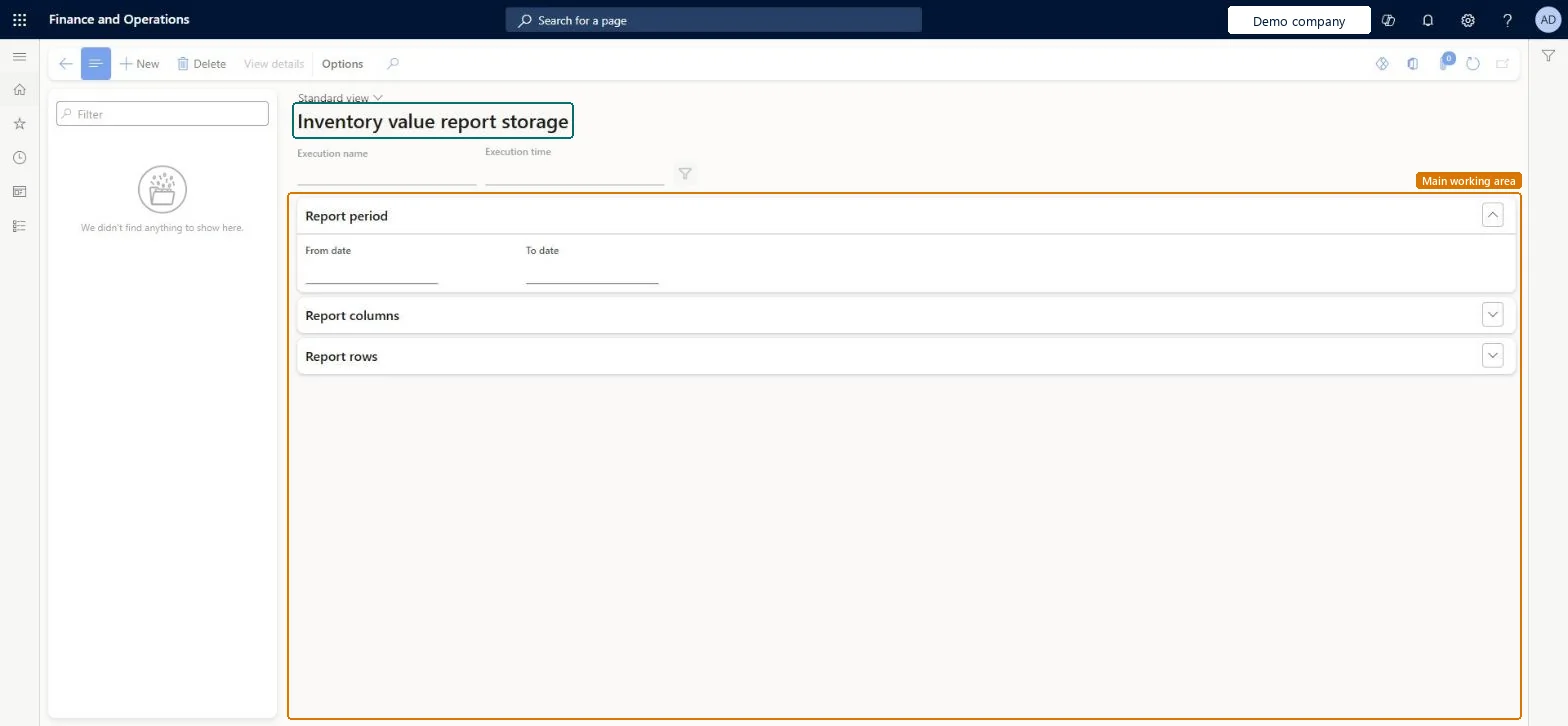
A list page that stores each run of the inventory value report, so that you can explore the results as an interactive page or export them.
What you do here
Use this page to generate and store inventory value reports that show physical and financial inventory quantities and amounts for a period, and to review, export or delete them.
Example
For example, the stored report suits companies with 50,000 items and 300 stores set up as warehouses that need inventory ending balances by item, site and warehouse.
The page in Dynamics 365. page title tab to open what to set or check
About the examples: Examples and screenshots in this guide use BEAT, a demo company in a Dynamics 365 test environment. Use your own company's codes and values instead of copying them.
Steps from Microsoft
Go to Cost management > Inquiries and reports > Inventory value report storage.
On the Action Pane, select New.
In the Inventory value dialog box, on the Parameters FastTab, enter a unique Name, select the report configuration in the ID field and set the date interval.
On the Records to include FastTab, set up filters to define which data is included on the report.
On the Run in the background FastTab, specify how, when and how often the report is generated.
Select OK to apply your settings and close the dialog box.
When the batch job has completed, select the report in the list and select View details on the Action Pane to show the report content.
The specific dates that define which records the report includes. A preset range can be used instead through the Date interval code field.Microsoft Learn
Solution architect
4Design impact
If you change it later
Export a stored report before you delete it, because it might not be possible to generate the same report again later. Microsoft Learn
Technical architect
5Technical
Menu item
InventValueExecutionHistoryChecked in Dynamics 365
Form
InventValueExecutionHistoryChecked in Dynamics 365
Table
InventValueExecutionHistoryShown as “INVENTVALUEEXECUTIONHISTORY” in Record infoChecked in Dynamics 365
Who can open it
PrivilegesGenerate the inventory value report InventValueGenerateDutiesReview inventory valuation process performance InventValueInvValuationProcessPerfRevieInquire into inventory valuation status InventValueInvValuationStatusInquire3 security rolesInventory accountant InventCostAccountantInventory accountant clerk InventCostCostClerkAccounting manager LedgerAccountingManagerChecked in Dynamics 365
Roles to set it up and use it
To set it up or change itAccounting manager LedgerAccountingManagerInventory accountant InventCostAccountantInventory accountant clerk InventCostCostClerkGive people one of these roles. On this system, 3 roles can open this page.Checked in Dynamics 365
Actions on the page
(Action Pane without tabs): View detailsChecked in Dynamics 365