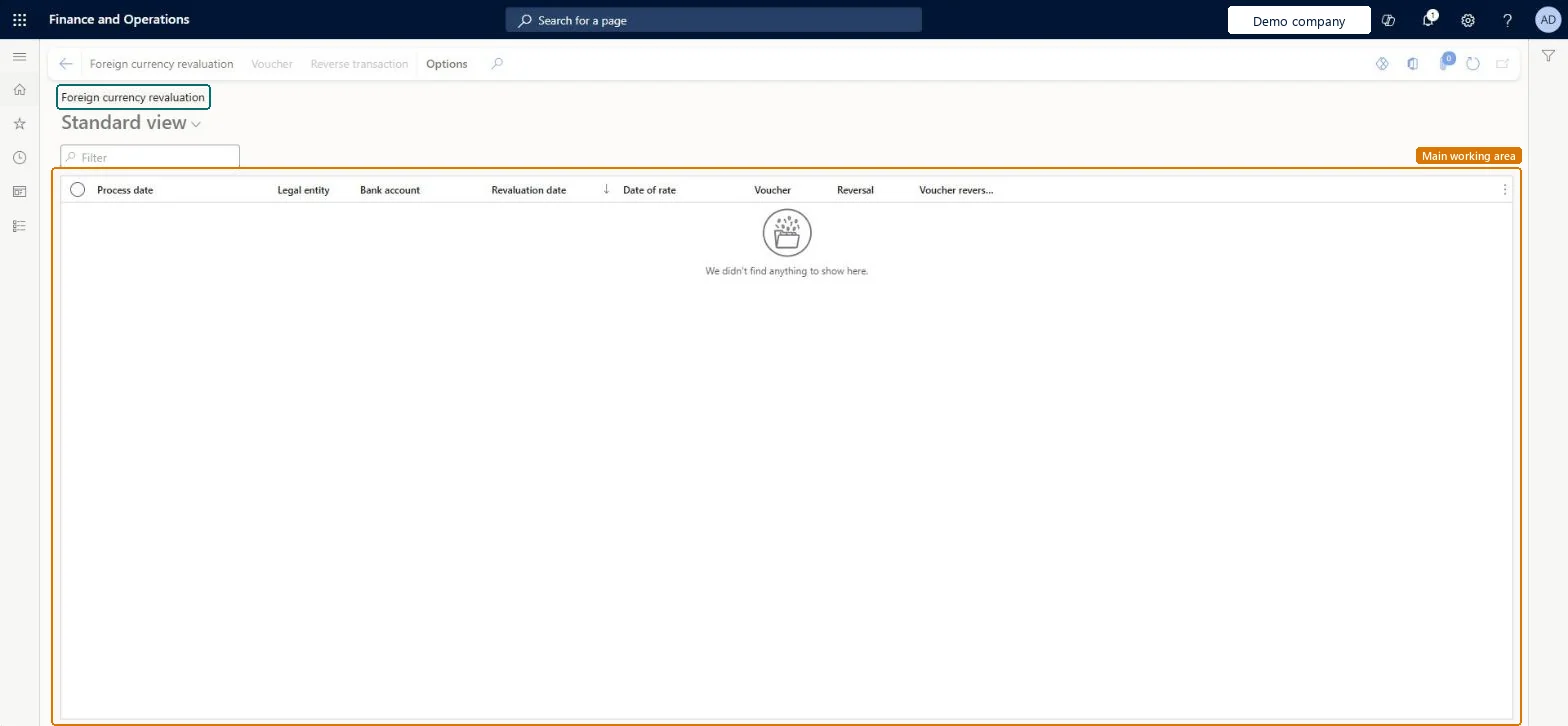
Setup step on the Foreign currency revaluation page · Cash and bank management
Revalue foreign currency bank balances
Use this page at each period end to revalue the accounting and reporting currency balances of foreign currency bank accounts and post unrealized gain or loss.
About the examples: Examples and screenshots in this guide use BEAT, a demo company in a Dynamics 365 test environment. Use your own company's codes and values instead of copying them.
When to run it
When to run it
At each period end, after all bank transactions for the period are posted.
How often
Once per period end for each bank account in a foreign currency.
Batch settings
Schedule it as a batch job when you revalue many bank accounts across legal entities. Set Preview before posting to No, because a preview isn't available in batch.
What the output shows
Unrealized gain or loss vouchers for each revalued bank account: one for the accounting currency and, when relevant, one for the reporting currency, split across the financial dimensions on the bank transactions. Very large offsetting debit and credit lines with a small net amount come from the legacy dimension allocation; the Enhancements to bank foreign currency revaluation feature changes that logic.
Use this page at each period end to revalue the accounting and reporting currency balances of foreign currency bank accounts and post unrealized gain or loss.
Steps from Microsoft
Go to Cash and bank management > Periodic tasks > Foreign currency revaluation.
On the Action Pane, select Foreign currency revaluation to open the Bank - foreign currency revaluation dialog.
Set Revaluation date to the cutoff date; the sum of all bank transactions up to this date is revalued.
Set Exchange rate date to the date of the rate to use. For example, you can revalue balances as of January 31 with the rate of February 1.
Select the legal entities, and then the foreign currency bank accounts to revalue.
Set Preview before posting to Yes to review and export the results to Excel before posting; a preview can't run as a batch job.
Post the revaluation and open the new history line and its voucher on the Foreign currency revaluation page.
The cutoff date; all bank transactions up to this date are revalued.Microsoft Learn
1/31/2027
TransDate
Exchange rate date
The date of the exchange rate used for the revaluation.Microsoft Learn
2/1/2027
ExchangeRateDate
Preview before posting
Lets you review and export the results before you post them; batch processing isn't available with a preview.Microsoft Learn
Yes
Legal entities
The legal entities whose foreign currency bank accounts you revalue; the lookup shows only the ones you have access to.Microsoft Learn
Exchange rate type source
On Cash and bank management parameters (General tab): Ledger, Specific (per legal entity) or Bank (per bank account) decides which exchange rate types the revaluation uses.Microsoft Learn
Ledger
Common errors and fixes
Message
What to do
Revaluation runs but posts no gain or loss
With Enhancements to bank foreign currency revaluation on, run Reset foreign currency revaluation, define dimension level first and use a revaluation date after the reset posting date; the account also needs a foreign currency balance after that date. Microsoft Learn
The voucher has very large debit and credit lines but a small net amount
The legacy calculation spreads the adjustment across financial dimensions in proportion to their balances. Turn on Enhancements to bank foreign currency revaluation (after the one-time reset) to calculate per ledger account. Microsoft Learn
An older revaluation can't be reversed
Reverse the most recent revaluation first, then older ones in date order, then run new revaluations for the reversed periods. Microsoft Learn
Test checklist
A history line exists for each legal entity and posting layer that was revalued.
The voucher posts to the unrealized gain or loss account and to the bank main account.
Bank accounts in the accounting currency got no accounting currency entry.
Revaluation date = the last day of the period; Exchange rate date = the date of the rate policy (often the same day); Preview before posting = Yes for the first runs, exported to Excel as the working paper.The preview can be posted without rerunning and keeps a record of the calculation; batch processing can't be used with a preview.
Set on the Number sequences tab of Cash and bank management parameters before the first revaluation. Microsoft Learn
Feature management and licence
Feature to turn on
Foreign currency revaluation performance improvements (Mandatory from 10.0.43)Exchange rate type enhancement for bank foreign currency revaluation (Optional)Enhancements to bank foreign currency revaluation (Optional; can't be turned off once enabled)
Licence or add-in
In this system 6 roles can open this page, among them Chief financial officer, Accountant, Accounting manager and Accounting supervisor.
Global page: from one page you revalue bank accounts in every legal entity you have access to. A history record is created for each legal entity and posting layer. Microsoft Learn
Can it be undone
Reversible newest first: Reverse transaction undoes a run; several runs are reversed from the most recent back.
If you change it later
Posts unrealized gain or loss transactions to the ledger for each revalued bank account. Revaluations can only be reversed newest first. Microsoft Learn
Technical architect
6Technical
Menu item
BankCurrencyRevalHistoryChecked in Dynamics 365
Form
BankCurrencyRevalHistoryChecked in Dynamics 365
Table
BankCurrencyRevalHistoryShown as “Foreign currency revaluation” in Record infoChecked in Dynamics 365
Who can open it
PrivilegesView bank - foreign currency revaluation history BankCurrencyRevalHistoryViewDutiesInquire into bank revaluations BankCurrencyRevalInquireMaintain bank revaluations BankCurrencyRevalMaintain6 security rolesChief financial officer CompanyChiefFinancialOfficerAccountant LedgerAccountantAccounting manager LedgerAccountingManagerAccounting supervisor LedgerAccountingSupervisorFinancial controller LedgerFinancialControllerTreasurer PaymTreasurerChecked in Dynamics 365
Roles to set it up and use it
To use itTreasurer PaymTreasurerChief financial officer CompanyChiefFinancialOfficerAccounting manager LedgerAccountingManagerFinancial controller LedgerFinancialControllerAccountant LedgerAccountantGive people one of these roles. On this system, 6 roles can open this page.Checked in Dynamics 365
Actions on the page
Options: Personalize, Page options, ShareChecked in Dynamics 365
Load order: Bank foreign currency revaluation has no data entity in Data management, so it can't be loaded from a file or a configuration template. It posts revaluation from the bank balances in this environment; revaluations of the old system stay there. Bring opening bank balances in at the go-live rate and revalue from the first period end after go-live.Microsoft Learn