Cash and bank managementInquiries and reportsBank accounts
BankMainDataChangeHistory
Used by
Accounts payable manager, Chief financial officer, Accounts receivable manager and 6 more roles
Business process
Establish banking relationships
Menu item
BankMainDataChangeHistory
Main table
MainDataChangeHistory
Setup steps
1 on this page
Show what matters for
SETUP GUIDEHow to set it up8 sections. Choose a role to highlight what matters to you.
Everyone
1What it is and why
What it is
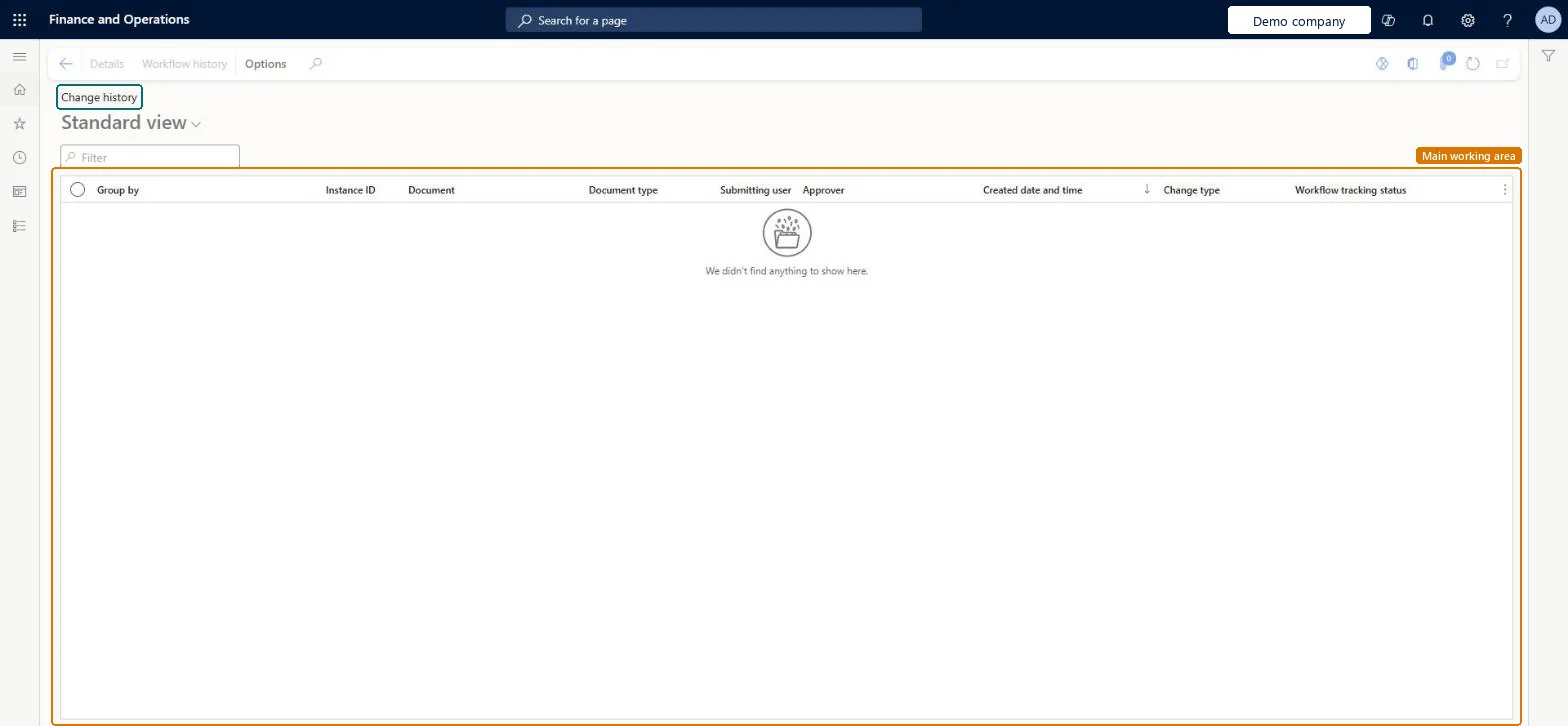
An inquiry page that shows the saved history of changes made to the company's bank accounts.
What you do here
Use this page to review and audit changes to bank account details once Change history is turned on in Cash and bank master data change setup.
Example
For example, an auditor at BEAT filters the change history on the operating bank account and finds that the IBAN was changed on 3 March, who proposed it, who approved it, and the old and new values.
The page in Dynamics 365. page title tab to open what to set or check
About the examples: Examples and screenshots in this guide use BEAT, a demo company in a Dynamics 365 test environment. Use your own company's codes and values instead of copying them.
Setup steps on this page
Review bank account change history
Use the change history to audit who changed bank account details and when.
Steps from Microsoft
Go to Cash and bank management > Inquiries and reports > Bank accounts > Bank account change history, or open a bank account and select Changes > Change history.
Filter on the bank account you want to audit.
Read each change: the field, the old and new values, and when it was made.
For a change that went through approval, compare it with the approval in the Workflow for proposed bank account change history.
History is saved only when Change history is selected in Cash and bank master data change setup, which needs the Bank account lifecycle management feature. Changes made before that aren't listed. Microsoft Learn
Test checklist
Check that Change history is selected in Cash and bank master data change setup.
Change a protected field, such as the bank account number, on a test bank account and approve the change.
Open Bank account change history and filter on that account.
Check that the change is listed with its old and new value.
Turn on Change history before go-live and review the history of every bank account monthly, or before each payment run when protected fields changed.A changed bank account number or IBAN redirects payments, so an audit of changes is the control that catches it.
Bank account lifecycle management (Turn on in Feature management: a preview from 10.0.40, generally available from 10.0.46 (allowed in production from 10.0.43))
Licence or add-in
In this system 9 roles can open this page, among them Chief financial officer, Accounts receivable manager, Payroll administrator and Accountant.
Entries appear only for bank account changes made after Change history was turned on; turning it off stops new entries. Microsoft Learn
Technical architect
6Technical
Menu item
BankMainDataChangeHistoryChecked in Dynamics 365
Form
MainDataChangeHistoryChecked in Dynamics 365
Table
MainDataChangeHistoryShown as “Master data change framework change proposal history” in Record infoChecked in Dynamics 365
Who can open it
PrivilegesView bank account change history BankAccountChangeHistoryViewDutiesInquire into bank accounts master BankBankAccountsInquireMaintain bank accounts master BankBankAccountsMaintain9 security rolesChief financial officer CompanyChiefFinancialOfficerAccounts receivable manager CustInvoiceAccountsReceivableManagerPayroll administrator HcmPayrollAdministratorAccountant LedgerAccountantAccounting manager LedgerAccountingManagerAccounting supervisor LedgerAccountingSupervisorFinancial controller LedgerFinancialControllerTreasurer PaymTreasurerAccounts payable manager VendInvoiceAccountsPayableManagerChecked in Dynamics 365
Roles to set it up and use it
To use itTreasurer PaymTreasurerChief financial officer CompanyChiefFinancialOfficerAccounting manager LedgerAccountingManagerFinancial controller LedgerFinancialControllerAccountant LedgerAccountantGive people one of these roles. On this system, 9 roles can open this page.Checked in Dynamics 365
Actions on the page
Options: Personalize, Page options, ShareChecked in Dynamics 365
Load order: Bank account change history has no data entity in Data management, so it can't be loaded from a file or a configuration template. The history is written by the system when bank accounts change, so it starts empty in a new environment; keep the history of the old system in your audit files.Microsoft Learn