BeyondERP.Newsletter
Menu

Setup step on the Audit policies page · Audit workbench

Set up Audit policies

Use this page to create audit policies, add policy rules to them, test the rules, and run the policy in batch for a document date range so that violations become audit cases.

Used by
Auditor, Financial controller
Business process
Audit financial transactions
Menu item
AuditPolicyDetails
Main table
SysPolicy
Data entity
PurchPurchasingPolicyEntity
Setup steps
1 on this page
Show what matters for
SETUP GUIDEHow to set it up8 sections. Choose a role to highlight what matters to you.
Everyone

1What it is and why

What it isA setup page where you define audit policies: the organizations each policy applies to and the policy rules it checks completed expense reports, purchase orders, and vendor invoices against.
What you do hereUse this page to create audit policies, add policy rules to them, test the rules, and run the policy in batch for a document date range so that violations become audit cases.
ExampleFor example, a policy can flag employees whose hotel expenses on expense reports total more than 2,000.
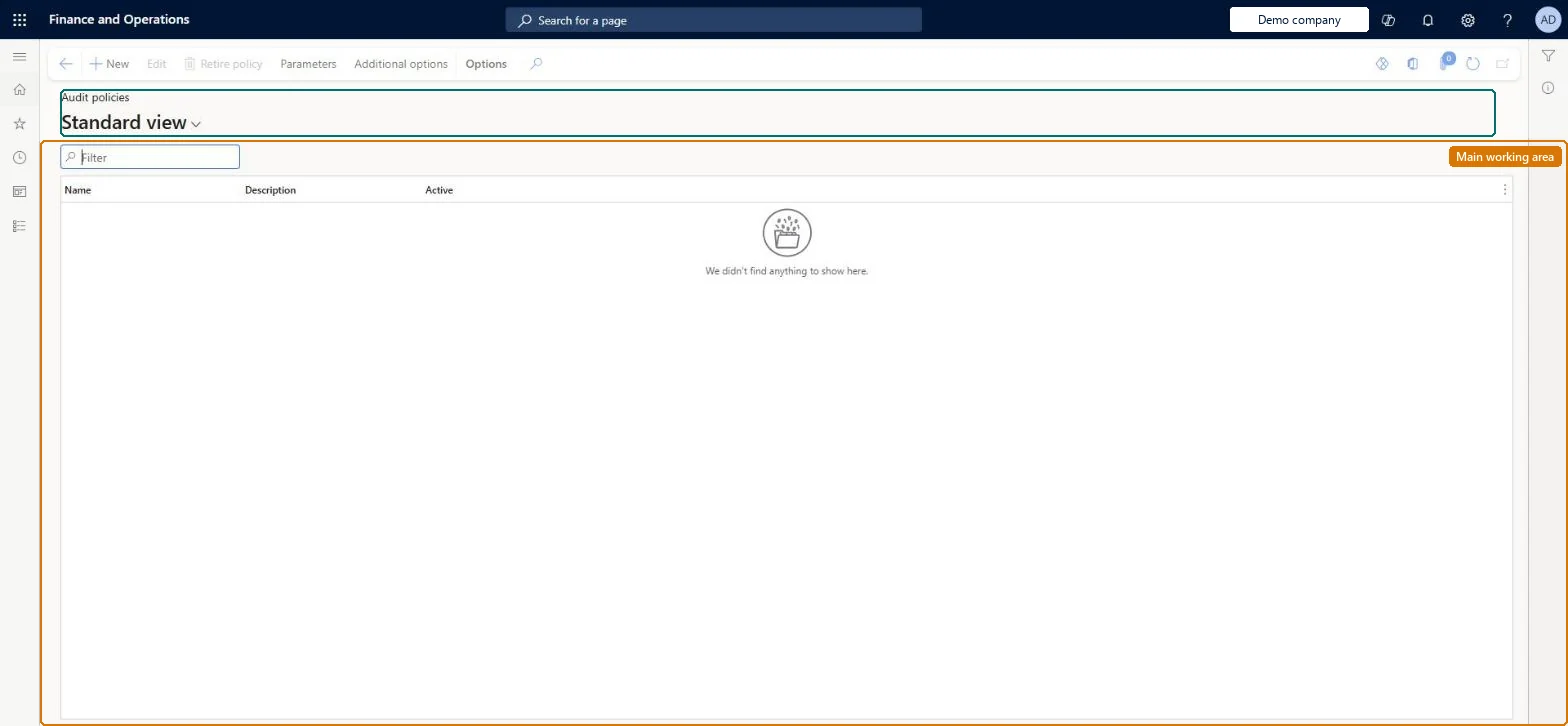
Audit policies page in Dynamics 365
The page in Dynamics 365. page title tab to open what to set or check
Functional consultant · Solution architect

2Where it fits

Business processAnalyze financial performance › Audit financial transactions
Menu pathAudit workbench › Setup › Audit policies
Set up firstPolicy rule type Microsoft Learn
Used next byAudit cases Microsoft Learn
Related pagesCase grouping criteria Microsoft Learn Parameters (Policy rule parameters tab) Microsoft Learn Additional options Microsoft Learn
In this processSet up Case grouping criteria
End user · Functional consultant

3How to do it

About the examples: Examples and screenshots in this guide use BEAT, a demo company in a Dynamics 365 test environment. Use your own company's codes and values instead of copying them.

Setup steps on this page

Set up Audit policies

Use this page to create audit policies, add policy rules to them, test the rules, and run the policy in batch for a document date range so that violations become audit cases.

Steps from Microsoft

  1. Go to Audit workbench > Setup > Audit policies.
  2. Select New and enter a name.
  3. In the Policy organizations section, select each organization and select Add.
  4. In the Policy rules section, select a policy rule and select Create policy rule.
  5. Enter the effective date, set the filter criteria, and select OK.
  6. Select Test, enter the document selection dates, and select Run test.
  7. Select Additional options, enter the starting and ending dates, and run the policy in batch.

Source: Microsoft Learn

Fields on the page

FieldWhat it meansTable column
NameThe name of the audit policy.Microsoft Learn Name
DescriptionA description of the audit policy.Microsoft Learn Description
Policy organizationsThe organizations that the audit policy runs against.Microsoft Learn
Policy rulesThe rules the policy checks documents against; only one rule can be active at a time for each policy rule type.Microsoft Learn
Effective dateThe date from which a policy rule applies; with the expiration date it can limit the records searched in a batch.Microsoft Learn
FilterThe filter values for the document being audited.Microsoft Learn

Test checklist

  1. Create a policy with its policy organizations and one policy rule.
  2. Use Test on the rule for a known date range and check the expected documents are selected.
  3. Run the policy in batch from Additional options for the same range.
  4. Open Audit cases and check the case and its associations.
  5. Change the batch dates to overlap the last run and check the warning appears.

Source: Microsoft Learn

Functional consultant

4Setup decisions

Setup stepRecommended value and whyDecision, common mistake and test
Set up Audit policiesRun each policy in batch on back-to-back document selection date ranges, with no gaps and no overlaps, after testing each rule with TestBatches expect no gap with earlier batches: a gap leaves documents unchecked and an overlap double-counts them. The system warns when you change batch dates but doesn't correct them.How often and over which date ranges should each audit policy run?Editing a rule or the policy organizations and running a past date range. The run uses the rule version and organizations effective on the last day of the range, not the ones in force when the documents were created.Test: Policy run creates cases for violations
Solution architect

5Design impact

Shared or per companyShared: the same records are used by every legal entity. Microsoft data model
Can it be undoneHard to reverse: Rules are effective-dated and can be changed, but cases already generated by a run stay and must be handled through case management.
If you change it laterA run uses the version of each policy rule, and the organizations linked to the policy, that are effective on the last day of the document selection date range. Batch date ranges that overlap count documents twice, and gaps leave documents unchecked. Microsoft Learn
Technical architect

6Technical

Menu itemAuditPolicyDetails Checked in Dynamics 365
FormSysPolicyListPage Checked in Dynamics 365
TableSysPolicyShown as “POLICY” in Record infoKey field: NameChecked in Dynamics 365
Data entitiesPurchPurchasingPolicyEntityPurchasing policies Microsoft data model SysPolicyEntityPolicies Microsoft data model
Who can open itPrivilegesMaintain audit policies AuditPolicyDetailsMaintainView audit policies AuditPolicyDetailsViewDutiesInquire into audit policies AuditPolicyInquireMaintain audit policies AuditPolicyMaintain
2 security rolesAuditor AuditPolicyManagerFinancial controller LedgerFinancialController
Checked in Dynamics 365
Roles to set it up and use itTo set it up or change itAuditor AuditPolicyManagerTo use itFinancial controller LedgerFinancialControllerGive people one of these roles. On this system, 2 roles can open this page.Checked in Dynamics 365
Actions on the page(Action Pane without tabs): Edit, Retire policy, Parameters, Additional optionsChecked in Dynamics 365
Developer

7Developer

Open it by URLhttps://<your-environment>/?mi=AuditPolicyDetails
Integrate withPurchPurchasingPolicyEntity data entity Microsoft data model
Data migrationPurchPurchasingPolicyEntity (Purchasing policies): shared by all companies.SysPolicyEntity (Policies): shared by all companies.Microsoft Learn
Table definitionSysPolicy columns and relations Microsoft data model
Everyone

8Sources