About the examples: Examples and screenshots in this guide use BEAT, a demo company in a Dynamics 365 test environment. Use your own company's codes and values instead of copying them.
Step by step, with screenshots
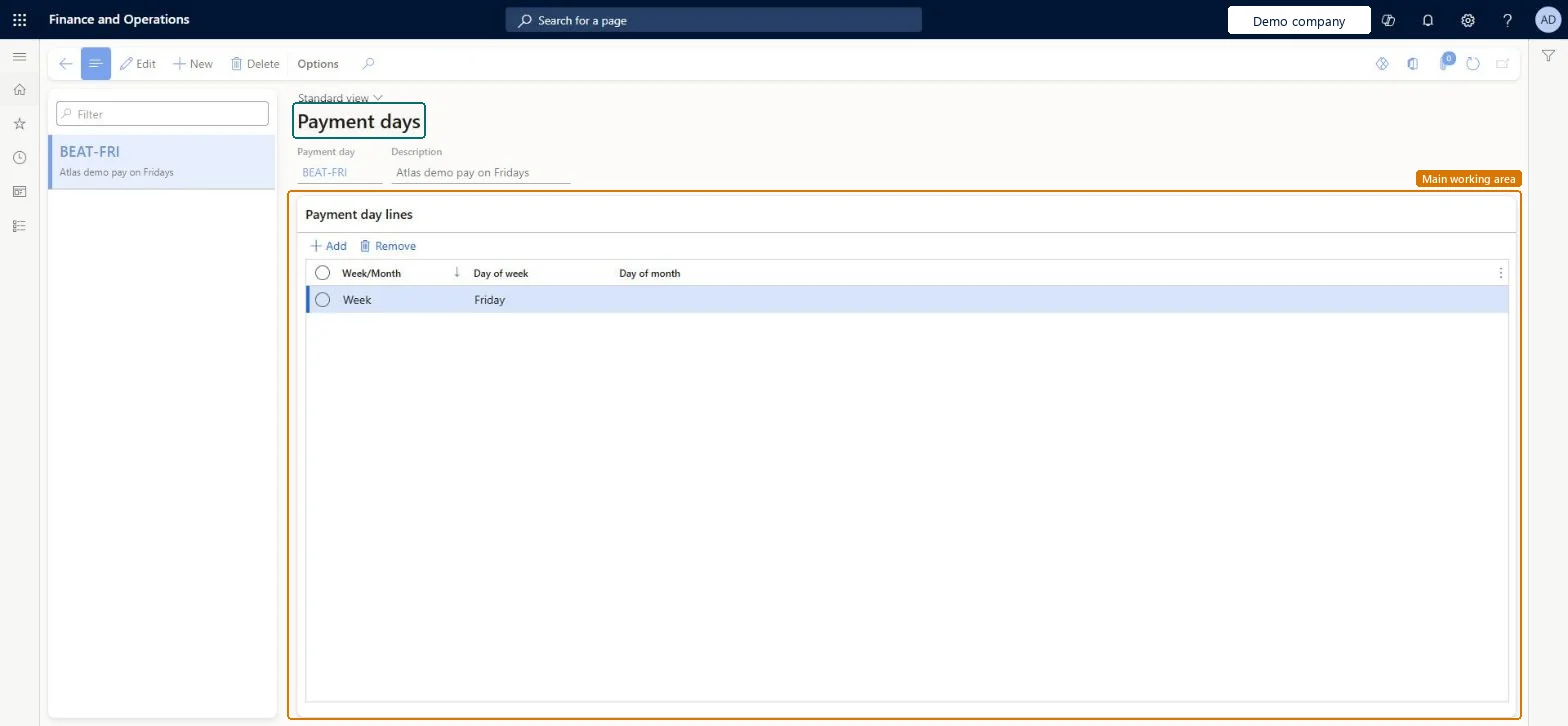
Set up Payment days1 screen
Define the payment days used to calculate due dates for payments received from customers or made to vendors.
Screen 1
Create the payment day
Go to Accounts receivable > Payments setup > Payment days
Select New
Enter the code and the description
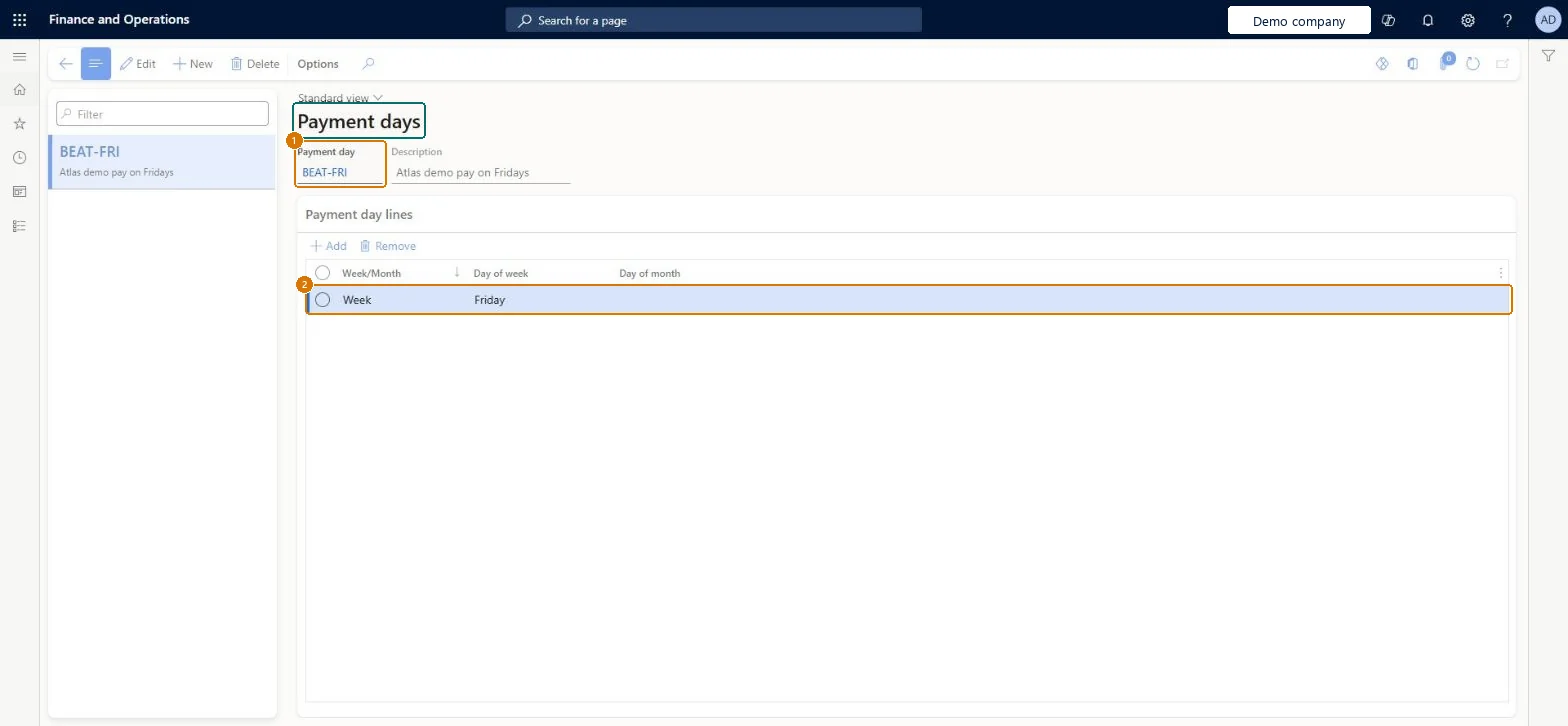
Add a line: Week, Friday
Save
1Payment day
BEAT-FRI
2Week/Month
Week
Description
Pay on Fridays
Day of week
Friday
Show the full screen page title tab to open what to set or check
Steps from Microsoft
Go to Accounts receivable > Payments setup > Payment days.
Select New.
Create a payment day when your terms of payment need a set weekday or a set date in the month.
Fill in the Payment day, Description and Week/Month fields.
In the Day of month field, enter the date as a number, for example 10.
Create payment days only where terms of payment need a fixed weekday or day of month (for example the 10th), and agree them with Accounts payable.Payment days are added to the terms of payment calculation to land the due date on a set day, and the setup is shared by Accounts receivable and Accounts payable in the legal entity.
Changing a payment day for customers without checking vendors. The same records drive vendor due dates too.
Reversible: Due dates are calculated when invoices are posted, so a change affects invoices posted afterwards; open invoices keep their due dates.
If you change it later
Payment days are shared by Accounts receivable and Accounts payable in the same legal entity, so a change here also affects vendor payment terms. Microsoft Learn
Technical architect
6Technical
Menu item
CustPaymDayChecked in Dynamics 365
Form
PaymDayChecked in Dynamics 365
Table
PaymDayShown as “Payment days” in Record infoChecked in Dynamics 365
PrivilegesMaintain customer payment days CustPaymDayMaintainView customer payment days CustPaymDayViewDutiesInquire into collections status CollectionLetterCollectionsStatusInquirInquire into collections policies CollectionLetterCollectPoliciesInquireInquire into invoice and cash policies CustInvoiceInvoiceAndCashPoliciesInquirEnable invoice and cash process CustInvoiceInvoiceAndCashProcessEnableInquire into invoice and cash policies RentalCustInvInvoiceAndCashPolInquirEnable invoice and cash process RentalCustInvoiceInvAndCashProcEnable13 security rolesAuditor AuditPolicyManagerCollections agent CollectionLetterCollectionsAgentCollections manager CollectionLetterCollectionsManagerAccounts receivable clerk CustInvoiceAccountsReceivableClerkAccounts receivable manager CustInvoiceAccountsReceivableManagerAccountant LedgerAccountantAccounting manager LedgerAccountingManagerAccounting supervisor LedgerAccountingSupervisorFinancial controller LedgerFinancialControllerAccounts receivable centralized payments clerk PaymAccountsReceivableCentralPaymClerkAccounts receivable payments clerk PaymAccountsReceivablePaymentsClerkRental coordinator agent RentalCoordinatorAgentRental manager RentalManagerChecked in Dynamics 365
Roles to set it up and use it
To set it up or change itRental manager RentalManagerAccounts receivable manager CustInvoiceAccountsReceivableManagerRental coordinator agent RentalCoordinatorAgentCollections manager CollectionLetterCollectionsManagerAccounting supervisor LedgerAccountingSupervisorTo use itAccounts receivable clerk CustInvoiceAccountsReceivableClerkAccounts receivable payments clerk PaymAccountsReceivablePaymentsClerkAccounts receivable centralized payments clerk PaymAccountsReceivableCentralPaymClerkFinancial controller LedgerFinancialControllerAccountant LedgerAccountantGive people one of these roles. On this system, 13 roles can open this page.Checked in Dynamics 365
Checked in a working Dynamics 365 system, version 10.0.49: the menu item, form, table and security, the page, the demo records and the values in the screenshots.
To cite this step: AR-PAYSETUP-050, Set up Payment days. Beyond ERP Atlas Hub, 2026-11-11. https://www.beyonderp.cloud/atlas/step/AR-PAYSETUP-050